September Special Offer - 5% OFF SITEWIDE!
Use code:


Aplications included:
Word, Excel, PowerPoint, Outlook, Access, OneNote and Publisher.
License features:
 Works on Windows OS Works on Windows OS |
Permanent updates |
| For 1 PC |
Multi-language |
| No expiration |
Lifetime warranty |
| Digital download |
Genuine software |
 38
People watching this product now!
38
People watching this product now!

Your order will be sent immediately to your email.
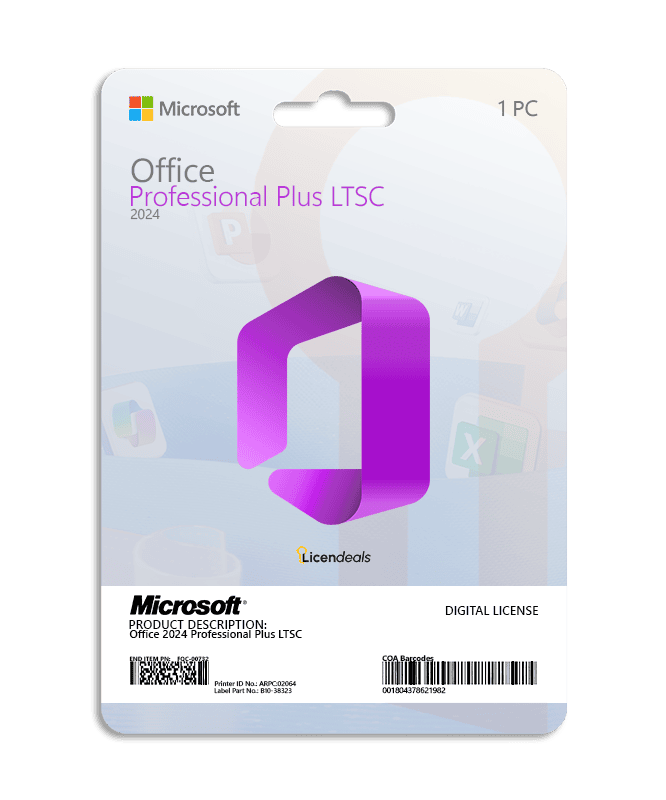
This license allows you to activate Office 2024 Professional Plus LTSC on your PC. Buy now and we’ll instantly send your Office 2024 Professional Plus LTSC product key to your email. This is a one-time license and the activation key is only valid for installation on 1 PC. This license can only be used once to activate Office 2024.
Office 2024 Professional Plus LTSC product key gives you the possibility to activate the software anywhere in the world, you can activate the software on your home or office computers. We offer affordable pricing and lifetime warranty on all activation licenses.
IMPORTANT: In some cases, this product may require automatic activation by phone. Don’t worry, you don’t need to call, you can complete the activation process online.
View the Office 2024 Professional Plus LTSC activation guide by clicking HERE.
• Operating system: Windows 10 or higher - Windows Server 2019 or higher.
• License for: 1 User
• Processor: 1.6 GHz or faster
• Architecture: 64 Bit or 32 Bit
• Minimum RAM: 2 GB (32-bit) / 4 GB (64-bit)
• Minimum HDD: 6 GB (32-bit) / 6 GB (64-bit)
• Required connectivity: Internet access
• Brand: Microsoft
• Format: Lifetime activation - Digital license
• Updates: Permanent updates
• Platform: Office 2024
• License Type: Retail
• Compatibility: 32-bit and 64-bit
• Users supported: 1 User per license
• Activation available in: Worldwide
• Estimated delivery time: IMMEDIATE DELIVERY
• Language: Available in all languages (it is possible to change language settings after installation; additional language packs are also available to be downloaded and installed separately)
IMPORTANT: All files we provide are free of viruses or malicious software.
Download Office 2024 Professional Plus x32/64 - English
Download Office 2024 Professional Plus x32/64 - Spanish
Download Office 2024 Professional Plus x32/64 - French
Download Office 2024 Professional Plus x32/64 - Italian
Activate Office 2024 Professional Plus LTSC using a product key
Before using the license, please note:
1. We recommend uninstalling any version of Office to avoid license conflicts.
1.1. Go to: Control Panel > Programs and Features > Uninstall.
2. Restart your computer.
If you encounter any activation errors, please do not hesitate to contact us via our Online Chat or WhatsApp. We are online 24/7, ready to help you.
Step 1: Download
1. Download Office 2024 Pro Plus LTSC by clicking HERE or use the link provided in your purchase.
Step 2: Install
1. Once the .img or .iso file has downloaded, right-click on it and select Mount (or double-click in Windows 10/11).
2. Inside the folder, locate and run the Setup.exe file.
3. Wait for the installation to display the “All done” message.
Step 3: Activate
1. Start activation: Open any Office application (e.g., Word), select the option “I want to activate the software by telephone,” and click Next.
2. Get your code: The screen will display a 63-digit code called the Installation ID. Keep it handy.
3. Go to the website: Visit the official Microsoft activation page (insert your link here) and sign in with your Microsoft account.
4. Register the product: Select Microsoft Office, choose your operating system, and select the Office 2024 version.
5. Generate confirmation: Enter your Installation ID on the website and click Submit to generate your Confirmation ID.
6. Activate Office: Return to your Office window, enter the Confirmation ID provided by the website, and click Next.
See the complete and detailed guide in our Help Center by clicking HERE
No account yet?
Create an Account



 Windows
 Office for PC
 Office for Mac
 Windows Server
 SQL Server
 Office Apps
 Visual Studio

Reviews
Clear filtersThere are no reviews yet.