License Type: RDS CAL RDS CAL LicenseRemote Desktop access for your team on Windows Server, 50 users or devices per pack. Learn more about RDS CAL Licenses
Windows Server 2025 RDS 50 Device CALs: a pack of 50 Remote Desktop Services client access licenses (RDS CALs) for Windows Server 2025, as Device CALs. Each one covers one device, whoever uses it.
Right after your payment is confirmed, we email you a secure link to your license, and your invoice comes with the order. Lifetime warranty on the server where you activate it. Only reveal your license when you are ready to install it.
What is an RDS CAL?
A Remote Desktop Services client access license (RDS CAL) lets a person or a device connect to a Remote Desktop session host running Windows Server. RDS CALs are separate products from Windows Server, sold in packs of 50. Microsoft’s licensing terms say which users and devices need an RDS CAL: check them for your setup.
User CAL or Device CAL?
User CAL
Device CAL
Covers
One person, from any device
One device, whoever uses it
A good fit when
Each person has their own devices
Several people share the same computers, for example in shifts
Each pack has 50. Count the people (User CALs) or the devices (Device CALs) that will connect to your session hosts: for example, 120 people need three packs. Buying several packs? Request a quote.
Which Windows Server version does it work with?
An RDS CAL pack works with its own Windows Server version or an earlier one, never a later one.
Windows Server 2025 pack
Session hosts running 2025, 2022, 2019 and 2016
Windows Server 2022 pack
Session hosts running 2022, 2019 and 2016
Windows Server 2019 pack
Session hosts running 2019 and 2016
Windows Server 2016 pack
Session hosts running 2016
Source: Microsoft Learn, updated 2026-04-02; last reviewed: October 2026.
Questions about RDS CALs
Is the Windows Server 2025 RDS 50 Device CALs pack a Windows Server license?
No. RDS CALs are separate products from Windows Server, sold in packs of 50. The Windows Server edition you run them on is a separate product too: see Windows Server license keys.
What is the difference between User CALs and Device CALs?
A User CAL covers one person, from any device. A Device CAL covers one device, whoever uses it.
Do CALs for an earlier Windows Server version work on a later one?
No. A pack works with its own Windows Server version or an earlier one. A Windows Server 2022 pack, for example, works with 2022, 2019 and 2016 session hosts, but not with 2025.
How many packs do I need for 80 people?
Two packs of 50 User CALs cover 100 people. With Device CALs, count the devices that connect instead. Check Microsoft’s licensing terms for your setup.
This video is on YouTube (Google). Nothing loads from YouTube until you press play. By pressing play, you agree that YouTube uses cookies and receives your IP address. YouTube uses them to play the video and for its own purposes, such as counting views, security and ads. If you prefer not to, you can follow the written steps on this page instead. See our Privacy Policy and the Google Privacy Policy.
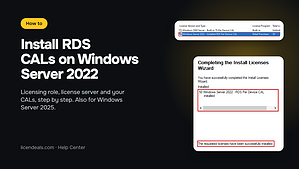
On your server, install the Remote Desktop Licensing role (Server Manager > Add Roles and Features).
Open Remote Desktop Licensing Manager and activate the license server.
Choose Install Licenses and enter your license code.
Your license server must run Windows Server 2025 or later.
RDS CALs don't have their own installer: you add them to your server. Install the Remote Desktop Licensing role, activate the license server and install your CALs in Remote Desktop Licensing Manager.
Your license server must run Windows Server 2025 or later.
Remote Desktop Services session hosts running Windows Server 2025 or earlier
License Server
Remote Desktop Licensing server running Windows Server 2025
Brand
Microsoft
Format
Perpetual digital license
Updates
Not applicable to CALs (Windows Server 2025 gets security updates until November 14, 2034)
Platform
Windows Server 2025
License type
CAL
Compatibility
64-bit
Users supported
1 Admin user, 1 Server
Activation available in
Worldwide
Delivery
Delivered by email
Language
Available in all languages (it is possible to change language settings after installation; additional language packs are also available to be downloaded and installed separately)
Works on
Windows Server 2025 or earlier
Devices
1 Server
Warranty
Lifetime warranty on the Server where you activate it
5
Rated 5 out of 5
15 reviews
Rated 5 out of 5
15
Rated 4 out of 5
0
Rated 3 out of 5
0
Rated 2 out of 5
0
Rated 1 out of 5
0
15 reviews for Windows Server 2025 RDS 50 Device CALs
I had a very positive experience buying my digital license here. The interface is intuitive, the purchase process is fast, and customer support responds promptly and professionally.
This website offers an outstanding experience for purchasing digital licenses. The interface is clean, intuitive, and easy to navigate, making the entire process smooth. Customer support responds quickly and professionally, which builds real trust.
I was concerned about making a technical mistake. Support stayed connected with me while I completed activation. Their constant support gave me confidence.
A compatibility warning appeared during installation, which concerned me. Support reviewed it and confirmed that it was safe to continue. Their expertise was reassuring.
Bought this from Licendeals? Review it from your order email or My Account. With an account, get 200 Choice Rewards points (US$2) when your review is published with a photo of the activated product, whatever your rating.
RDS 50 Device CALsA Device CAL covers one device, whoever uses it.You're viewing this one
Using Remote Desktop? RDS CALs are separate products, sold in packs of 50. Each pack works with its version of Windows Server or an earlier one.
Not sure which one to choose? Read How our licenses work, with each type's activation, devices and refund terms.
Questions about this license
How fast do I get my key?
Right away: we email you a secure link to your license as soon as your payment is confirmed. It also appears in your account.
How long do I have to activate it?
There is no rush: your key waits safely until you reveal it, even months later. Once you reveal it, activate it within 24 hours. Activated in time, it's covered for life, for as long as you use it on the computer where you activated it. Warranty details
What if the key does not activate?
Write to us on chat or WhatsApp within 24 hours of revealing your key, and we'll replace it right away.
Can I get a refund?
Yes, within 30 days, as long as you haven't revealed the license. Once it's revealed, it can't be refunded, unless the law of your country requires it, so only reveal it when you're ready to activate it.
A compatibility warning appeared during installation, which concerned me. Support reviewed it and confirmed that it was safe to continue. Their expertise was reassuring.
Amina Y. · Mar 2026
A system time setting error generated an unfamiliar notification. Support helped me adjust the settings correctly.
Luis C. · Mar 2026
I was concerned about making a technical mistake. Support stayed connected with me while I completed activation. Their constant support gave me confidence.
We use cookies to keep our store working and to improve it. You can accept or reject the optional ones.
Necessary cookies keep our store working. Optional cookies from Google Analytics, Google Ads and Meta (Facebook and Instagram) show us how our site is used and let us measure and personalise our ads. You can accept or reject them and change your choice later in Cookie settings. Our live chat (tawk.to) is not part of this choice: it runs on our pages whatever you choose, sets its own cookie and shows our team, as you browse, that you are here and which pages you view (how to object). See our Privacy Policy.
Opt-out request honoured: your browser sends a Global Privacy Control signal, so advertising cookies stay off.
Your choices have been saved.
approx.Prices in USDAbout this priceApproximate price, at the {source} rate of {date}.Totals are in US dollars (USD). If you pay in another currency or in crypto, the payment provider converts the total at its own rate and normally shows you the amount before you pay.CurrencyLanguageSearch languagesSearch currenciesNo resultsEuropean Central BankBanco de la República de ColombiaBanco Central de Costa Rica

 Genuine software, guaranteedDelivered by email, with 24/7 support.
 Remote Desktop Services












 Office for PC
 Office for Mac
 Windows Server
 SQL Server
 Office Apps
 Visual Studio
Audrey Coleman –
Fast, transparent, and secure process.
Reply
Martha Rhodes –
Simple and fast process. I saved a lot of time.
Reply
Jackson Morgan –
Fast, simple, and secure purchase process.
Reply
Madelyn Curtis –
Support was quick and helpful, highly recommend.
Reply
Allen Summers –
My software was up and running in less than 5 minutes. Fantastic service
Reply
Bruce Lambert –
I had zero issues with activation. Highly recommend this service
Reply
Nikhil Sharma –
I really liked how fast everything was handled. The support team was very detailed in their instructions, and the license worked perfectly.
Reply
Zahid Khan –
Everything ran smoothly. Fast delivery, helpful support, and a perfectly working license key.
Reply
Anna Howard –
The website is well-designed and easy to use. I received my license quickly, and installation was simple and stress-free.
Reply
Minho Park –
The website is very user-friendly, and purchasing my license was simple. Activation went perfectly, and I could start using the software immediately.
Reply
Hiroshi Tanaka –
I had a very positive experience buying my digital license here. The interface is intuitive, the purchase process is fast, and customer support responds promptly and professionally.
Reply
Ming Zhao –
This website offers an outstanding experience for purchasing digital licenses. The interface is clean, intuitive, and easy to navigate, making the entire process smooth. Customer support responds quickly and professionally, which builds real trust.
Reply
Valentina Bianchi –
I was concerned about making a technical mistake. Support stayed connected with me while I completed activation. Their constant support gave me confidence.
Reply
Luis Castillo –
A system time setting error generated an unfamiliar notification. Support helped me adjust the settings correctly.
Reply
Amina Yusuf –
A compatibility warning appeared during installation, which concerned me. Support reviewed it and confirmed that it was safe to continue. Their expertise was reassuring.
Reply