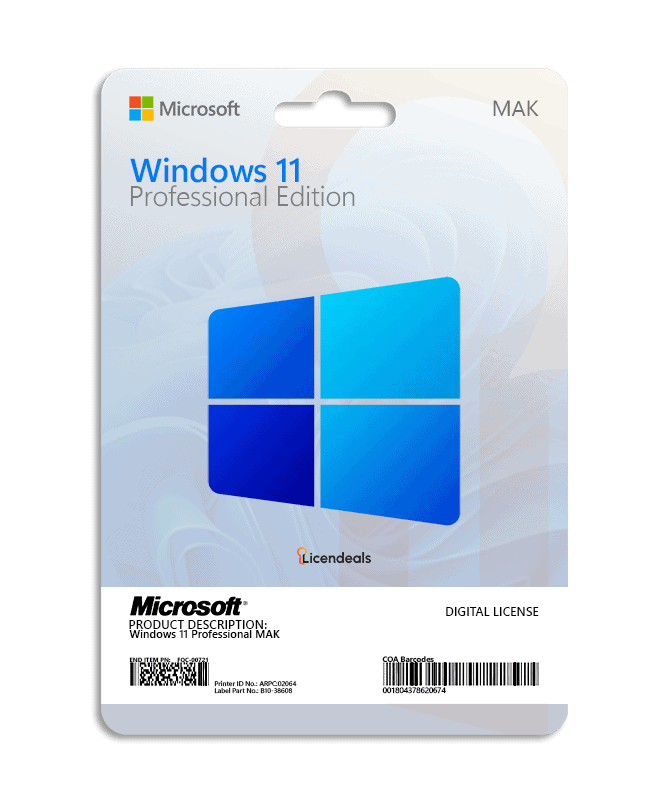
Buy a Windows 11 Pro MAK key: one Multiple Activation Key for your business that activates every device you order. You choose the number of activations on this page, and each activation can be used only once. Right after your payment is confirmed, we email you a secure link to your key, and your invoice comes with the order.
Microsoft describes a MAK, in the simplest terms, as a key that acts like a retail key except that it is valid for activating multiple computers; each MAK can be used a specific number of times. Source: Plan for volume activation, Microsoft Learn.
Windows 11 Professional MAK at a glance
License type
MAK Volume License
Activations
You choose the number on this page
Delivery
By email, with your invoice
Time to use the activations
30 days from the moment you reveal the key
Reinstalling or changing hardware
Uses another of the activations you bought. Our warranty does not cover it.
Not included
Access to Microsoft’s Volume Licensing Service Center
Recommended
That someone from IT activates it
How many activations do you need?
Count the devices you will activate and add a few spare activations: reinstalling the software or the operating system, or changing a computer’s hardware, uses another one. Only reveal the key when you are ready to activate it. Need a formal quote? Request a quote.
MAK Volume License or RETAIL License?
A MAK Volume License is one key for many business devices, and you are on its page now. A RETAIL License is one key for one device, activated once. For a single PC, a RETAIL License is the simpler choice. Compare every type in How our licenses work.
One Multiple Activation Key for businesses. One key activates every device you order, up to the number of activations you choose.
How many devices can one key activate?
As many as the activations you order. Each device uses one activation.
Can I use it on a single PC?
A MAK Volume License is built for businesses that activate several devices. For one PC, a RETAIL License is the simpler choice.
What happens if I reinstall the software or change hardware?
Activating again uses another of the activations you bought, and our warranty doesn’t cover it. Your statutory rights are not affected.
How long do I have to use the activations?
MAK Volume Licenses have 30 days instead of 24 hours, from the moment you reveal the key. If a license doesn’t work, tell us within 30 days of revealing it and we will replace it right away. Your statutory rights are not affected.
Do you give access to the Volume Licensing Service Center?
No. We sell the key only, without access to Microsoft’s Volume Licensing Service Center.
Who should activate it?
We recommend that someone from IT activates it.
Is Windows 11 Professional MAK still supported by Microsoft?
Microsoft sets the support dates of each product. Look up the product in Microsoft Lifecycle before you buy.
This platform offers a very smooth buying experience for digital licenses. Everything is well organized, the interface feels natural, and customer support responds quickly with clear and helpful guidance.
I thought my activation key wasn’t working because I entered it incorrectly. Support quickly identified the small mistake and guided me patiently. Their attention to detail solved the issue instantly.
1 GHz or faster with 2 or more cores on a compatible 64-bit processor or SoC (check with Microsoft's PC Health Check app)
Architecture
64 Bit
Memory (RAM)
4 GB
Disk space
64 GB
System firmware
UEFI (for Unified Extensible Firmware Interface, a modern version of the PC BIOS) and Secure Boot capable
TPM
Trusted Platform Module (TPM) version 2.0
Graphics
Compatible with DirectX 12 or later with WDDM 2.0 driver
Display
High definition (720p), larger than 9" diagonally, 8 bits per color channel
Windows version
To upgrade through Windows Update, the PC must be running Windows 10, version 2004 or later, with the September 14, 2021 security update or later. Updates are installed from Settings ➞ Windows Update
Connectivity
Internet connection and a Microsoft account are required to complete the initial setup of Windows 11 Home and Windows 11 Pro for personal use
Brand
Microsoft
Format
Perpetual digital license
Updates
Security updates from Microsoft while the PC runs a supported version of Windows 11 (each version gets 24 months; version 26H2 until October 10, 2028)
Platform
Windows 11
License type
MAK Volume License
Compatibility
64-bit
Users supported
Buyer's choice
Activation available in
Worldwide
Delivery
Delivered by email
Language
Available in all languages (it is possible to change language settings after installation; additional language packs are also available to be downloaded and installed separately)
Devices
Multiple devices
Warranty
Lifetime warranty on the computer where you activate it
Questions about this license
How fast do I get my key?
Right away: we email you a secure link to your license as soon as your payment is confirmed. It also appears in your account.
How long do I have to activate it?
There is no rush: your key waits safely until you reveal it, even months later. Once you reveal it, you have 30 days to use all its activations. Each activation you use in time is covered for life, on the computer where you activated it. MAK Volume Licenses use one activation per computer: if you later reinstall the software or the operating system, or change the computer's hardware, activating again uses another of the activations you bought, and our warranty doesn't cover it. Warranty details
What if the key does not activate?
Write to us on chat or WhatsApp within 30 days of revealing your key, and we'll replace it right away.
Can I get a refund?
Yes, within 30 days, as long as you haven't revealed the license. Once it's revealed, it can't be refunded, unless the law of your country requires it, so only reveal it when you're ready to activate it.
Activating the license on a temporary user profile caused an issue. Support explained how to transfer it properly to my main account.
Mariam S. · Mar 2026
I thought my activation key wasn’t working because I entered it incorrectly. Support quickly identified the small mistake and guided me patiently. Their attention to detail solved the issue instantly.
Mila P. · Mar 2026
I’m pleased with how easy the process was. The interface is intuitive, and support responded fast.
US$240.00–US$1,940.00Price range: US$240.00 through US$1,940.00
Select options
Cookies on licendeals.com
Necessary cookies keep our store working. Optional cookies from Google Analytics and Google Ads show us how our site is used and let us measure and personalise our ads. You can accept or reject them and change your choice later in Cookie settings. See our Privacy Policy.
Opt-out request honoured: your browser sends a Global Privacy Control signal, so advertising cookies stay off.
Your choices have been saved.
approx.Prices in USDAbout this priceApproximate price, at the {source} rate of {date}.Totals are in US dollars (USD). If you pay in another currency or in crypto, the payment provider converts the total at its own rate and normally shows you the amount before you pay.CurrencyLanguageSearch languagesSearch currenciesNo resultsEuropean Central BankBanco de la República de ColombiaBanco Central de Costa Rica
 Microsoft Solutions PartnerAuthorized reseller of genuine licenses
 Windows 11












 Office for PC
 Office for Mac
 Windows Server
 SQL Server
 Office Apps
 Visual Studio

Hailey Cooper –
Everything was clear, fast, and secure. Recommended.
Kennedy Pratt –
Everything was simple, fast, and efficient.
Mia Lewis –
Professional and trustworthy service, will buy again.
Jonathan Edwards –
Fast delivery, clear instructions, very happy.
Connor Gibbs –
Installation was seamless and the team was super helpful. Definitely buying again
Holly Arnold –
Smooth transaction and flawless activation. Five stars
Mei Ling Zhao –
Such a smooth transaction. Fast delivery, high-quality assistance, and a digital license that worked perfectly without any complications.
Hassan Noorani –
Smooth process from purchase to activation. The delivery was extremely fast, and support was really helpful.
Kevin Rogers –
The checkout was fast, and the website provided clear instructions. My license was activated smoothly, and I was able to start using it immediately.
Jorge Romero –
Everything about this purchase was fast, easy, and stress-free. I received my license immediately, and setup was effortless.
Hugo Moreau –
The website made buying my license completely stress-free. Setup was fast, and everything worked exactly as described.
Arjun Malhotra –
The buying experience was smooth, license delivery was immediate, installation was simple, and customer support was helpful.
Akira Fujimoto –
This platform offers a very smooth buying experience for digital licenses. Everything is well organized, the interface feels natural, and customer support responds quickly with clear and helpful guidance.
Pooja Nair –
I’m pleased with how easy the process was. The interface is intuitive, and support responded fast.
Mila Petrova –
I thought my activation key wasn’t working because I entered it incorrectly. Support quickly identified the small mistake and guided me patiently. Their attention to detail solved the issue instantly.
Mariam Saleh –
Activating the license on a temporary user profile caused an issue. Support explained how to transfer it properly to my main account.