November Special Offer - 5% OFF SITEWIDE!
Use code:
Valid until Nov 30
Windows activation error 0xC004C003 and error 0xC004F074 look alike, but they mean very different things. According to Microsoft, 0xC004C003 says that the product key isn't valid, and 0xC004F074 says that Windows couldn't reach a Key Management Service (KMS) to activate. This guide explains what each code means and what to check, in order, with screenshots from our own Windows 11 Pro test computer.
IMPORTANT: we don't have screenshots of the 0xC004C003 or 0xC004F074 messages themselves, because we did not make an activation fail on purpose. The screenshots are from our Windows 11 Pro test computer (October 12, 2026) and show the screens you will use for the checks. The causes and fixes for these codes come from Microsoft's pages, listed at the end.
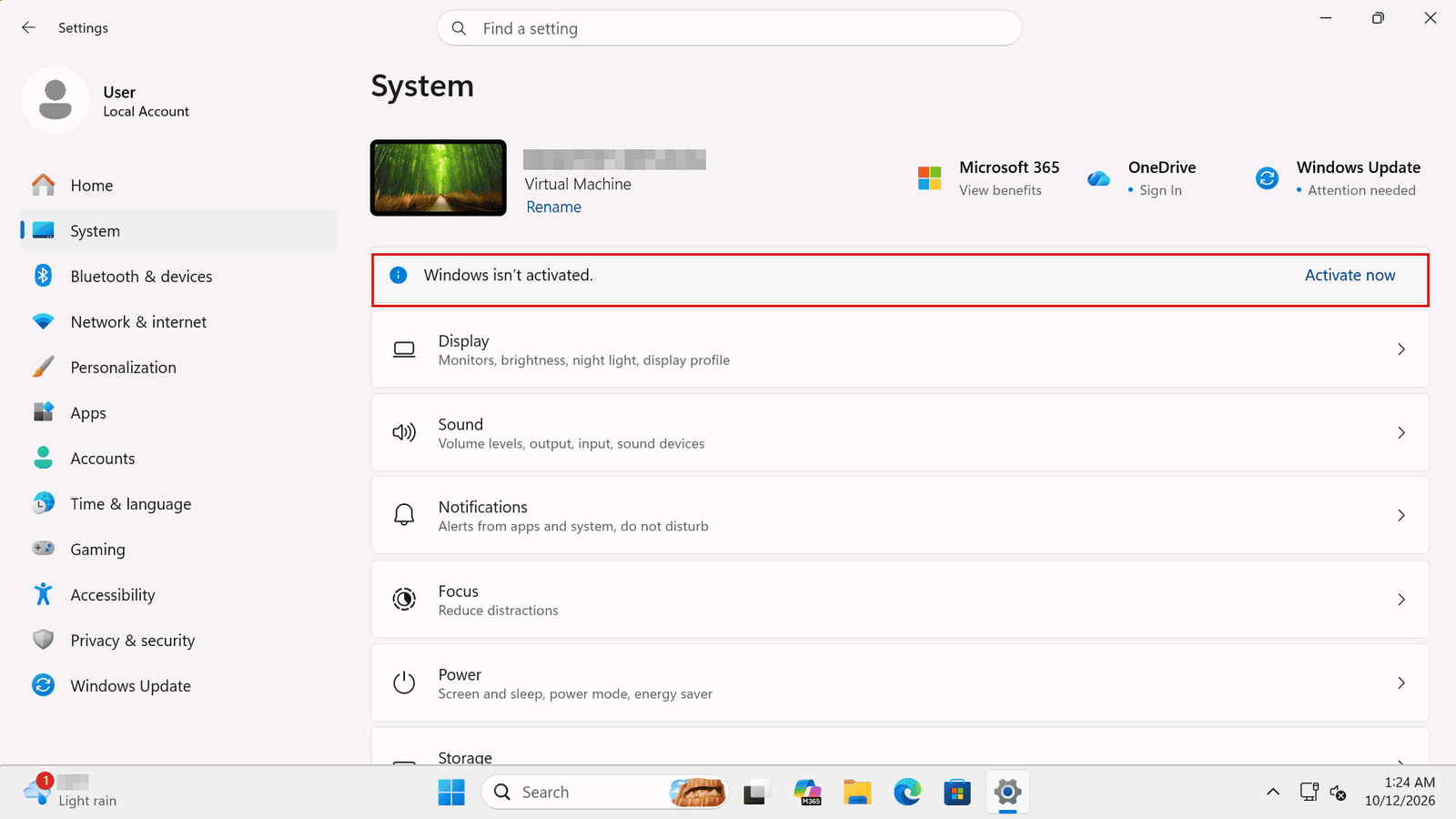
1.1 When Windows is not activated, Settings shows it on the System page, with an Activate now link. This is what it looked like on our test computer.
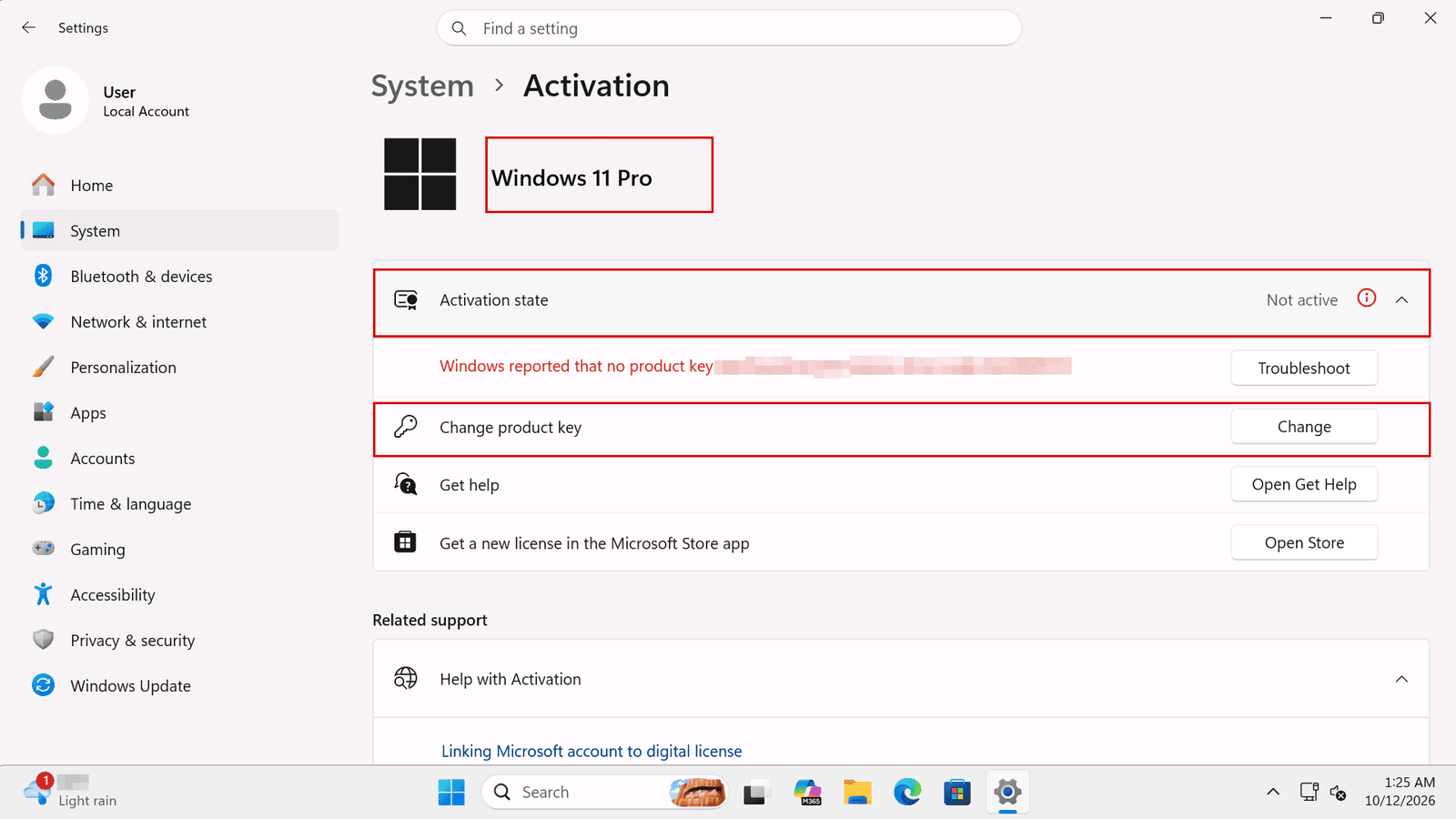
1.2 Open Settings, go to System, then Activation. Expand Activation state to see the message and the error code. On this page you also have the Troubleshoot button and Change product key, which you will use below.
1.3 If your code is 0xC004C003, go to section 2. If it is 0xC004F074, go to section 3. If it is 0xC004F050, see Windows Product Key Didn't Work (0xC004F050): Fixes. If Windows 11 can't reach the activation servers, see Windows 11 Won't Activate Online? Use a Confirmation ID.
Microsoft says you may see this error because the product key you entered isn't valid. In Microsoft's words, product keys are "assigned to a specific user to install on a single device", and if a key was used, or someone tried to use it, on multiple devices, it is marked as not valid. To activate Windows, Microsoft says you'll need a different key that is unique to your device.
2.1 If you bought a device from a reseller and expected the key to be valid, Microsoft's advice is to contact the reseller. If you bought a key from us, see section 5. If your computer came with Windows preinstalled and showed this error the first time you turned it on, contact the manufacturer.
2.2 Microsoft also suggests these checks:
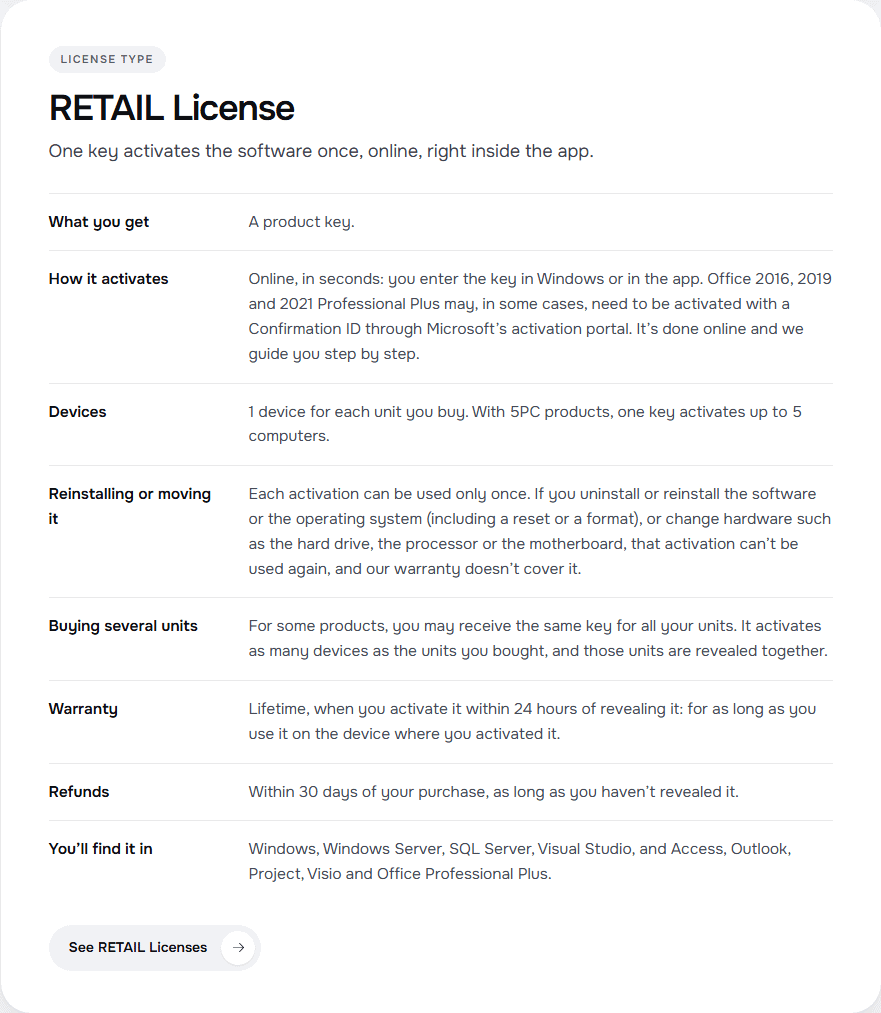
2.3 Use each key only on the devices it covers. Our license types page explains what each type allows; for example, a RETAIL License activates the software online, one device for each unit you buy.
To see all the types side by side, read OEM vs RETAIL vs BIND vs CID: Which License Should You Buy?
Microsoft's description of this error is that the Software Licensing Service reported that the product could not be activated, because no Key Management Service (KMS) could be contacted. KMS is the way organizations activate many computers through a server on their own network. To learn how it differs from other licenses, see MAK vs KMS vs RETAIL Licenses: Which One Fits Your Business?
3.1 Is it a work computer? Microsoft says you might see this error if you're trying to activate a work device but aren't connected to your workplace's network. Connect to that network, and if the error stays, contact your organization's support person. For organizations that run their own KMS server, Microsoft's page for this code also lists a KMS server that is unavailable, a version mismatch between the computer and the KMS server (Microsoft describes it for older versions, such as Windows 7 and Windows Server 2008 R2), and a time difference of more than 4 hours between the computer and the KMS server.
3.2 Is your key for the right edition? Microsoft says you might see this error (and also 0x8007232B, 0xC004F038 or 0x8007007B) if you entered a product key for the Enterprise edition of Windows to activate Windows 11 Home or Windows 11 Pro. Check your edition on the Activation page: on our test computer it said Windows 11 Pro. Enter a key that matches the edition of Windows on your device.
3.3 No support person to help you? Microsoft says that, if your organization doesn't have a support person, you might need to enter your product key again: go to Settings, System, Activation, select Change product key and type your 25-character product key. You might be asked for an admin password or to confirm your choice.
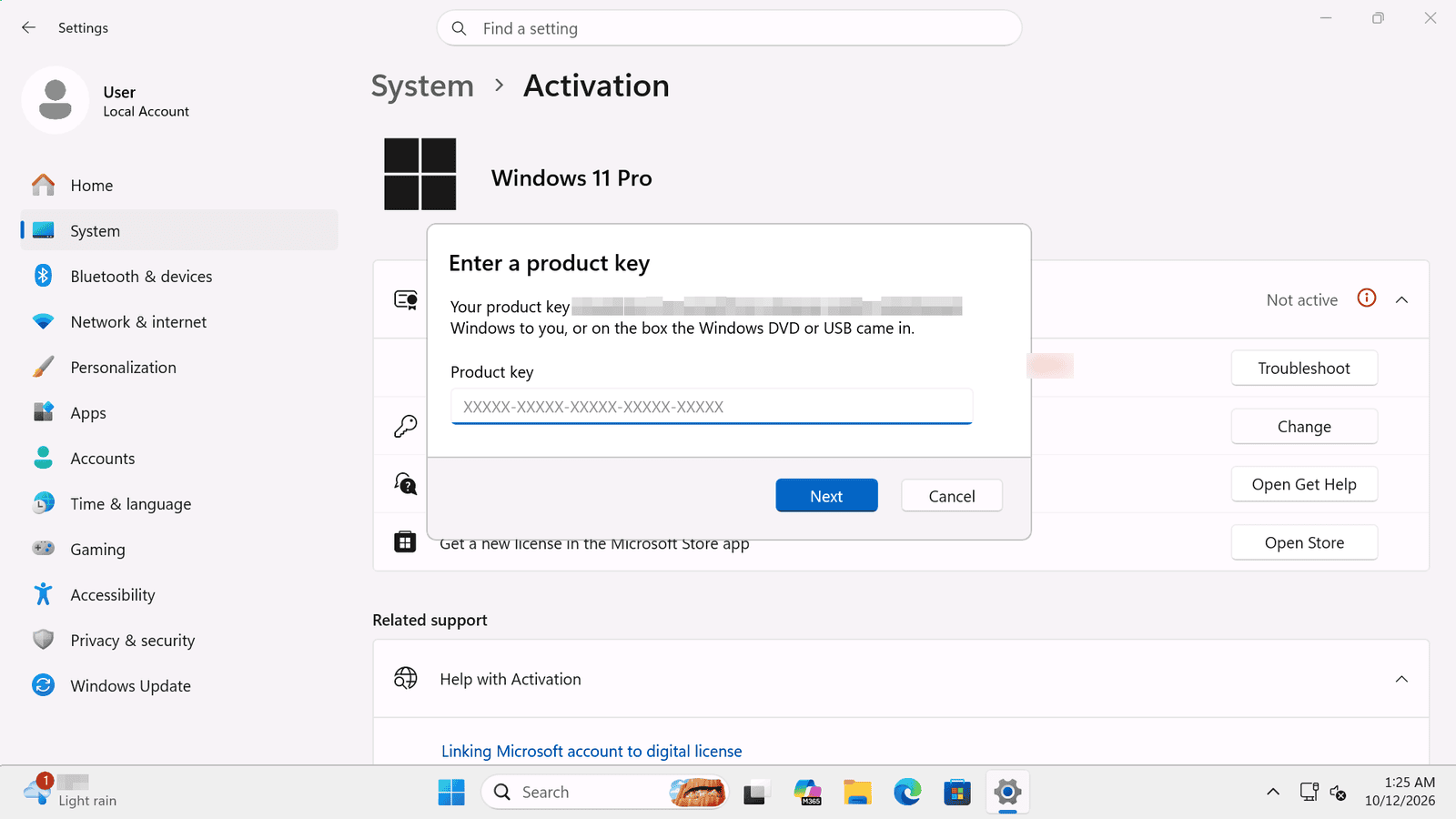
Licendeals doesn't sell KMS keys. If you bought a Windows MAK Volume License from us, follow How to Activate Windows 11 Pro with a MAK Volume License. With a Windows 10 key, see How to Activate Windows 10 with a Product Key (Step by Step).
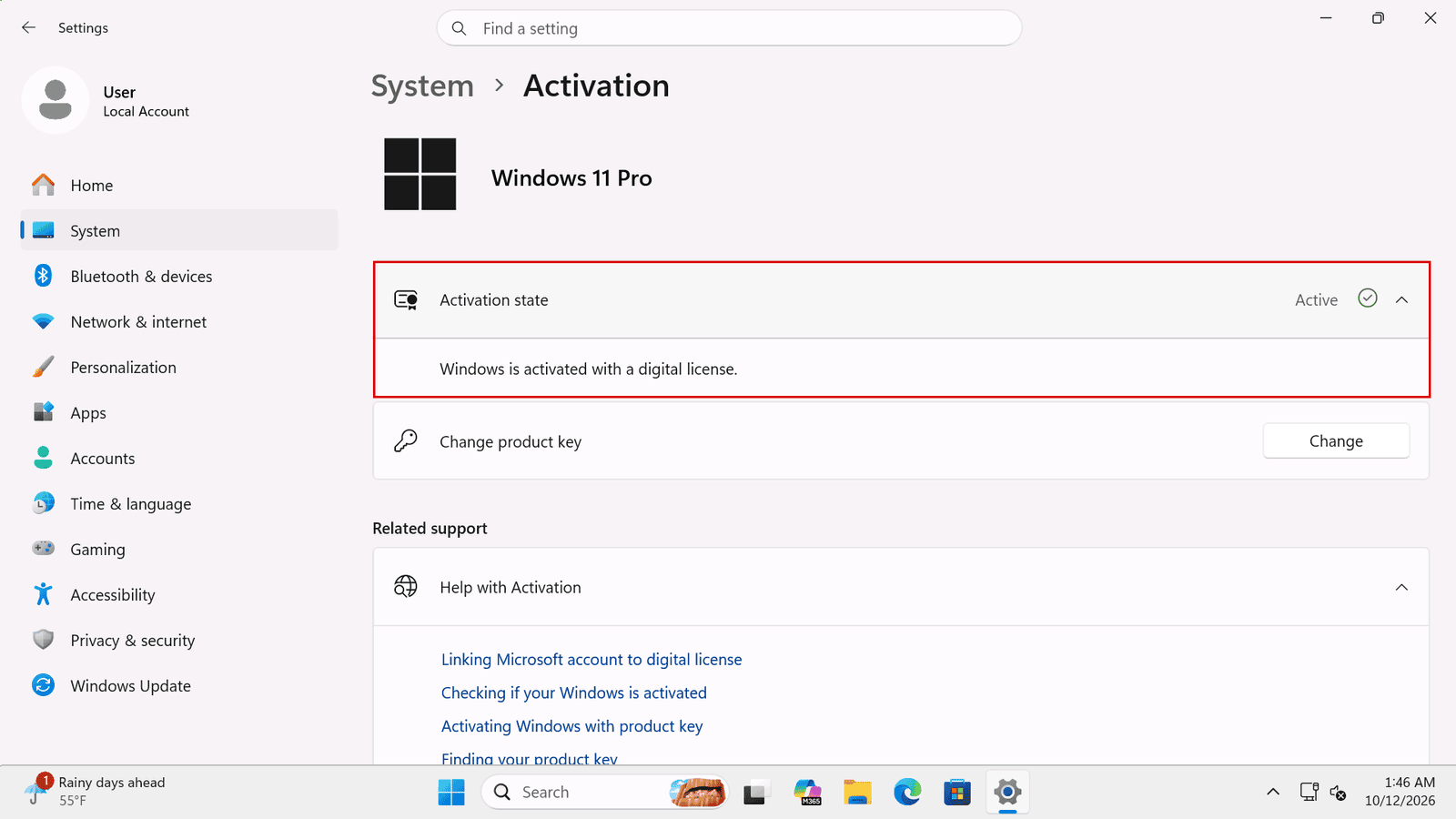
When activation works, the activation state on the Activation page says Active. This is what it looked like on our test computer. To check the edition and the license type in more detail, see How to Check Your Windows Activation Status and License Type.
If you bought the license from us: if a license doesn't work, tell us within 24 hours of revealing it and we will replace it right away. MAK Volume Licenses have 30 days instead of 24 hours. Your statutory rights are not affected. Tell us the error code or send a screenshot, and your order number. The full rules are on our warranty page. To avoid the most common problems next time, read 7 Mistakes That Make Windows or Office Activation Fail (and How to Avoid Them), and see the rules of each type on our license types page.
{n} from {l} bought
{n} bought
Someone from {l} bought
Someone bought
Just now
1 minute ago
2 minutes ago
1 hour ago
2 hours ago
1 day ago
2 days ago
Close


 Windows
 Office for PC
 Office for Mac
 Windows Server
 SQL Server
 Office Apps
 Visual Studio

