November Special Offer - 5% OFF SITEWIDE!
Use code:
Valid until Nov 30
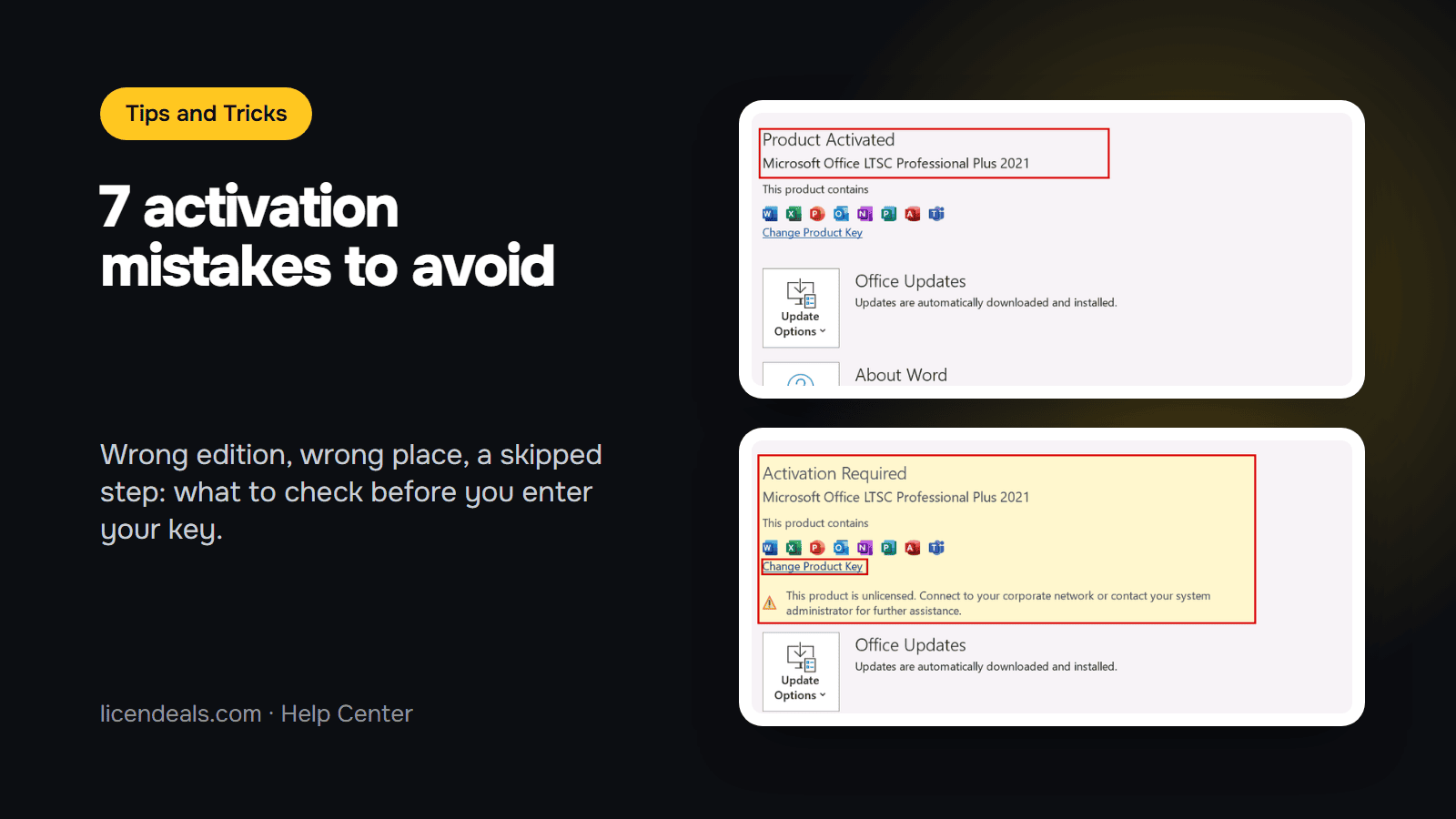
Why does Windows or Office activation fail? Most of the time, the cause is not a broken key. It is a small mistake made before or while you enter it: the wrong edition, the wrong place, a step that was skipped. This guide lists seven of them, with a quick check for each one, so you can avoid them before you enter your key.
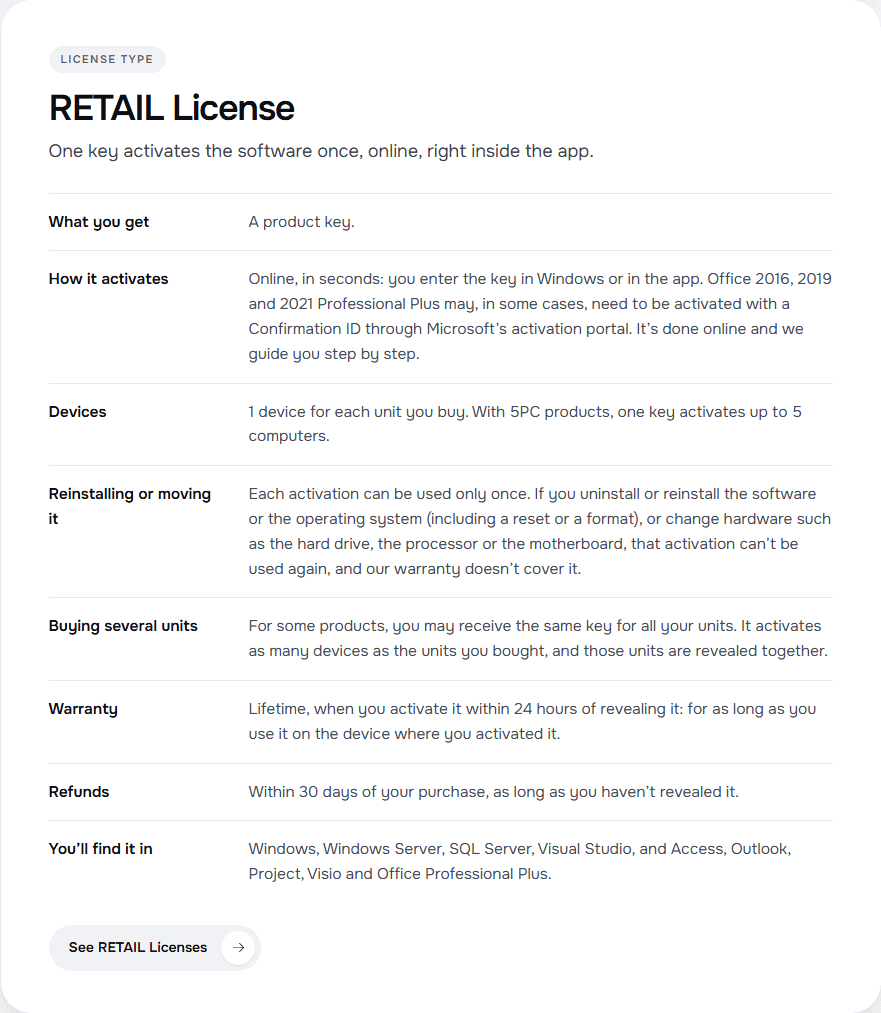
IMPORTANT: we did not force these errors on a test computer, so we don't show their error messages. What we show are the rules of our own license types page (read on 2026-11-11) and the screens of our earlier tests with Office LTSC Professional Plus 2021. These are the mistakes we recommend you check first; they are not a complete list of causes.
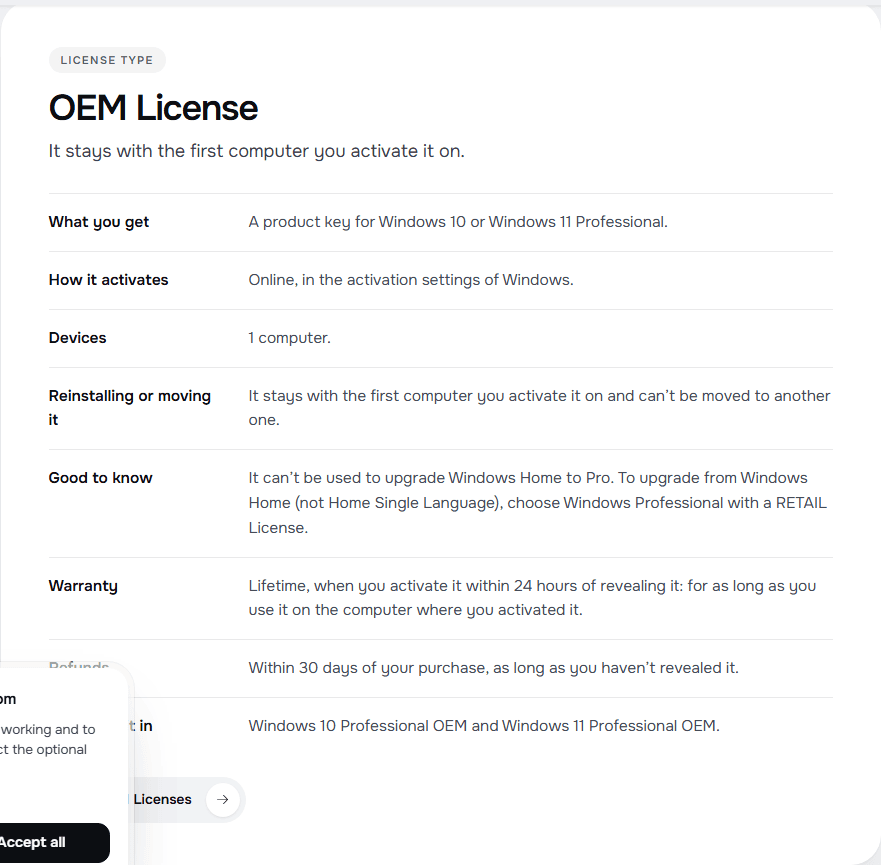
1.1 The most common case is Windows Home. An OEM License is a Windows 10 or 11 Professional key that stays with the first computer you activate it on, and it can't be used to upgrade Windows Home to Pro.
1.2 How to avoid it: if you are on Windows Home and want Pro, choose Windows Professional with a RETAIL License. Open the product page and read its "License type" before you pay.
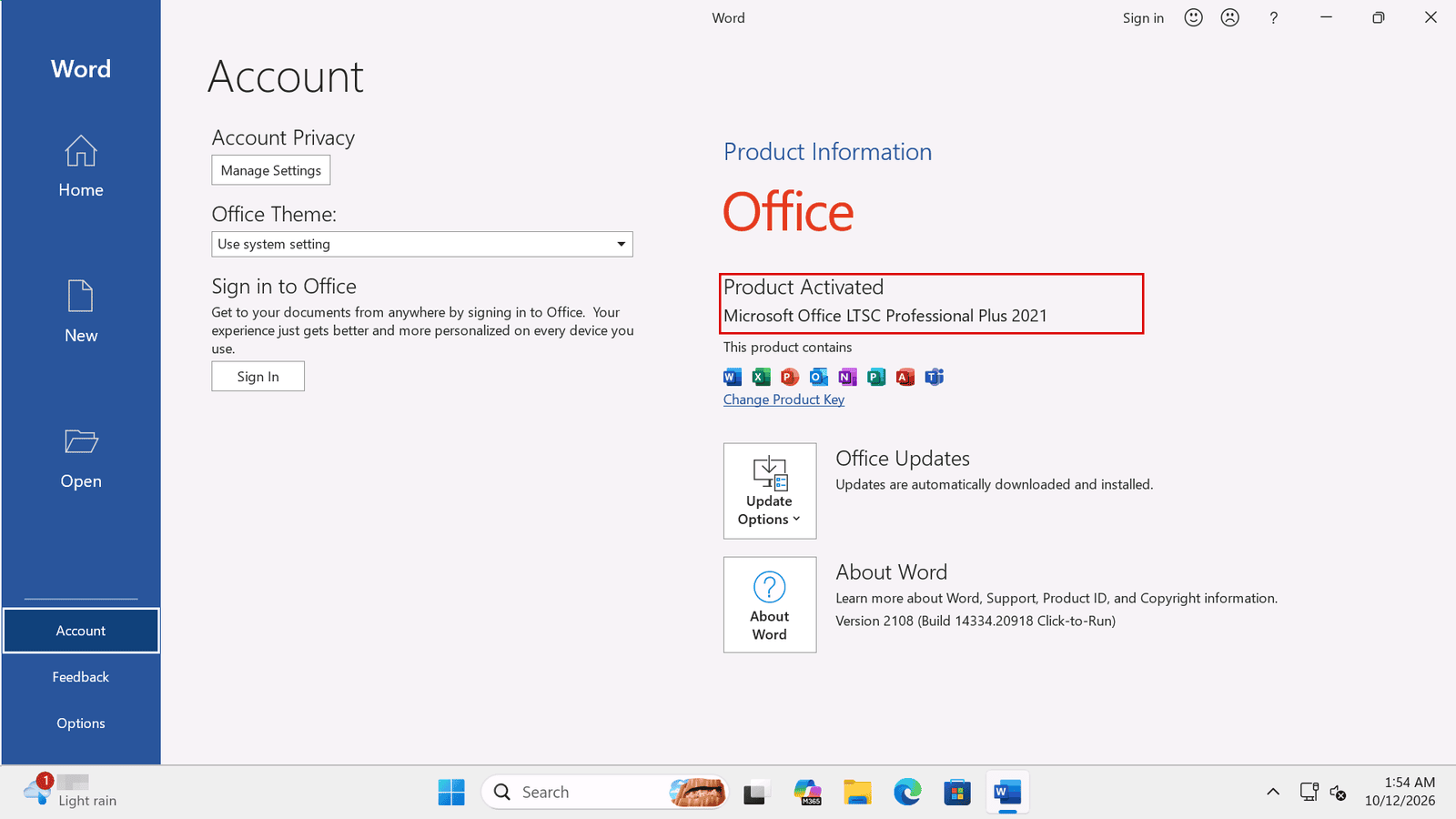
2.1 A key is made for one edition. If you bought Professional Plus but Standard or Home is installed, the key may not match the software on your computer.
2.2 How to avoid it: before you enter the key, open an Office app, go to "File", then "Account", and read the edition name in the Product Information box. In our test it read "Microsoft Office LTSC Professional Plus 2021". Compare it with the product name on your order. For Windows 11, the edition is shown in Settings, System, Activation (in Windows 10, Settings, Update and Security, Activation). Our guide on how to check your Office activation status and edition shows each screen.
3.1 Keys are long strings of letters and numbers. Some characters look alike, and a single wrong character is enough for the key to be rejected.
3.2 How to avoid it: copy the key from your order and paste it into the box, instead of typing it. If you must type it, read it one block at a time and compare each block with the original.
4.1 An Office key is for Office, and a Windows key is for Windows. They are entered in different places, and one does not replace the other.
4.2 How to avoid it: read the product name on your order, then follow the guide for that product. For Windows 11, enter the key in Settings, System, Activation (in Windows 10, Settings, Update and Security, Activation). For Office, enter it in the Office app or in its activation wizard. Our guides for Windows 11 and Windows 10 show the steps.
5.1 A CID License is a key that you activate in two steps, both online: you enter the key in the app, and then you get a Confirmation ID through Microsoft's activation portal. If you stop after the first step, Office stays unlicensed.
5.2 How to avoid it: do both steps in one sitting and follow the guide for your Office version. If the two codes are new to you, read What Is a Confirmation ID (CID)?
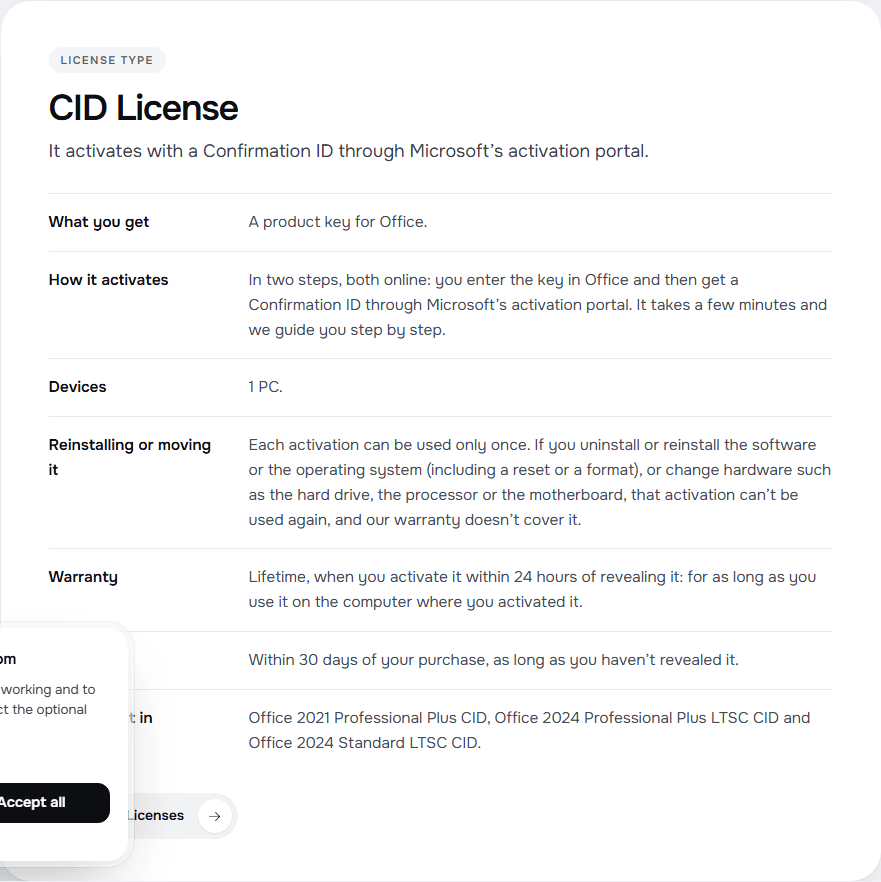
6.1 With a RETAIL License, each activation can be used only once. If you uninstall or reinstall the software or the operating system (including a reset or a format), or change hardware such as the hard drive, the processor or the motherboard, that activation can't be used again, and our warranty doesn't cover it. The same applies to a CID License.
6.2 How to avoid it: before you reset, format or change a part, ask yourself if you will need the license again. If you need to reinstall Office often, a BIND License is the type that allows it, for as long as you keep the Microsoft account you linked it to.
7.1 In the Office Account page, a yellow "Activation Required" box means Office is not activated.
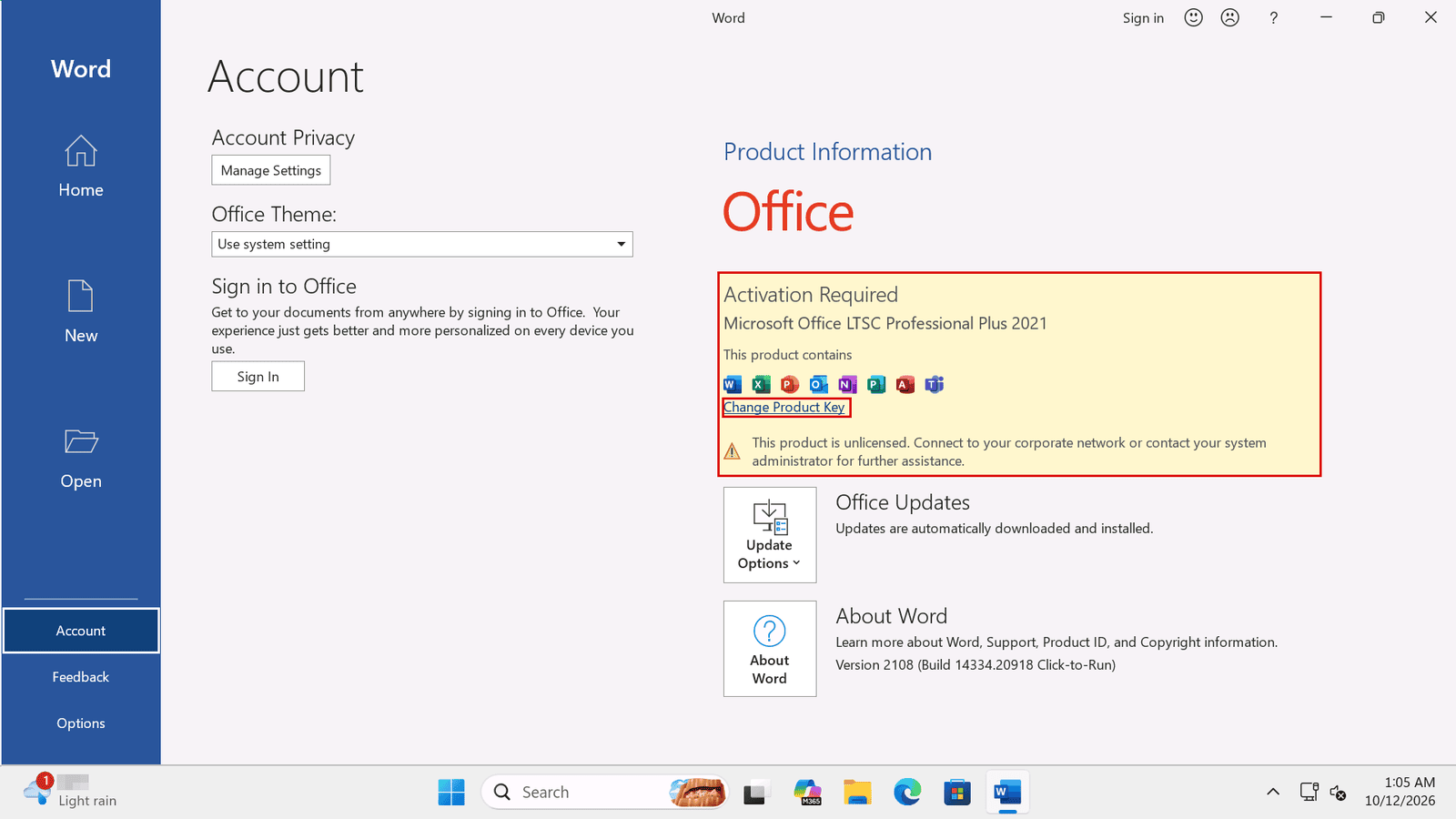
7.2 How to avoid it: after you enter the key, go back to the Account page (or to the Activation page in your Windows settings) and read the status. If it still says "Activation Required" or "Unlicensed Product", follow our guide on "Unlicensed Product" and "Product Activation Failed".
7.3 Do it on the day you reveal your license. Once you click "Get my license" you have 24 hours to activate it or tell us if it doesn't work (MAK Volume Licenses have 30 days instead of 24 hours).
{n} from {l} bought
{n} bought
Someone from {l} bought
Someone bought
Just now
1 minute ago
2 minutes ago
1 hour ago
2 hours ago
1 day ago
2 days ago
Close


 Windows
 Office for PC
 Office for Mac
 Windows Server
 SQL Server
 Office Apps
 Visual Studio

