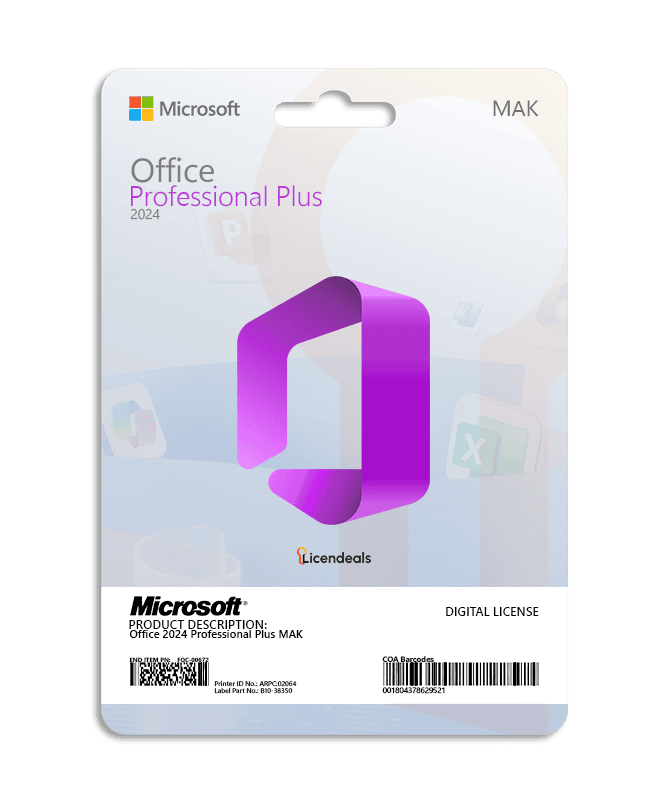
Buy an Office 2024 Professional Plus MAK key: one Multiple Activation Key for your business that activates every device you order. You choose the number of activations on this page, and each activation can be used only once. Right after your payment is confirmed, we email you a secure link to your key, and your invoice comes with the order.
Microsoft describes a MAK, in the simplest terms, as a key that acts like a retail key except that it is valid for activating multiple computers; each MAK can be used a specific number of times. Source: Plan for volume activation, Microsoft Learn.
Office 2024 Professional Plus MAK at a glance
License type
MAK Volume License
Activations
You choose the number on this page
Delivery
By email, with your invoice
Time to use the activations
30 days from the moment you reveal the key
Reinstalling or changing hardware
Uses another of the activations you bought. Our warranty does not cover it.
Not included
Access to Microsoft’s Volume Licensing Service Center
Recommended
That someone from IT activates it
How many activations do you need?
Count the devices you will activate and add a few spare activations: reinstalling the software or the operating system, or changing a computer’s hardware, uses another one. Only reveal the key when you are ready to activate it. Need a formal quote? Request a quote.
MAK Volume License or RETAIL License?
A MAK Volume License is one key for many business devices, and you are on its page now. A RETAIL License is one key for one device, activated once. For a single PC, a RETAIL License is the simpler choice. Compare every type in How our licenses work.
One Multiple Activation Key for businesses. One key activates every device you order, up to the number of activations you choose.
How many devices can one key activate?
As many as the activations you order. Each device uses one activation.
Can I use it on a single PC?
A MAK Volume License is built for businesses that activate several devices. For one PC, a RETAIL License is the simpler choice.
What happens if I reinstall the software or change hardware?
Activating again uses another of the activations you bought, and our warranty doesn’t cover it. Your statutory rights are not affected.
How long do I have to use the activations?
MAK Volume Licenses have 30 days instead of 24 hours, from the moment you reveal the key. If a license doesn’t work, tell us within 30 days of revealing it and we will replace it right away. Your statutory rights are not affected.
Do you give access to the Volume Licensing Service Center?
No. We sell the key only, without access to Microsoft’s Volume Licensing Service Center.
Who should activate it?
We recommend that someone from IT activates it.
Is Office 2024 Professional Plus MAK still supported by Microsoft?
Microsoft sets the support dates of each product. Look up the product in Microsoft Lifecycle before you buy.
I truly enjoyed buying my digital license here because the website is easy to navigate. The purchasing process was fast, the interface intuitive, and the support team answered my questions almost immediately.
I had difficulty activating the license on my device due to a compatibility issue. The support team carefully analyzed my system and suggested the right adjustments. Their technical knowledge was extremely helpful.
Windows 11 Windows 10 (supported with limits since October 14, 2025) Windows 10 LTSC 2019 or 2021, or Windows Server 2022 or 2025 (Windows Server 2019 is not supported)
License for
1 license for multiple devices
Processor
1.1 GHz or faster, 2-core
Architecture
64 Bit or 32 Bit
Memory (RAM)
4 GB
Disk space
4 GB
Display
1280 x 768 or higher (64-bit Office required for 4K and higher)
Graphics
Direct3D 9.1 or higher graphics adapter with a WDDM 1.3 or higher driver, for graphics hardware acceleration
Connectivity
Internet access
Brand
Microsoft
Format
Perpetual digital license
Updates
Security updates from Microsoft until October 9, 2029
Platform
Office 2024
License type
MAK Volume License
Compatibility
32-bit and 64-bit
Users supported
Buyer's choice
Activation available in
Worldwide
Delivery
Delivered by email
Language
Available in all languages (it is possible to change language settings after installation; additional language packs are also available to be downloaded and installed separately)
Works on
Windows OS
Devices
Multiple devices
Warranty
Lifetime warranty on the computer where you activate it
Authenticity
Genuine software
Office installer
Our installer contains Microsoft's Office Deployment Tool (digitally signed by Microsoft) and a settings file. Office itself downloads directly from Microsoft's servers, in the same language as Windows.
Double-click the .iso file to open it and run "Install Office 2024 Professional Plus". When Windows asks, click Run and then Yes (Verified publisher: Microsoft Corporation). Then activate Office with your license key.
Activate Office 2024 Professional Plus LTSC with your MAK Volume License
Before using the license, please note:
1. We recommend uninstalling any version of Office to avoid license conflicts.
1.1. Go to: Control Panel > Programs and Features > Uninstall.
2. Restart your computer.
If you encounter any activation errors, please do not hesitate to contact us via our Online Chat or WhatsApp. We are online 24/7, ready to help you.
Step 1: Download
1. Download Office 2024 Professional Plus LTSC by clicking HERE.
Step 2: Install
1. Once the .iso file has downloaded, double-click it. Windows opens it as a DVD drive.
2. Double-click “Install Office 2024 Professional Plus”, click “Run” and then “Yes”. Office is downloaded from Microsoft in the same language as your Windows.
3. Wait for the installation to display the “You’re all set!” message.
Step 3: Activate
1. Open Word, go to File > Account, click “Change Product Key”, enter your MAK Volume License and click “Activate Office”.
2. Close Word and open it again. In the Activation Wizard, select “I want to activate the software over the Internet” and click Next.
3. Under File > Account you will see “Product Activated”. Each computer you activate uses one of the activations included in your MAK Volume License.
See the complete guide with video in our Help Center by clicking HERE
Questions about this license
How fast do I get my key?
Right away: we email you a secure link to your license as soon as your payment is confirmed. It also appears in your account.
How long do I have to activate it?
There is no rush: your key waits safely until you reveal it, even months later. Once you reveal it, you have 30 days to use all its activations. Each activation you use in time is covered for life, on the computer where you activated it. MAK Volume Licenses use one activation per computer: if you later reinstall the software or the operating system, or change the computer's hardware, activating again uses another of the activations you bought, and our warranty doesn't cover it. Warranty details
What if the key does not activate?
Write to us on chat or WhatsApp within 30 days of revealing your key, and we'll replace it right away.
Can I get a refund?
Yes, within 30 days, as long as you haven't revealed the license. Once it's revealed, it can't be refunded, unless the law of your country requires it, so only reveal it when you're ready to activate it.
Receiving my activation details took slightly longer than expected. Support investigated immediately and ensured they were delivered.
Julien M. · Mar 2026
I had difficulty activating the license on my device due to a compatibility issue. The support team carefully analyzed my system and suggested the right adjustments. Their technical knowledge was extremely helpful.
Lucas S. · Mar 2026
The platform is simple and effective. The interface is intuitive, and support replies quickly.
US$490.00–US$4,990.00Price range: US$490.00 through US$4,990.00
Select options
Cookies on licendeals.com
Necessary cookies keep our store working. Optional cookies from Google Analytics and Google Ads show us how our site is used and let us measure and personalise our ads. You can accept or reject them and change your choice later in Cookie settings. See our Privacy Policy.
Opt-out request honoured: your browser sends a Global Privacy Control signal, so advertising cookies stay off.
Your choices have been saved.
approx.Prices in USDAbout this priceApproximate price, at the {source} rate of {date}.Totals are in US dollars (USD). If you pay in another currency or in crypto, the payment provider converts the total at its own rate and normally shows you the amount before you pay.CurrencyLanguageSearch languagesSearch currenciesNo resultsEuropean Central BankBanco de la República de ColombiaBanco Central de Costa Rica
 Microsoft Solutions PartnerAuthorized reseller of genuine licenses
 WordCreate, edit and share documents.
 ExcelSpreadsheets to organize, analyze and chart your data.
 PowerPointDesign and deliver presentations.
 OutlookEmail, calendar and contacts in one place.
 AccessBuild databases and simple business apps.
 OneNoteA digital notebook for notes, ideas and lists.











 Office for PC
 Office for Mac
 Windows Server
 SQL Server
 Office Apps
 Visual Studio

Brandon Hughes –
Very good experience, affordable prices and immediate delivery.
Keegan Foster –
I will definitely buy here again.
James Walker –
Easy checkout and instant delivery, highly recommended.
Claire Patterson –
Very reliable site, everything went perfectly.
Hailey Lowe –
I loved how quick the response time was. My license worked immediately without any issues
Arjun Patel –
The support team exceeded my expectations with their quick responses. The key was delivered instantly and worked flawlessly. Great service.
Inés Caballero –
Very reliable service. The key came quickly and worked perfectly, and support was ready to help whenever needed.
Leah Morris –
The website made buying my license fast and straightforward. I had no trouble activating it, and everything worked exactly as promised.
Patricia Hunt –
The website is very clear and organized. I felt confident throughout the purchase, and activation went smoothly without any problems.
Ines Duarte –
I’m very happy with the entire process. Checkout was quick, and the license worked flawlessly from the first attempt.
Michelle Adams –
I felt confident throughout, license arrived instantly, installation went well, and customer support replied promptly.
Andrés Pineda –
I felt confident buying here, license arrived immediately, installation was easy, and customer support helped.
Samantha Brooks –
I truly enjoyed buying my digital license here because the website is easy to navigate. The purchasing process was fast, the interface intuitive, and the support team answered my questions almost immediately.
Derek Wallace –
The platform is simple and effective. The interface is intuitive, and support replies quickly.
Lucas Schneider –
I had difficulty activating the license on my device due to a compatibility issue. The support team carefully analyzed my system and suggested the right adjustments. Their technical knowledge was extremely helpful.
Julien Moreau –
Receiving my activation details took slightly longer than expected. Support investigated immediately and ensured they were delivered.