November Special Offer - 5% OFF SITEWIDE!
Use code:
Valid until Nov 30
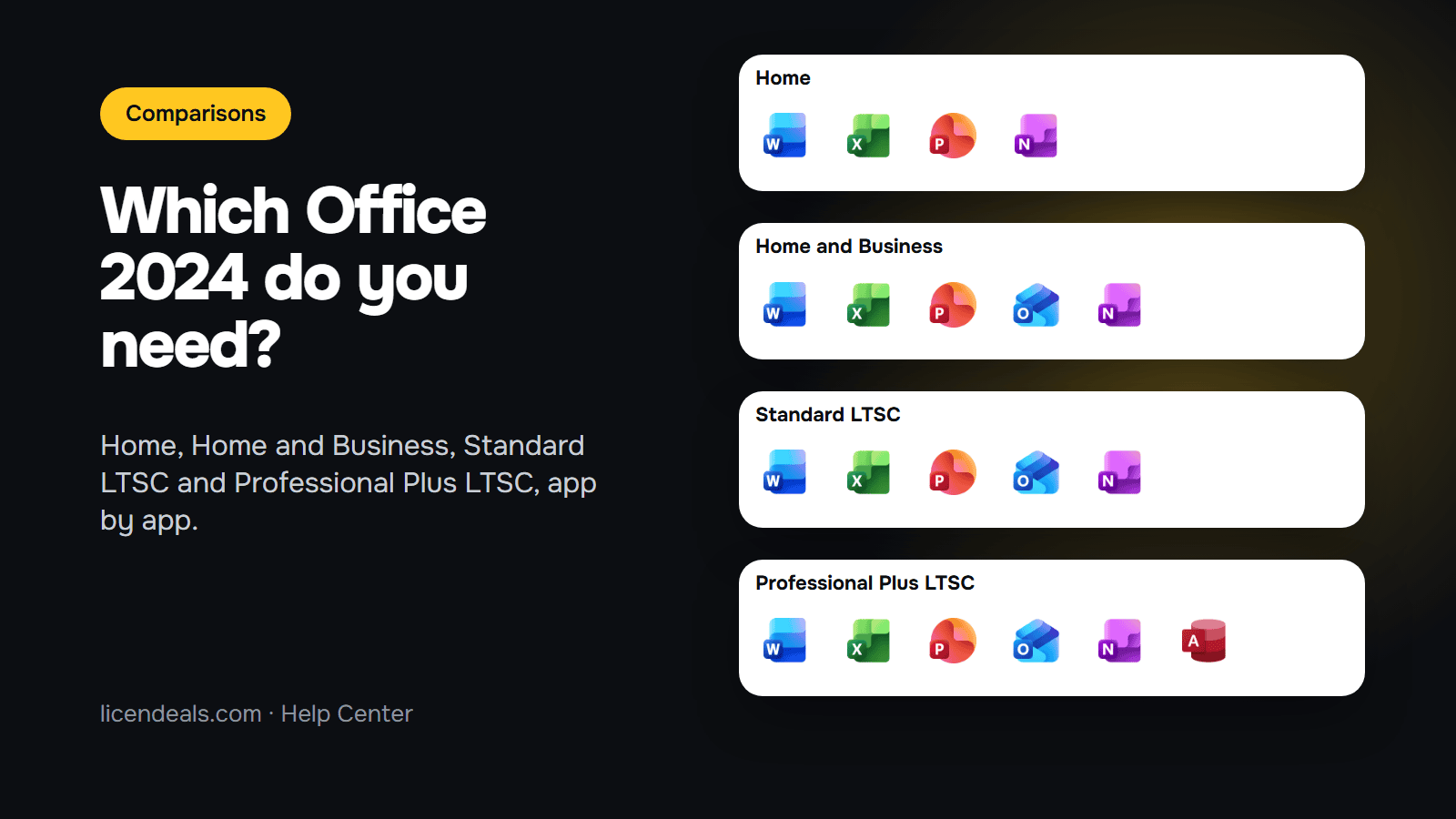
Office 2024 Home vs Professional Plus: which one do you need? It depends on two things: which apps you use and which computer you use them on. Office 2024 Home has Word, Excel, PowerPoint and OneNote. Home and Business adds Outlook. Standard LTSC has the same five apps as Home and Business, and Professional Plus LTSC adds Access. This guide compares the four editions we sell (Home comes as a RETAIL or a BIND License), app by app and license type by license type, so you can pick one before you buy.
IMPORTANT: the apps and license types below are the ones on our own product pages (checked on 2026-11-13). What we say about Office LTSC 2024 comes from Microsoft's overview page on Microsoft Learn (read on 2026-11-13). We did not compare speed or features inside each app, so this guide says nothing about them. Microsoft can change what each edition includes.
1.1 Choose Office 2024 Home if you only need Word, Excel, PowerPoint and OneNote, and you read your email in a browser or in another app.
1.2 Choose Office 2024 Home and Business if you also want Outlook, or if you want to use Office on a Mac: it is a BIND License, linked to your Microsoft account, and our product page lists Windows and macOS.
1.3 Choose Office 2024 Standard LTSC if you want Word, Excel, PowerPoint, Outlook and OneNote on one Windows PC.
1.4 Choose Office 2024 Professional Plus LTSC if you also need Access, the database app. Of the four editions in this guide, it is the only one with Access.
2.1 Office 2024 Home: Word, Excel, PowerPoint and OneNote. No Outlook and no Access.

2.2 Office 2024 Home and Business: Word, Excel, PowerPoint, Outlook and OneNote.

2.3 Office 2024 Standard LTSC: Word, Excel, PowerPoint, Outlook and OneNote, the same five apps as Home and Business.

2.4 Office 2024 Professional Plus LTSC: Access, Excel, OneNote, Outlook, PowerPoint and Word. Microsoft's overview of Office LTSC 2024 lists these six apps for Professional Plus.

2.5 None of the four includes Publisher. Microsoft says Publisher is not part of Office LTSC 2024 because it is no longer supported after October 2026. Microsoft also says the Teams app is not preinstalled with Office LTSC 2024 and is a separate download.
3.1 Office 2024 Home (RETAIL License): for 1 PC with Windows. You install Office and activate it with your product key.
3.2 Office 2024 Home and Office 2024 Home and Business (BIND License): you redeem the key on Microsoft's website, it stays linked to your Microsoft account, and you install Office from that account. Our product pages list Windows and macOS for both. If you want Office 2024 Home on a Mac, choose the BIND License, because the RETAIL License we sell is for Windows. Read what a BIND License is before you buy.
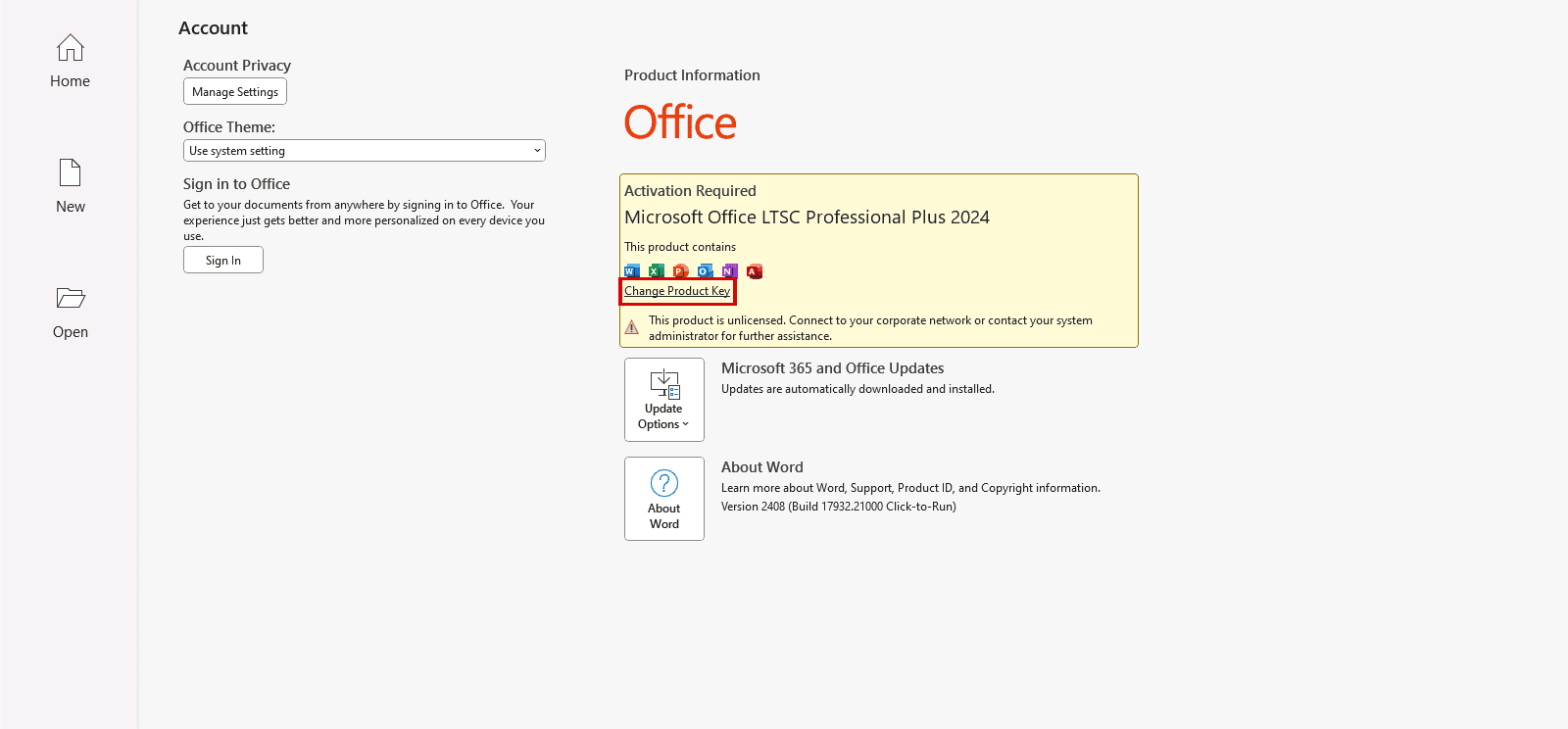
3.3 Office 2024 Standard LTSC and Professional Plus LTSC (CID License): for 1 PC with Windows. You activate Office with a Confirmation ID, which you get from your Installation ID. Our guide on what a Confirmation ID is explains how it works. This is how Word showed Professional Plus LTSC on our test computer, before activation. The red box marks where Office lets you enter a product key.
4.1 Microsoft says Office LTSC 2024 is available to organizations through volume licensing agreements, and that it doesn't receive new features after launch.
4.2 Microsoft gives Office LTSC 2024 five years of Mainstream Support and no Extended Support after that. Office 2024 and Office LTSC 2024 are supported until October 9, 2029.
4.3 Access is a Windows app. Microsoft says it is not available on macOS, so if you need Access, you need a Windows PC.
5.1 Outlook: Home and Business, Standard LTSC and Professional Plus LTSC. Not in Home.
5.2 Access: only Professional Plus LTSC.
5.3 Mac: only the BIND Licenses (Office 2024 Home BIND and Home and Business BIND), according to our product pages.
5.4 Linked to a Microsoft account: only the BIND Licenses. The RETAIL and CID Licenses are activated on the computer.
5.5 Warranty: our product pages say "Lifetime warranty on the computer where you activate it" for the RETAIL and CID Licenses, and "Lifetime warranty while you keep your Microsoft account" for the BIND Licenses. See the 24-hour rule in the FAQ below.
5.6 Many PCs in one company: none of the four. For that, see Office 2024 Professional Plus MAK and our guide on what a MAK volume license is.
{n} from {l} bought
{n} bought
Someone from {l} bought
Someone bought
Just now
1 minute ago
2 minutes ago
1 hour ago
2 hours ago
1 day ago
2 days ago
Close


 Windows
 Office for PC
 Office for Mac
 Windows Server
 SQL Server
 Office Apps
 Visual Studio

