Office 2024 Standard LTSC Review: What You Get and What’s Missing
We sell this product. This is our hands-on review of Office 2024 Standard LTSC: we installed and activated it on our own Windows 11 test computer, and every screenshot in this review comes from that test. Here is what you get, what's missing and who it suits, with the downsides included.
TESTED ON: Windows 11 (our test computer), October 1, 2026. Microsoft Office LTSC Standard 2024, Version 2408 (Build 17932.21000 Click-to-Run), activated with a Confirmation ID.
1. What Office 2024 Standard LTSC is
Office LTSC 2024 is the one-time purchase edition of Office that Microsoft makes for organizations. LTSC stands for Long Term Servicing Channel: Microsoft describes it as an edition for environments that can't take feature updates. You pay once, there is no subscription and it doesn't expire.
There are two editions for Windows: Standard, reviewed here, and Professional Plus, which adds Access. Our Office 2024 Standard LTSC is a CID License: it activates one PC with a Confirmation ID from Microsoft's online activation portal.
2. What you get: the apps
2.1 While it installs, the Microsoft installer shows the five apps it is downloading: Word, Excel, PowerPoint, Outlook and OneNote.
![]()
2.2 In Word, File > Account shows the product name, Microsoft Office LTSC Standard 2024, and the same five apps under "This product contains". We took this screenshot before activating it, which is why it says "Activation Required".
![]()
2.3 Right after the installation, Word, Excel, PowerPoint and OneNote were already pinned to the Start menu of our test computer.
![]()
According to Microsoft, Word, Excel and PowerPoint in Office LTSC 2024 save OpenDocument files in the newer ODF 1.4 format, and the major version is still 16.0, the same as Office LTSC 2021 and Office 2019, so add-ins that worked with those versions are likely to keep working.
3. Installation and activation in our test
3.1 Installation. Our download is an .iso file. Double-clicking it opens it as a DVD drive, and "Install Office 2024 Standard" starts the Microsoft installer, which downloads Office from Microsoft's servers: keep the computer online until it finishes. The time depends on your connection and your computer; it is usually done in 10 to 15 minutes.
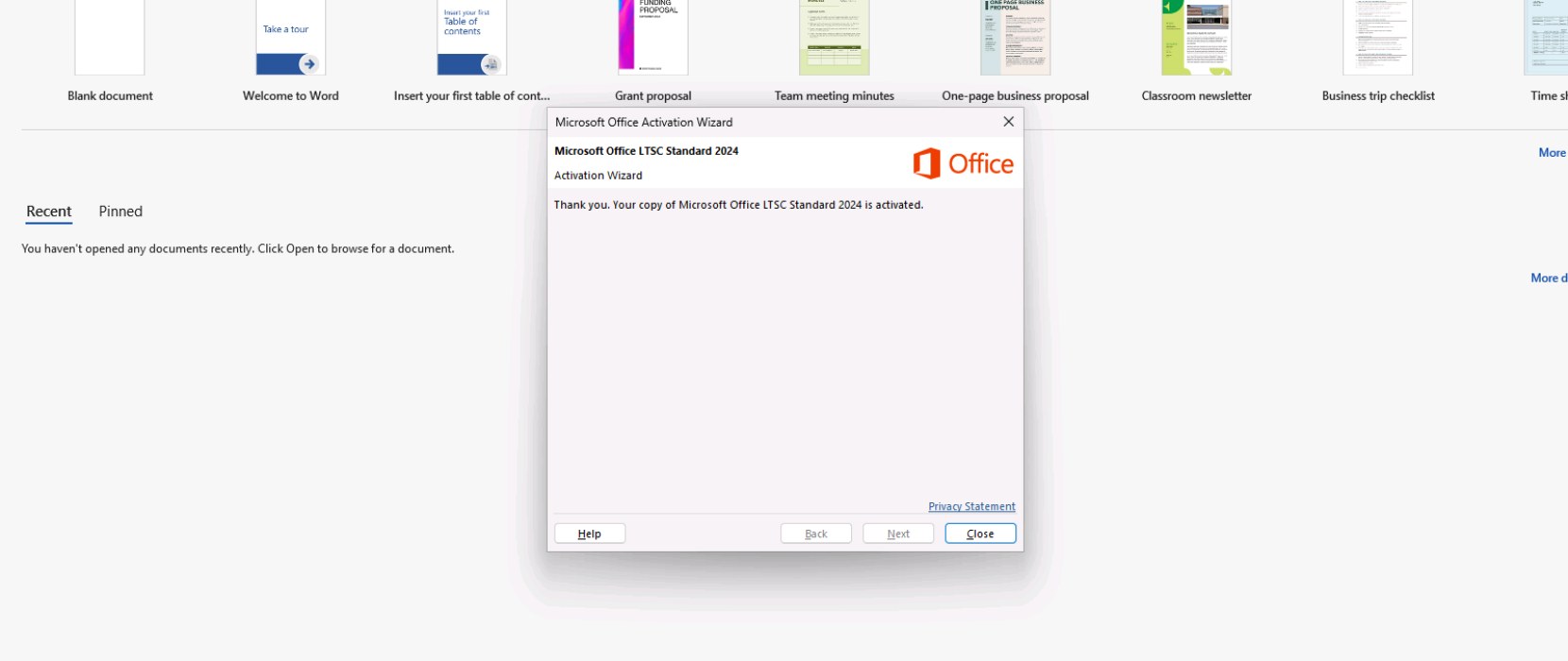
3.2 Activation. You enter the key in Word (File > Account > Change Product Key). Then the Office Activation Wizard shows a 63-digit Installation ID, and Microsoft's online activation portal turns it into a Confirmation ID that you type back into the wizard. Our free Installation ID Extractor helps you copy the 63 digits without mistakes. This is the result on our test computer:
![]()
The full steps, with all the screenshots, are in our guide: How to Install and Activate Office 2024 Standard LTSC via CID.
4. What's missing: the downsides
- No Access. Among the Office LTSC 2024 editions, Microsoft includes Access only in Professional Plus. If you work with Access databases, Standard is not enough.
- No Publisher. Microsoft doesn't include Publisher in Office LTSC 2024, because Publisher is no longer supported after October 2026.
- No new features. Office LTSC 2024 doesn't receive feature updates after launch. New features only reach Microsoft 365 Apps, the subscription version.
- No cloud-backed features. Microsoft says Office LTSC 2024 doesn't include the latest cloud-backed features of Microsoft 365 Apps, such as real-time collaboration or AI-driven automation.
- Teams is not preinstalled. Microsoft Teams is not preinstalled; you can download it separately from Microsoft.
- Support ends on October 9, 2029. Microsoft gives Office LTSC 2024 five years of Mainstream Support and no Extended Support after that.
- One PC, one activation. With RETAIL Licenses, CID Licenses and MAK Volume Licenses, each activation can be used only once: reinstalling or changing hardware uses up that activation, and our warranty doesn't cover it.
- Check your Windows version. Microsoft lists Windows 11, Windows 11 LTSC 2024, Windows 10 LTSC 2021 and 2019, and Windows Server 2025 and 2022 as supported. If your computer runs another Windows 10 edition, check Microsoft's system requirements first.
5. Standard vs Professional Plus vs Microsoft 365
- Office 2024 Standard LTSC: Word, Excel, PowerPoint, Outlook and OneNote. One-time purchase, no new features.
- Office 2024 Professional Plus LTSC: the same five apps plus Access. One-time purchase, no new features.
- Microsoft 365: a subscription. Its apps get new features and the cloud-backed features that LTSC doesn't have.
The license type also matters. Choose the license type that fits you: a BIND License if you want to be able to reinstall or change computer, or a CID License for one PC. Our license types page explains each one, and our comparison Office 2021 vs Office 2024 covers the other Office 2024 editions.
6. Who it suits
- It suits you if you need Word, Excel, PowerPoint, Outlook and OneNote on one PC, you prefer to pay once instead of a subscription, and you don't need new features, since Office LTSC 2024 never receives them (Microsoft supports it until October 9, 2029).
- Choose Office 2024 Professional Plus LTSC if you need Access.
- Choose Office 2024 Home and Business (a BIND License) if you want to reinstall Office or move it to a new computer with your Microsoft account.
- Choose Microsoft 365 if you need real-time collaboration or new features as soon as Microsoft releases them.
7. Frequently asked questions
Yes. Outlook was one of the five apps installed on our test computer, with Word, Excel, PowerPoint and OneNote.
No. Among the Office LTSC 2024 editions, Access is only in Office 2024 Professional Plus LTSC.
No. It is a one-time purchase and it doesn't expire. Microsoft supports Office LTSC 2024 until October 9, 2029, and it doesn't receive new features.
Enter the key in Word, then get a Confirmation ID from Microsoft's online activation portal with your Installation ID. Our guide shows every step with real screenshots.
No. A CID License activates one PC once: reinstalling or changing hardware uses up that activation, and our warranty doesn't cover it.
If a license doesn't work, tell us within 24 hours of revealing it and we will replace it right away. Your statutory rights are not affected.
Checked on: our test computer (Windows 11, October 1, 2026) and Microsoft pages, read on 2026-10-11. Sources: Overview of Office LTSC 2024 and Office LTSC 2024 lifecycle. We don't give stars or scores. Microsoft can change these pages; check them if something looks different on your screen.
Want it? Get your Office 2024 Standard LTSC key at Licendeals, with 24/7 support.