November Special Offer - 5% OFF SITEWIDE!
Use code:
Valid until Nov 30
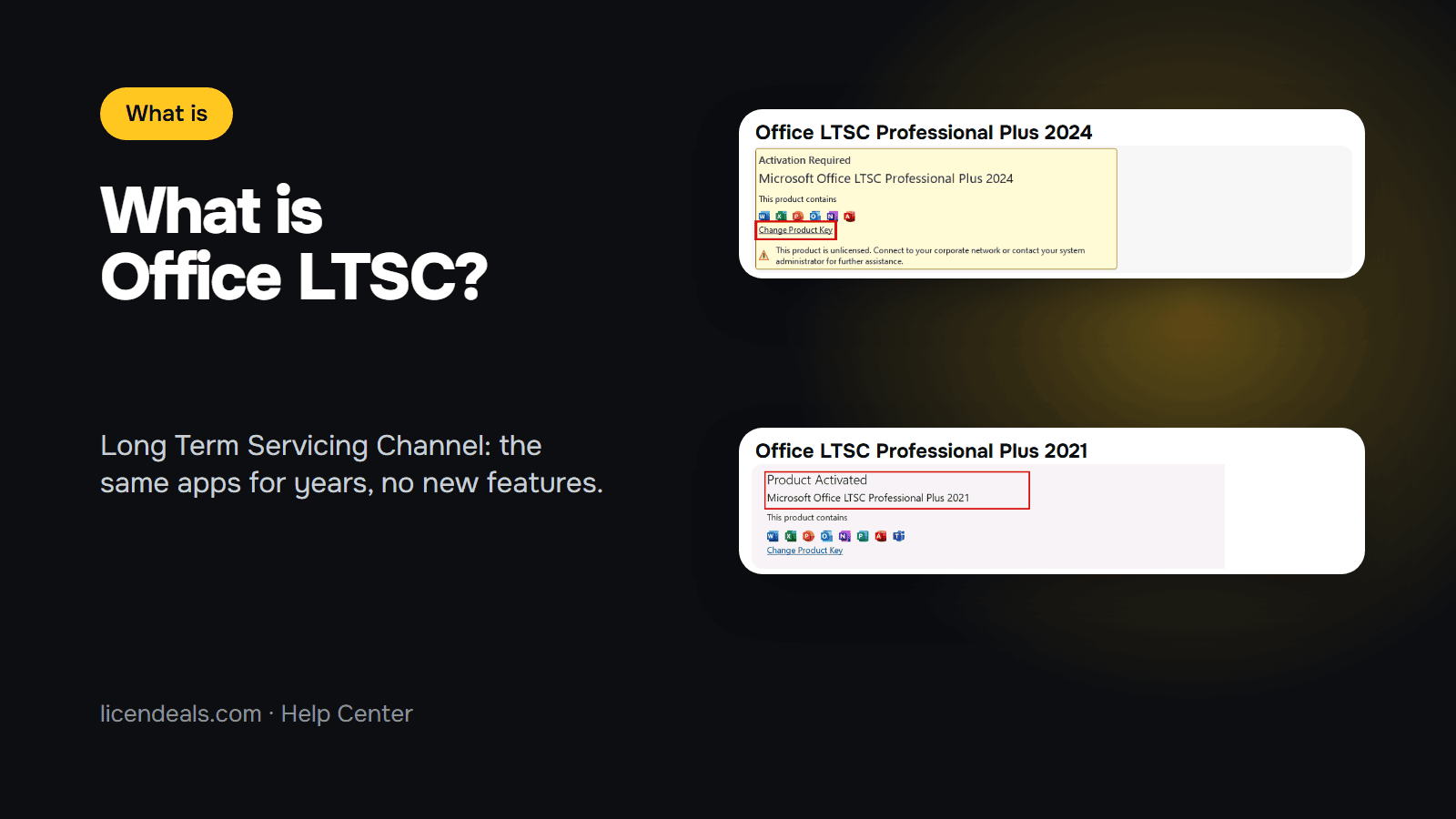
What is Office LTSC? LTSC stands for Long Term Servicing Channel. It is the edition of Office that Microsoft makes for computers that should not change: you get Word, Excel, PowerPoint, Outlook and the other apps as they were on launch day, with no new features added later. This guide explains what that means, which Office LTSC versions exist today, how long Microsoft supports them, and how the Office LTSC licenses we sell are activated.
IMPORTANT: what we say about Office LTSC comes from Microsoft's own pages on Microsoft Learn (the Office LTSC 2024 and 2021 overviews and their lifecycle pages, read on 2026-11-20). The screenshots are from our own installations of Office LTSC on a test computer (October 2026) and from our product pages. Microsoft can change these pages.
1.1 Microsoft says Office LTSC 2024 is "designed for use in highly regulated or restricted environments that can't take feature updates". In other words, it is for computers where nothing should change on its own: a reception desk, a machine on a factory floor, an office that must keep the same version for years.
1.2 Microsoft says Office LTSC is available to organizations through volume licensing agreements. The product name of every edition includes "LTSC": Microsoft Office LTSC Professional Plus 2024, Microsoft Office LTSC Standard 2024, and so on.
1.3 Office LTSC is a one-time version of Office, not a subscription. You install it once and it stays the same version.
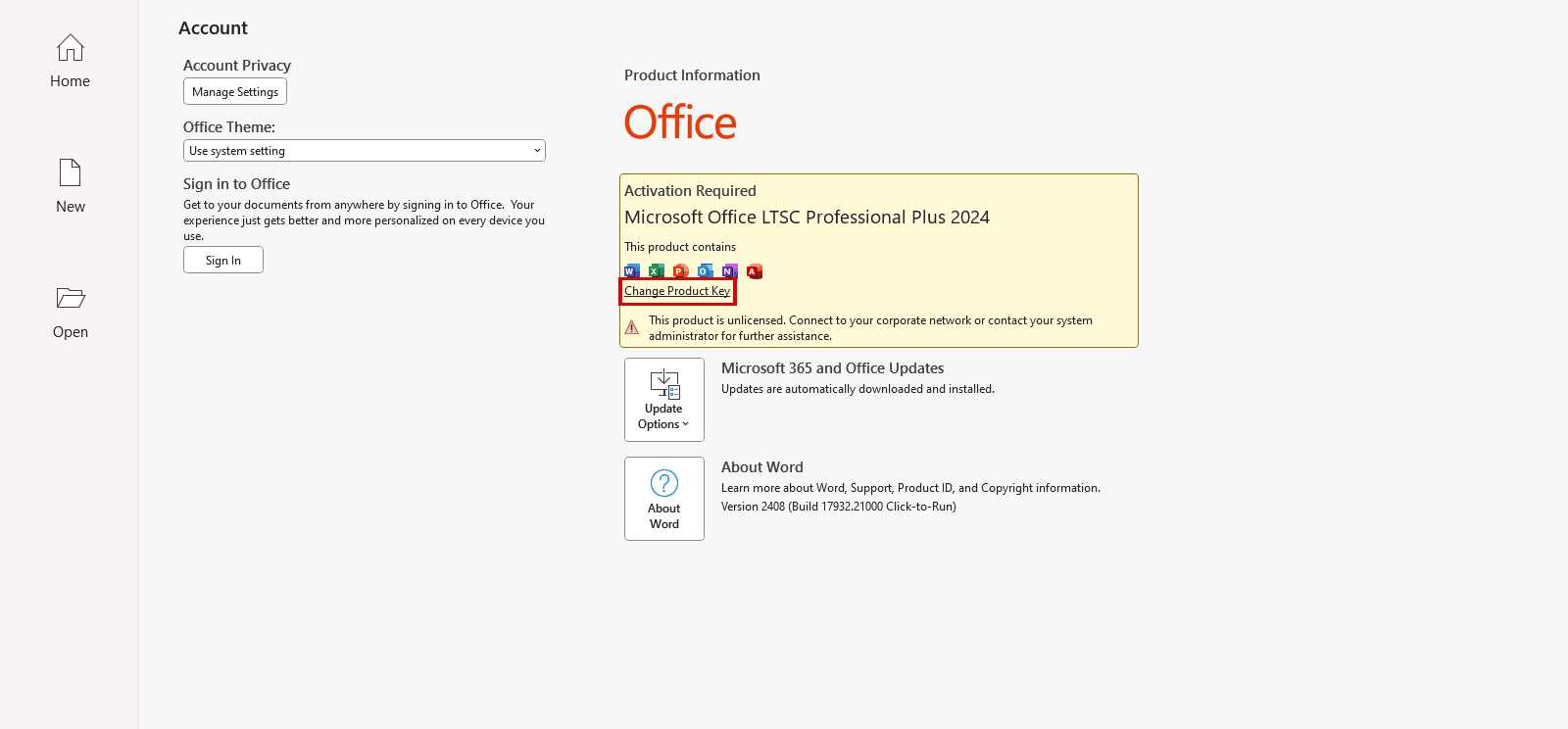
2.1 This is Word, File, Account on our test computer right after installing Office LTSC Professional Plus 2024, before activation. The product name says "LTSC", and before activation Word showed this message: "This product is unlicensed. Connect to your corporate network or contact your system administrator". It disappears once you activate Office. The red box marks where you can enter a product key.
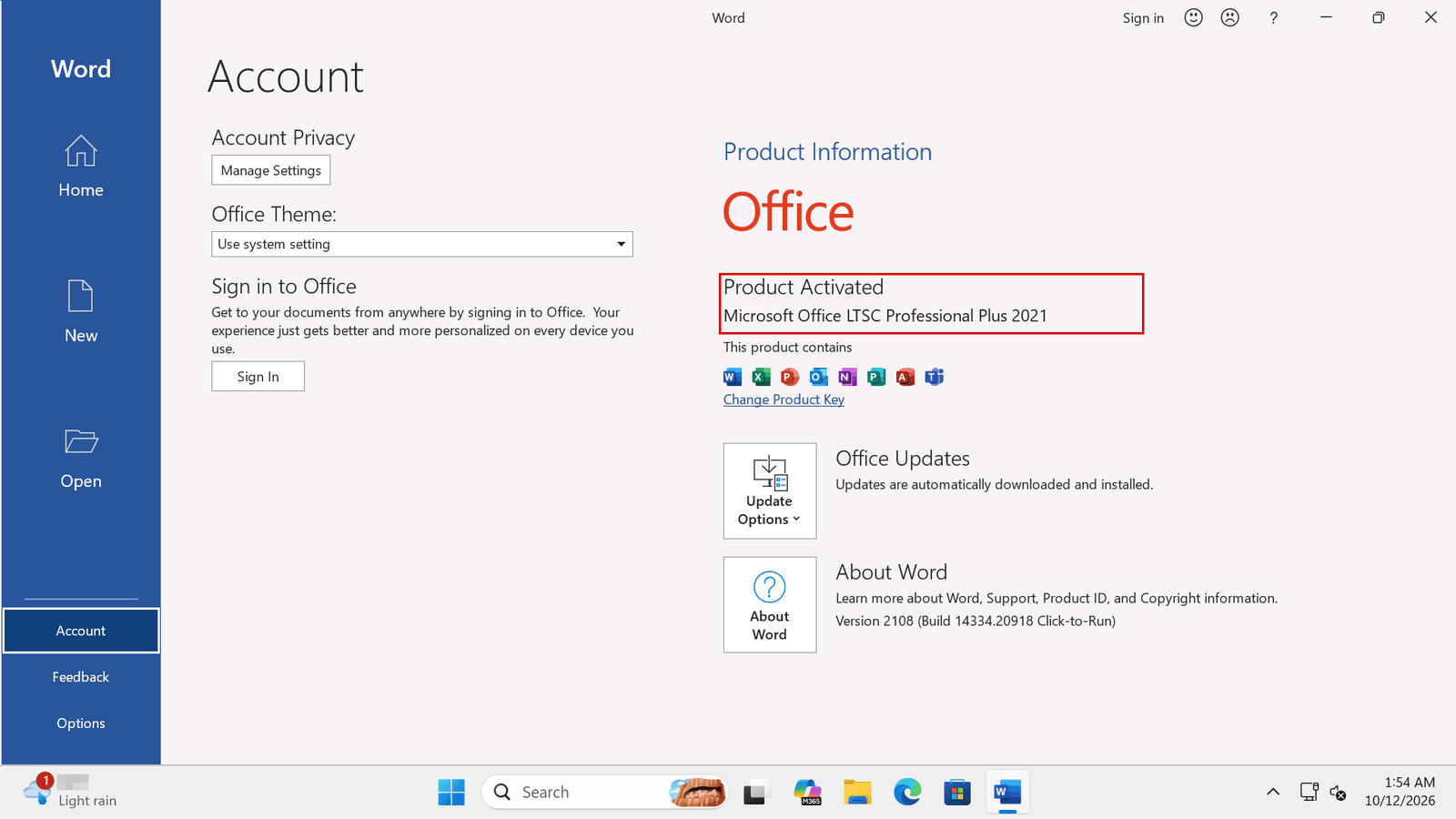
2.2 And this is Office LTSC Professional Plus 2021 after activation, on the same kind of test computer: "Product Activated". Under About Word, both versions say "Click-to-Run". Microsoft says Office LTSC uses Click-to-Run instead of Windows Installer (MSI) as the installation technology.
3.1 Microsoft says Office LTSC 2024 doesn't receive any new features. What you install is what you keep.
3.2 Microsoft also says that Microsoft 365 Apps includes all Office LTSC 2024 features and many more that Office LTSC 2024 doesn't include, such as the latest cloud-backed features. If you want Office to keep changing and improving, a Microsoft 365 subscription is the other option. Our comparison of Office 365 vs Office 2024 explains the difference between a subscription and a one-time purchase.
4.1 Office LTSC Professional Plus 2024: Microsoft lists Access, Excel, OneNote, Outlook, PowerPoint and Word.

4.2 Office LTSC Standard 2024: our product page lists Word, Excel, PowerPoint, Outlook and OneNote. The difference with Professional Plus is Access, the database app.

4.3 Microsoft says Publisher is not included in Office LTSC 2024, because Publisher is no longer supported after October 2026. The Teams app is not preinstalled either: Microsoft says it is a separate download.
5.1 Microsoft gives each Office LTSC version five years of Mainstream Support and no Extended Support after that.
5.2 Office LTSC 2024: supported from September 18, 2024 until October 9, 2029, according to Microsoft's lifecycle page.
5.3 Office LTSC 2021: its support ended on October 13, 2026. Because support for the 2021 version has ended, we recommend the 2024 version for a new purchase. Our comparison of Office 2021 vs Office 2024 explains what changed.
6.1 Microsoft's list of supported systems for Office LTSC 2024 includes Windows 11, Windows 10 LTSC 2021 and 2019, and Windows Server 2025 and 2022. On Arm-based devices, Windows 11 is the minimum.
6.2 Microsoft also offers Office LTSC Standard for Mac 2024 to volume licensed customers, but we don't sell it. The Office LTSC licenses on our store are for Windows. Microsoft says Access is not available on macOS.
7.1 One PC (CID License): Office 2024 Standard LTSC and Office 2024 Professional Plus LTSC are CID Licenses for 1 PC with Windows. You activate Office with a Confirmation ID, which you get from your Installation ID. Read what a Confirmation ID is before you buy. Our product pages say "Lifetime warranty on the computer where you activate it". To be covered, tell us within 24 hours of revealing the license; the full conditions are on our warranty page.
7.2 Many PCs (MAK Volume License): Office 2024 Professional Plus MAK is one key for several PCs in a company. Read what a MAK volume license is, and see our guide on activating Office 2021 LTSC with a MAK, recorded on our own test computer. From the moment you reveal the key, you have 30 days to use all its activations or, if it doesn't work, to tell us.
{n} from {l} bought
{n} bought
Someone from {l} bought
Someone bought
Just now
1 minute ago
2 minutes ago
1 hour ago
2 hours ago
1 day ago
2 days ago
Close


 Windows
 Office for PC
 Office for Mac
 Windows Server
 SQL Server
 Office Apps
 Visual Studio

