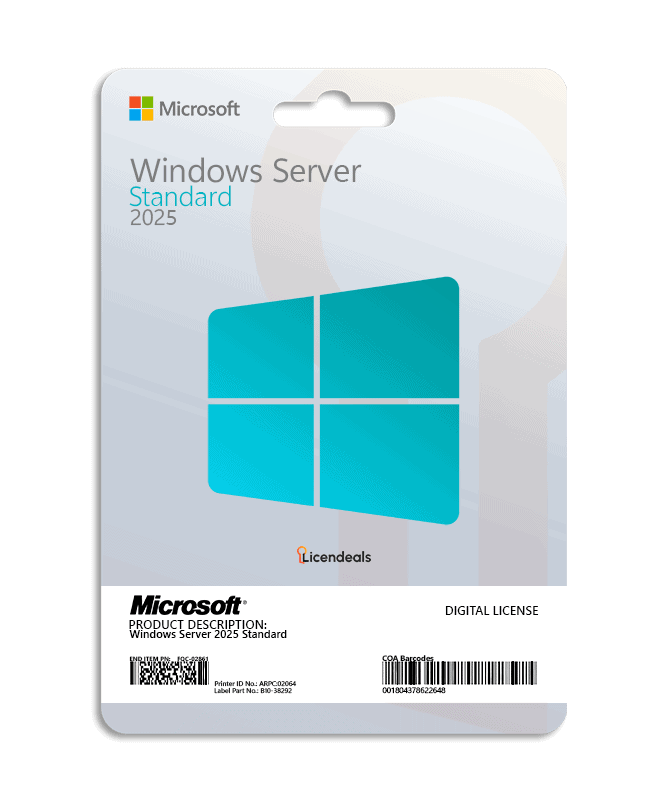
Your Windows Server 2025 Standard license key is a RETAIL License for 1 server: one key activates it once, online. Right after your payment is confirmed, we email you a secure link to your license, and your invoice comes with the order. Lifetime warranty on the computer where you activate it.
Only reveal your license when you are ready to activate it.
Standard, Datacenter or Essentials?
Each edition is a separate product with its own page. This is how Microsoft describes them:
Edition
Microsoft’s description
Sold here for
Standard
Ideal for physical or minimally virtualized environments.
2025, 2022, 2019, 2016
Datacenter
Ideal for highly virtualized datacenters and cloud environments.
2025, 2022, 2019, 2016
Essentials
A cloud-connected first server designed for small businesses with up to 25 users and 50 devices.
Microsoft sets the licensing rights of each edition, including its virtualization rights. Check its Windows Server licensing guidance for your setup. Your license key activates the edition named on this page, on 1 server.
Which Windows Server version should you buy?
Choose the version your applications support. Microsoft publishes security updates until the extended support end date.
It activates the edition named on this page, on 1 server. Other editions and versions are separate products, each with its own page.
Do I need RDS CALs to use Remote Desktop?
RDS CALs are separate products, sold in packs of 50 as User CALs or Device CALs. Microsoft’s licensing terms say which users and devices need them: check them for your setup. You can find the packs for each version in Windows Server license keys.
Which Windows Server version should I buy?
The one your applications support. Compare the support end dates above before you decide.
Can I reinstall Windows Server or move the license to another server?
RETAIL Licenses can’t be reused. If you later reinstall the software or the operating system, or change the server’s hardware, that activation can’t be used again, and our warranty doesn’t cover it. Your statutory rights are not affected.
Download Windows Server 2025 from the Microsoft Evaluation Center: the link is in the Download tab.
Install the edition you bought, with Desktop Experience. Activate it before making the server a domain controller.
Open Command Prompt as administrator and run this command with your license key:
Download from the Microsoft Evaluation Center (official website). Microsoft provides Windows Server there as an evaluation version: after installing it, you convert it to the full version with the license key you bought from us. Install the same edition you bought, with Desktop Experience, and convert it before making the server a domain controller.
Not required to install; TPM 2.0 is needed for features such as BitLocker and Secured-core server
Brand
Microsoft
Format
Digital license, one activation per computer
Updates
Security updates from Microsoft until November 14, 2034
Platform
Windows Server 2025
License type
RETAIL
Compatibility
64-bit
Users supported
1 Admin user, 1 Server
Activation available in
Worldwide
Delivery
Delivered by email
Language
Available in all languages (it is possible to change language settings after installation; additional language packs are also available to be downloaded and installed separately)
Cores
Activate all cores
Devices
1 Server
Expiration
No expiration
Warranty
Lifetime warranty on the computer where you activate it
The customer service here is outstanding. When I had questions about installing my digital licenses, the support staff responded quickly and explained everything clearly. Their assistance made the entire process smooth and stress-free.
Buying here was a great choice because the license arrived instantly, installation worked without issues, and customer support answered my questions clearly and professionally throughout the setup process.
I felt confident purchasing from this website because of its intuitive layout. The buying process was quick, and customer support replied fast with clear and helpful answers.
I truly appreciate how smooth and transparent the buying process is on this site. The layout is intuitive, instructions are clear, and support replies faster than expected, making the experience very satisfying.
I was unsure about system requirements before installing. Support reviewed my setup and confirmed compatibility. Their careful attention prevented future problems.
Using Remote Desktop? RDS CALs are separate products, sold in packs of 50. Each pack works with its version of Windows Server or an earlier one.
Not sure which one to choose? Read How our licenses work, with each type's activation, devices and refund terms.
Questions about this license
How fast do I get my key?
Right away: we email you a secure link to your license as soon as your payment is confirmed. It also appears in your account.
How long do I have to activate it?
There is no rush: your key waits safely until you reveal it, even months later. Once you reveal it, activate it within 24 hours. Activated in time, it's covered for life, for as long as you use it on the computer where you activated it. RETAIL Licenses activate once per computer: if you later reinstall the software or the operating system, or change the computer's hardware, that activation can't be used again. Warranty details
What if the key does not activate?
Write to us on chat or WhatsApp within 24 hours of revealing your key, and we'll replace it right away.
Can I get a refund?
Yes, within 30 days, as long as you haven't revealed the license. Once it's revealed, it can't be refunded, unless the law of your country requires it, so only reveal it when you're ready to activate it.
A security prompt appeared during installation that I didn’t understand. Support explained its purpose and showed me how to continue safely.
Diego A. · Mar 2026
Navigating the activation interface wasn’t very intuitive for me. Support provided clear instructions and remained patient throughout.
Clara W. · Mar 2026
I was unsure about system requirements before installing. Support reviewed my setup and confirmed compatibility. Their careful attention prevented future problems.
Ahmed H. · Mar 2026
Often bought together
What customers added to the same order in the last 12 months.
Necessary cookies keep our store working. Optional cookies from Google Analytics, Google Ads and Meta (Facebook and Instagram) show us how our site is used and let us measure and personalise our ads. You can accept or reject them and change your choice later in Cookie settings. Our live chat (tawk.to) is not part of this choice: it runs on our pages whatever you choose, sets its own cookie and shows our team, as you browse, that you are here and which pages you view (how to object). See our Privacy Policy.
Opt-out request honoured: your browser sends a Global Privacy Control signal, so advertising cookies stay off.
Your choices have been saved.
approx.Prices in USDAbout this priceApproximate price, at the {source} rate of {date}.Totals are in US dollars (USD). If you pay in another currency or in crypto, the payment provider converts the total at its own rate and normally shows you the amount before you pay.CurrencyLanguageSearch languagesSearch currenciesNo resultsEuropean Central BankBanco de la República de ColombiaBanco Central de Costa Rica
 Microsoft Solutions PartnerAuthorized reseller of genuine licenses
 Windows Server















 Office for PC
 Office for Mac
 Windows Server
 SQL Server
 Office Apps
 Visual Studio

Alexis Monroe –
Exceptional and reliable service.
Mason Crawford –
I loved the speed. 10/10 service.
Hazel Cook –
The website is clear and easy to use.
Megan Brooks –
The license was delivered instantly and activated without issues
Cassidy Owen –
Everything worked as expected. No issues whatsoever. Recommended
Madison Turner –
The customer service here is outstanding. When I had questions about installing my digital licenses, the support staff responded quickly and explained everything clearly. Their assistance made the entire process smooth and stress-free.
Helena Petrova –
I’m very satisfied with the service. The license arrived quickly and activated without any problems. Support was friendly and efficient.
Lucas Fernandez –
Purchasing my license online was quick and simple. The instructions were clear, and setup was completely hassle-free.
Eva Gray –
Purchasing was simple and fast, and I appreciated the clear instructions provided. Everything worked perfectly on the first attempt.
Layla Farouk –
Buying here was a great choice because the license arrived instantly, installation worked without issues, and customer support answered my questions clearly and professionally throughout the setup process.
Kevin Armstrong –
I felt confident purchasing from this website because of its intuitive layout. The buying process was quick, and customer support replied fast with clear and helpful answers.
Patrick Donnelly –
I truly appreciate how smooth and transparent the buying process is on this site. The layout is intuitive, instructions are clear, and support replies faster than expected, making the experience very satisfying.
Ahmed Hassan –
I was unsure about system requirements before installing. Support reviewed my setup and confirmed compatibility. Their careful attention prevented future problems.
Clara Weber –
Navigating the activation interface wasn’t very intuitive for me. Support provided clear instructions and remained patient throughout.
Diego Alvarez –
A security prompt appeared during installation that I didn’t understand. Support explained its purpose and showed me how to continue safely.