October Special Offer - 5% OFF SITEWIDE!
Use code:
Valid until Oct 31
Windows Server Standard vs Datacenter: both editions run the same Windows Server, and the main difference is virtualization. Microsoft describes Standard as ideal for physical or minimally virtualized environments and Datacenter as ideal for highly virtualized datacenters and cloud environments. Essentials is a third option: a first server for small businesses. Below we compare the three editions, show where each one fits, help you choose the version and explain how to move from Standard to Datacenter later, with screenshots from our store and from our own test server.
IMPORTANT: the Windows Server keys in our shop are RETAIL Licenses. Each key activates the edition named on its product page, on 1 server: a Standard key does not activate Datacenter, and an Essentials key does not activate Standard. Microsoft sets the licensing rights of each edition, including its virtualization rights.
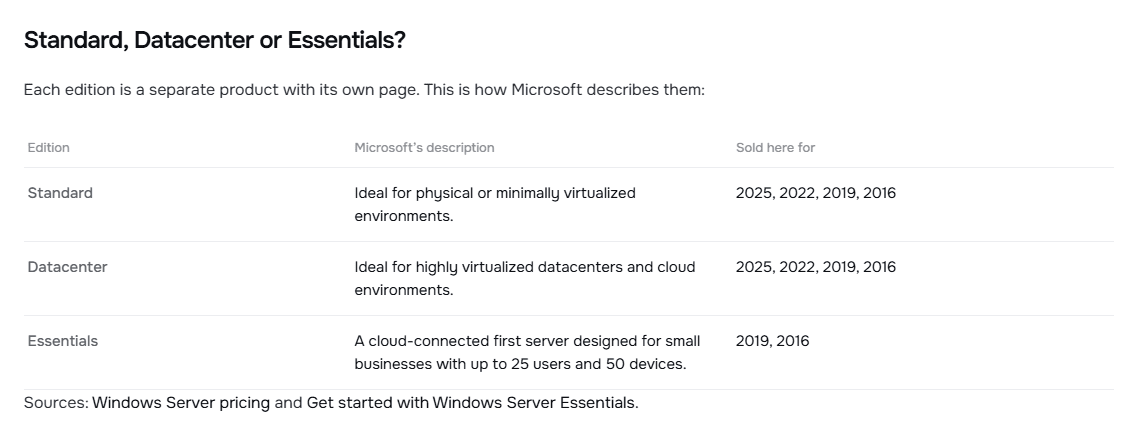
This is the table you will find on each of our Windows Server product pages, with Microsoft's description of every edition:
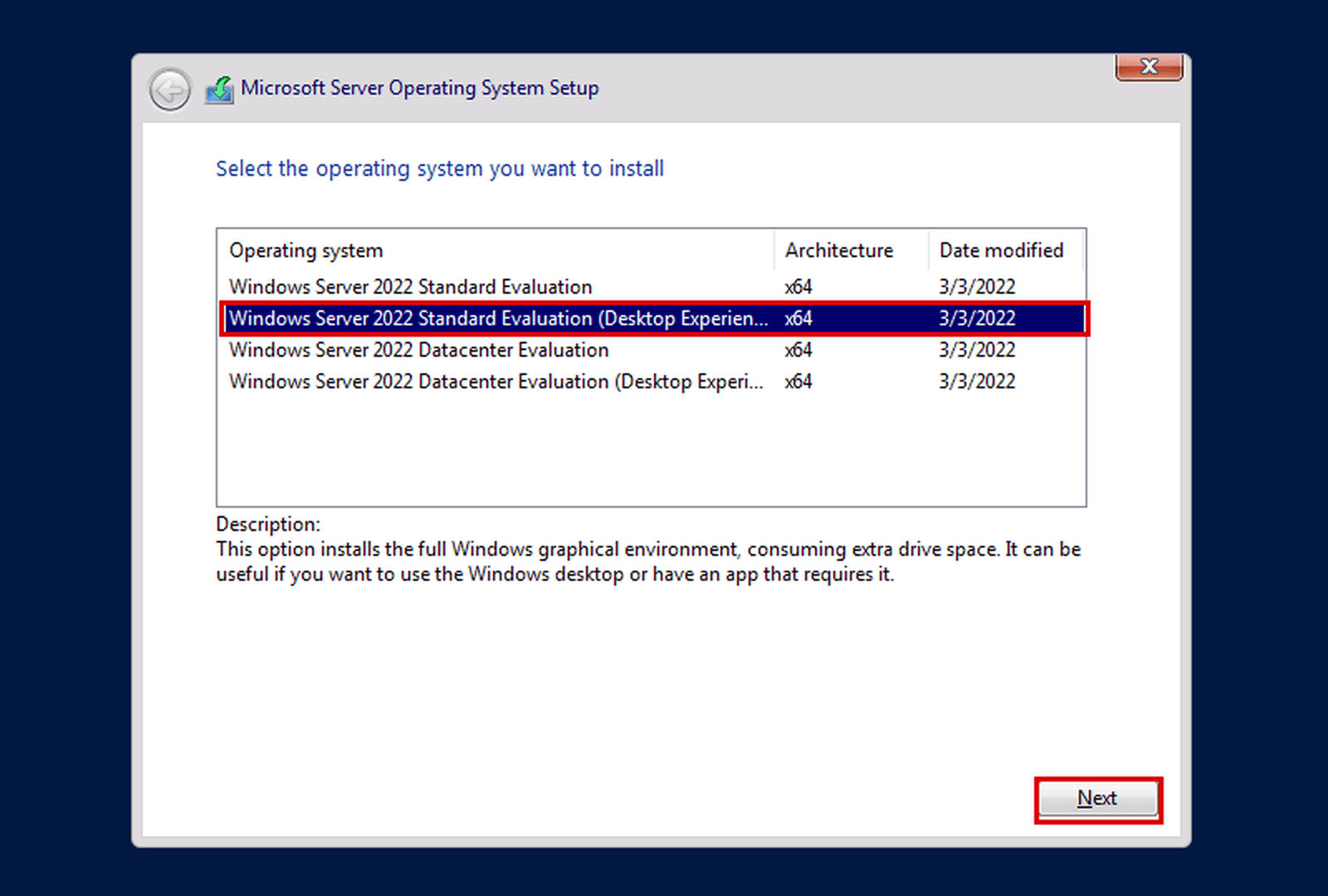
Standard and Datacenter install from the same Windows Server setup. When you install it, you choose the edition, and you then activate it with the key for that same edition. This is the edition list in Windows Server 2022 Setup on our test server:
In Microsoft's words, Standard is "ideal for physical or minimally virtualized environments". That covers most small and medium businesses: a file server, a print server, an application server or a server for Remote Desktop, running directly on the hardware or with a few virtual machines.
Choose Standard when:
We sell Standard for every version we carry: Windows Server 2025 Standard, Windows Server 2022 Standard, 2019 Standard and 2016 Standard.
Microsoft describes Datacenter as "ideal for highly virtualized datacenters and cloud environments". It is the edition for servers whose main job is to host virtual machines, and for businesses that build their own private cloud.
Choose Datacenter when:
The most important difference between Standard and Datacenter is virtualization: Microsoft gives each edition different rights to run virtual machines on the same licensed server. Microsoft states those rights, so read its Windows Server licensing guidance for your setup before you choose. See Windows Server 2025 Datacenter and Windows Server 2022 Datacenter.
With both editions, our Windows Server keys activate all cores of the server.
Microsoft describes Essentials as "a cloud-connected first server designed for small businesses with up to 25 users and 50 devices". It suits a small office that needs one server for files, backups and shared resources, and doesn't plan to grow past those numbers.
slmgr.vbs /ipk, as the How to activate tab of the product page explains.Keep in mind that Windows Server 2016 reaches the end of extended support on January 12, 2027. Read Windows Server 2016 End of Support: What to Do before you choose it.
Once you know the edition, choose the version your applications support. Microsoft publishes security updates until the extended support end date, so check that date against your plans. These are the dates shown on our product pages, from Microsoft Lifecycle:
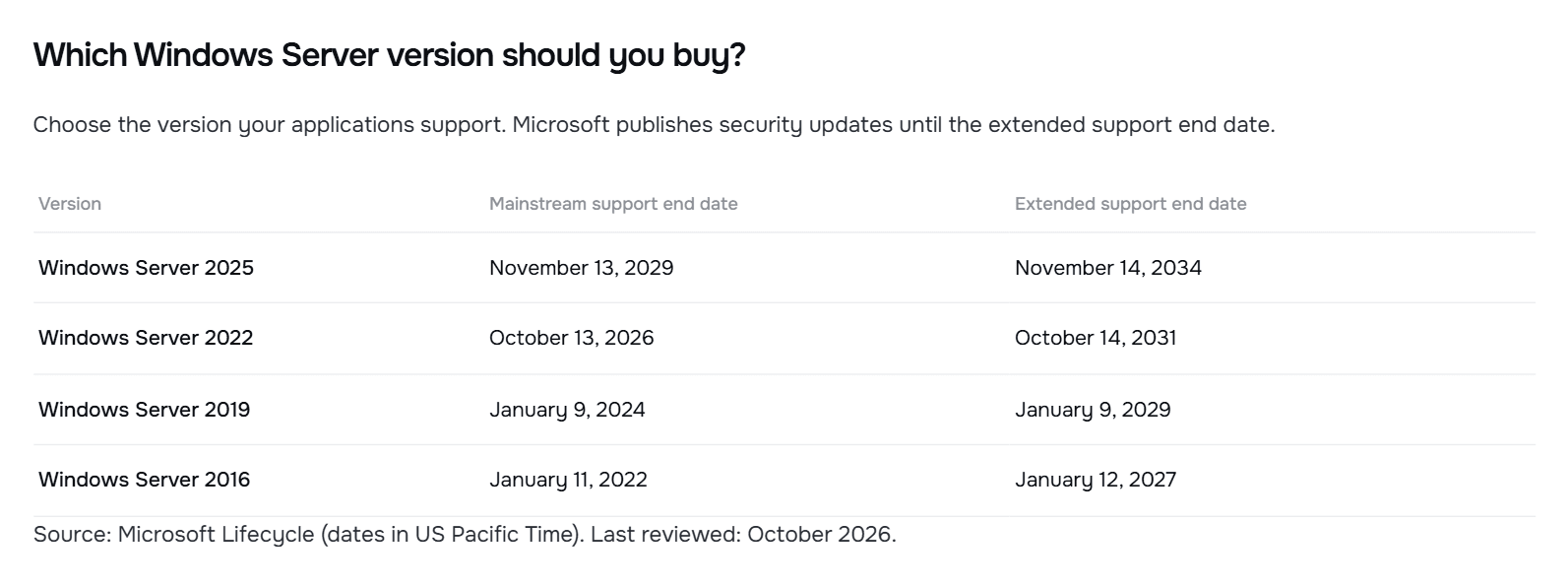
If you have no constraint, the newest version that fits your hardware gives you the longest support. Dates are in US Pacific Time.
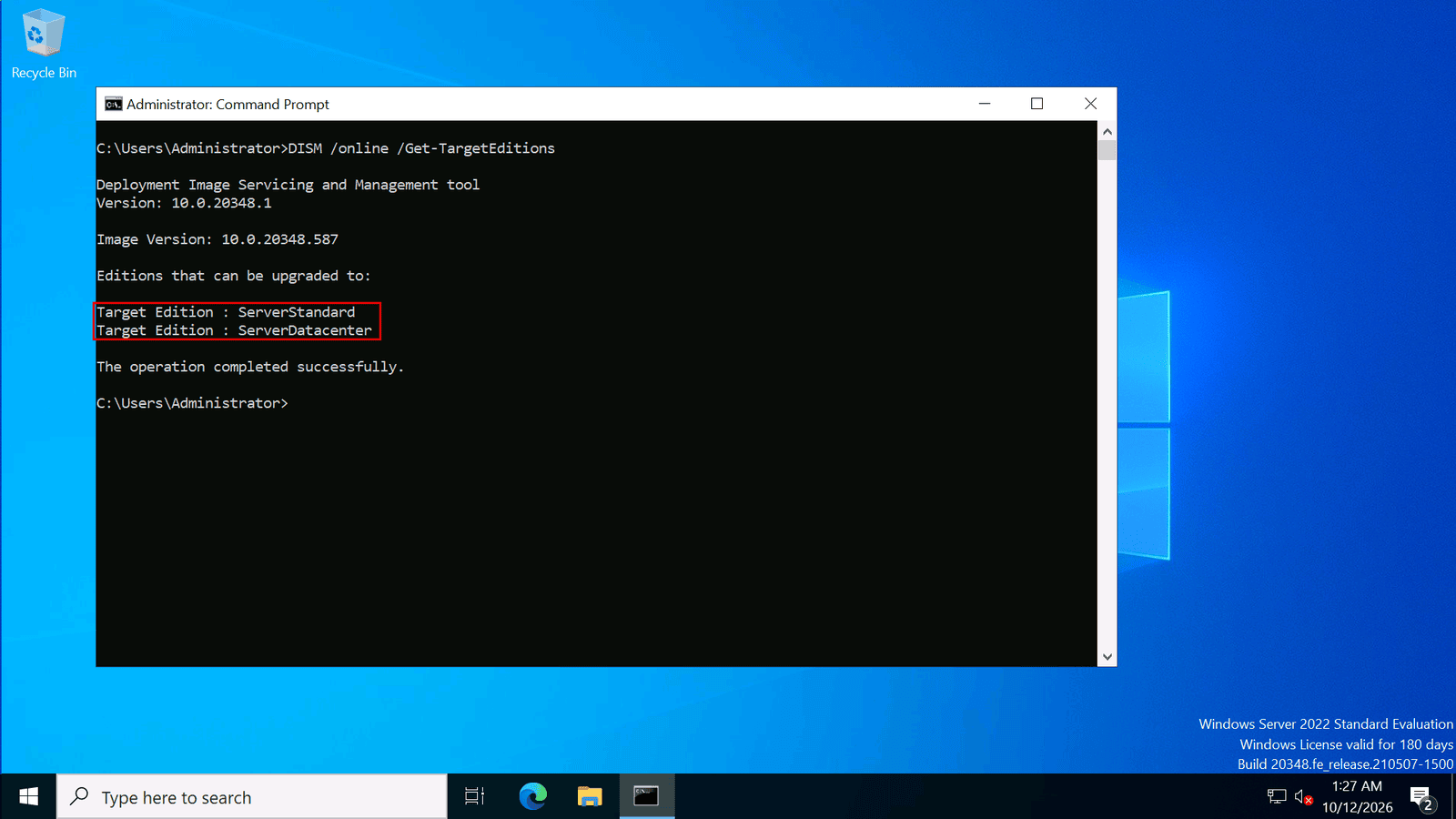
You don't have to get it right forever on day one. Microsoft says: "At any time after installing Windows Server, you can convert Windows Server Standard edition to Datacenter edition." You need a Datacenter key, and you run three commands in an elevated command prompt:
DISM /online /Get-CurrentEdition shows your current edition, for example ServerStandard.DISM /online /Get-TargetEditions lists the editions you can convert to. Datacenter must be on the list.DISM /online /Set-Edition:ServerDatacenter /ProductKey:<product key> /AcceptEula converts the server, and then you restart it.This is Get-TargetEditions on our test server, from our evaluation conversion guide. Here it lists both ServerStandard and ServerDatacenter:
Microsoft's guide describes converting Standard to Datacenter; it doesn't describe a conversion from Datacenter back to Standard. If you are running an evaluation copy, follow How to Convert Windows Server Evaluation to a Full License.
For the full picture of editions, versions, cores and CALs, read our Windows Server Licensing Guide.


 Windows
 Office for PC
 Office for Mac
 Windows Server
 SQL Server
 Office Apps
 Visual Studio
