MAK vs KMS vs RETAIL License: a RETAIL License activates one device with one key, a MAK Volume License activates every device you order with the same key, and KMS activates computers through your own activation server once your network reaches Microsoft's minimum number of computers. Below we compare how each one activates Windows and Office, how many devices it covers, what happens when you reinstall, and which one suits one PC or a small business, with screenshots from our own store and from our Office 2024 MAK activation guide.
IMPORTANT: we sell RETAIL Licenses and MAK Volume Licenses. We don't sell KMS keys. In both cases, each activation can be used only once, so count your devices before you buy.
1. The 30-second answer
- One computer: a RETAIL License. One key activates the software once, online, right inside the app.
- A few computers up to a few hundred, with no activation server of your own: a MAK Volume License. One key activates every device you order.
- A large network with its own KMS host: KMS. According to Microsoft, it needs at least 25 computers to activate Windows client and at least 5 to activate Windows Server.
For most small and medium businesses the choice is between a RETAIL License for each PC and one MAK for all of them. Microsoft's own advice for a site with only a few computers and no connection to an existing KMS host: "MAK activation is the best option."
2. MAK, KMS and RETAIL side by side
- How many devices: RETAIL License, 1 device for each unit you buy (with 5PC products, one key activates up to 5 computers). MAK Volume License, one activation per device, up to the number you order. KMS, every computer in your network that reaches the KMS host, once the network meets Microsoft's minimum.
- Needs a server of your own: RETAIL License, no. MAK Volume License, no. KMS, yes: a KMS host in your network, set up by your IT team.
- How it activates: RETAIL License, online, in seconds: you enter the key in Windows or in the app. MAK Volume License, with the same key on every device, against Microsoft's activation services. KMS, each computer asks your KMS host instead of Microsoft.
- Activation lasts: RETAIL License and MAK Volume License, one-time activation on each device. KMS, computers need to reach the KMS host again regularly; Microsoft plans KMS for computers that connect at least every 180 days.
- Reinstalling: RETAIL License and MAK Volume License, each activation can be used only once (see section 6). KMS, managed by your own IT team.
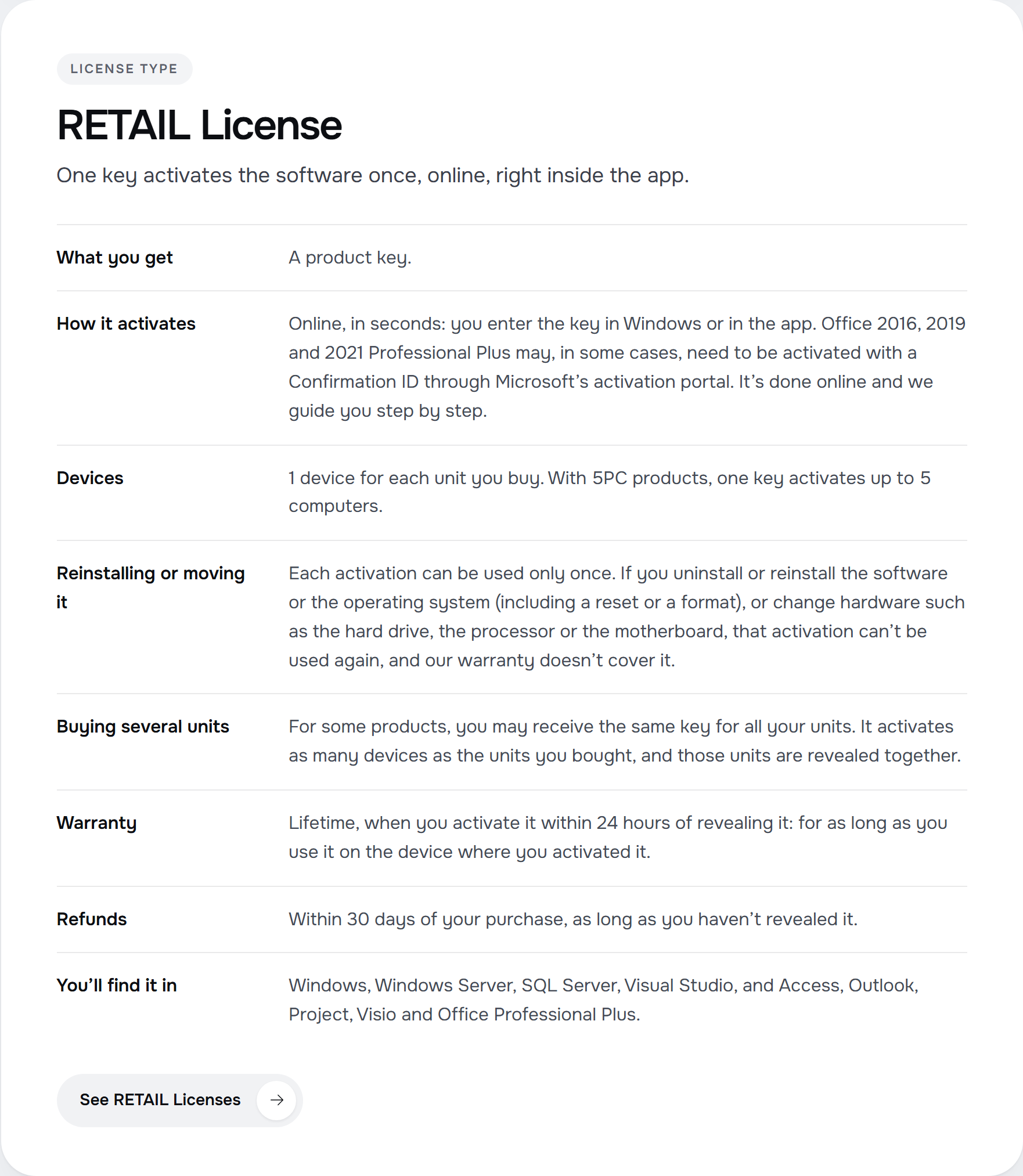
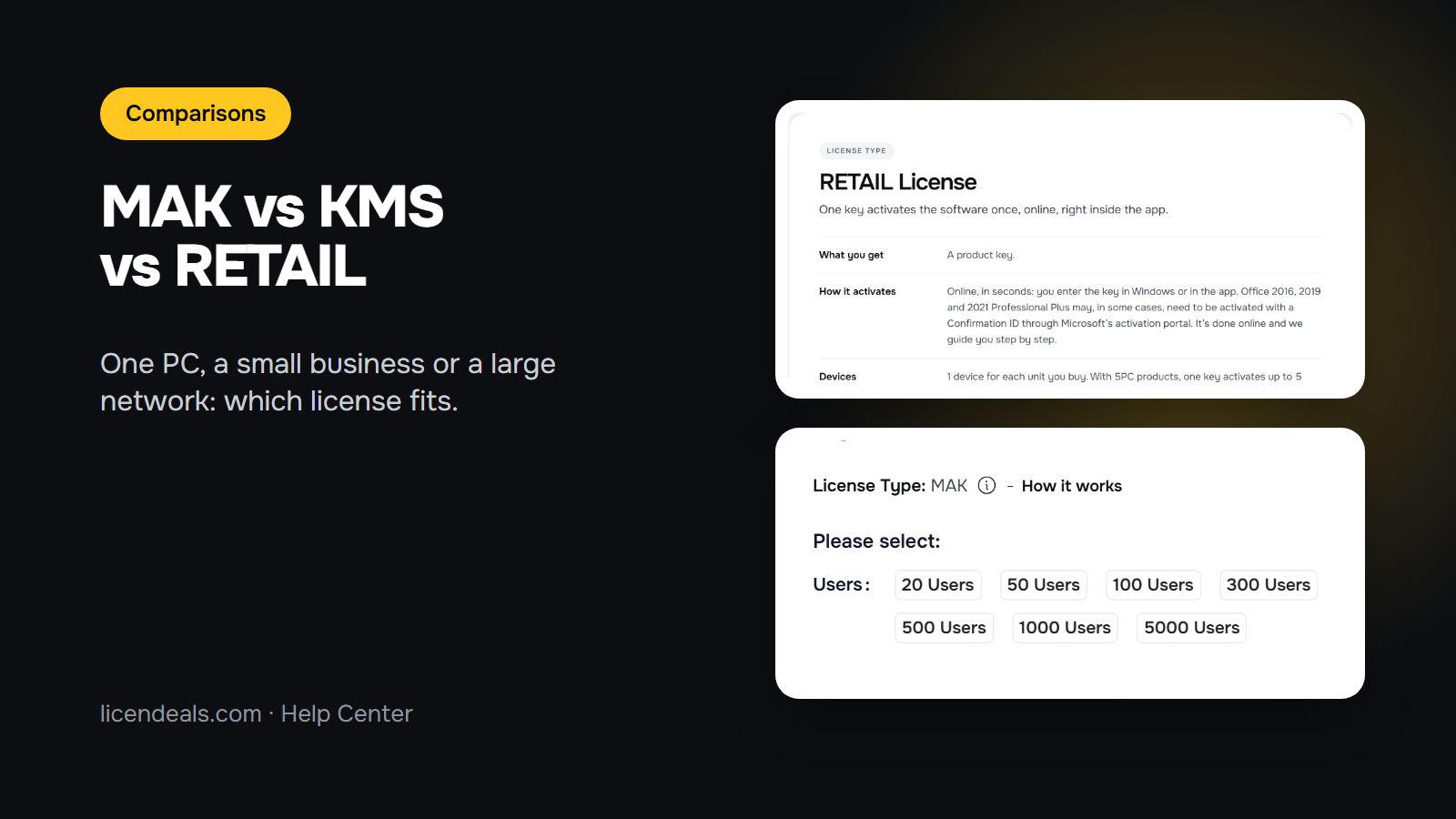
This is how our license types page describes the RETAIL License:
3. When a MAK fits
Microsoft describes a MAK in the simplest terms: "a MAK acts like a retail key, except that a MAK is valid for activating multiple computers." Each MAK can be used a specific number of times.
A MAK Volume License fits when:
- you need to activate several computers with the same edition of Windows or Office;
- you don't run a KMS host, or your network doesn't reach the KMS minimum (for example, 20 computers with Windows 11 and no KMS host is a typical MAK case);
- some computers rarely connect to your office network, such as laptops of people who travel.
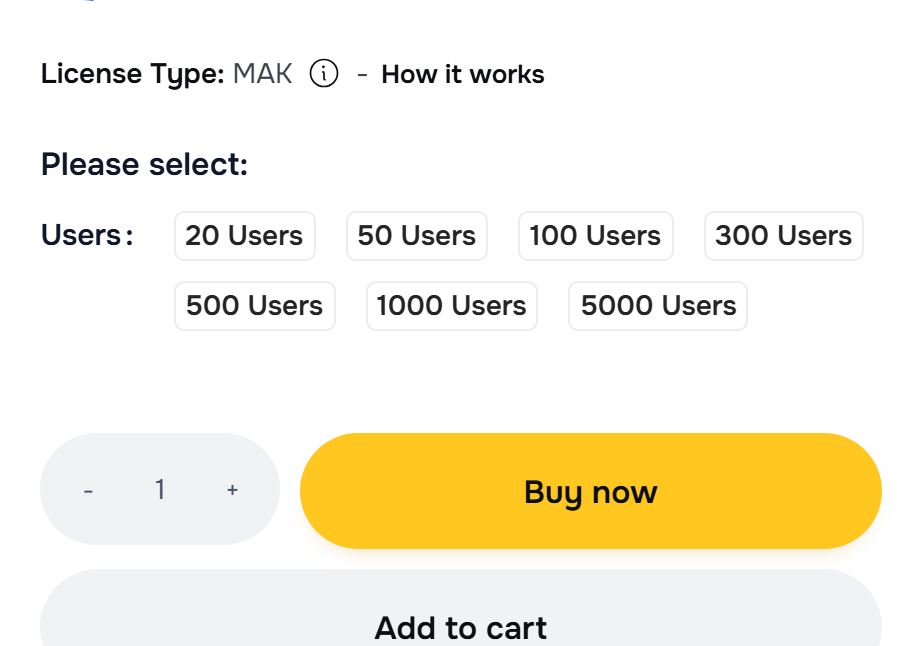
On our product pages you choose the number of activations, shown as "Users". This is the selector on the Windows 11 Professional MAK page:
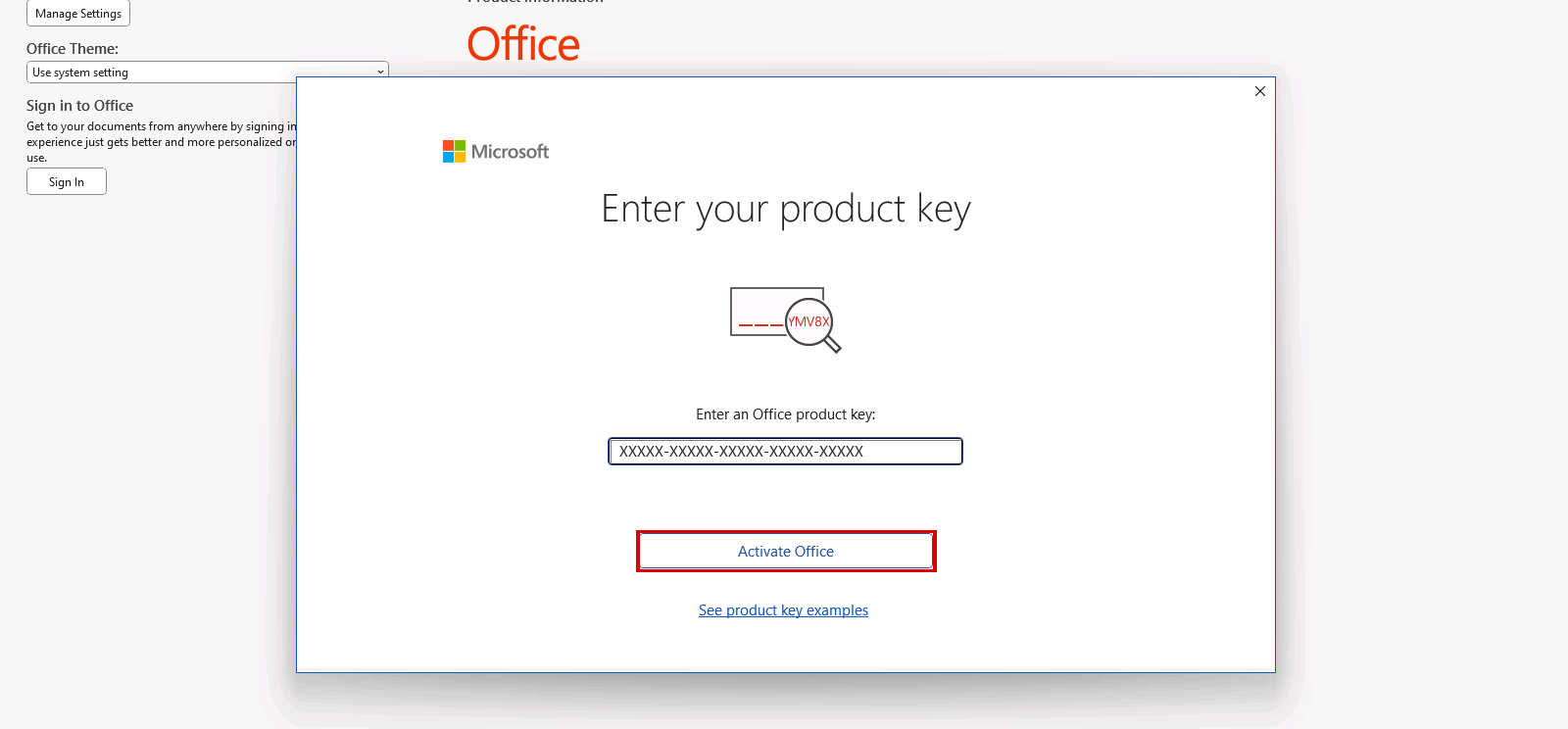
Then you enter the same key on every device. In Office, open any app, go to File, Account, Change Product Key. This is Office LTSC Professional Plus 2024 on our test computer, from our activation guide:
We recommend having an IT professional activate it. We only sell the Multiple Activation Key. It doesn't include access to Microsoft's Volume Licensing Service Center (VLSC).
4. When KMS fits
With the Key Management Service (KMS), in Microsoft's words, "IT pros can complete activations on their local network", so each computer doesn't need to connect to Microsoft. It suits larger organizations with an IT team that runs its own servers.
- Activation thresholds: Microsoft says "the organization must have at least five computers to activate currently supported versions of Windows Server and at least 25 computers to activate client computers running currently supported versions of Windows client." Below those numbers, KMS doesn't activate anything.
- A KMS host: someone in your IT team has to set it up and keep it running. Microsoft recommends at least two KMS hosts for failover.
- Regular contact: the computers need to reach the KMS host again over time, so it works best for computers that stay connected to the office network.
That is why 20 computers with no KMS host are a case for a MAK, not for KMS. KMS is an activation method from Microsoft; we don't sell KMS keys.
5. When a RETAIL License is enough
For one computer, a RETAIL License is the simple choice: one key activates the software once, online, right inside the app. You enter the key in Windows (Settings, System, Activation, Change product key) or in the app, and it activates in seconds.
- Devices: 1 device for each unit you buy. With 5PC products, one key activates up to 5 computers.
- Buying several units: for some products, you may receive the same key for all your units. It activates as many devices as the units you bought, and those units are revealed together.
- Where you'll find it: Windows, Windows Server, SQL Server, Visual Studio, and Access, Outlook, Project, Visio and Office Professional Plus.
For example, Windows 11 Professional for one PC, or Windows 11 Professional 5PC for up to 5 computers with one key.
6. What reinstalling does in each case
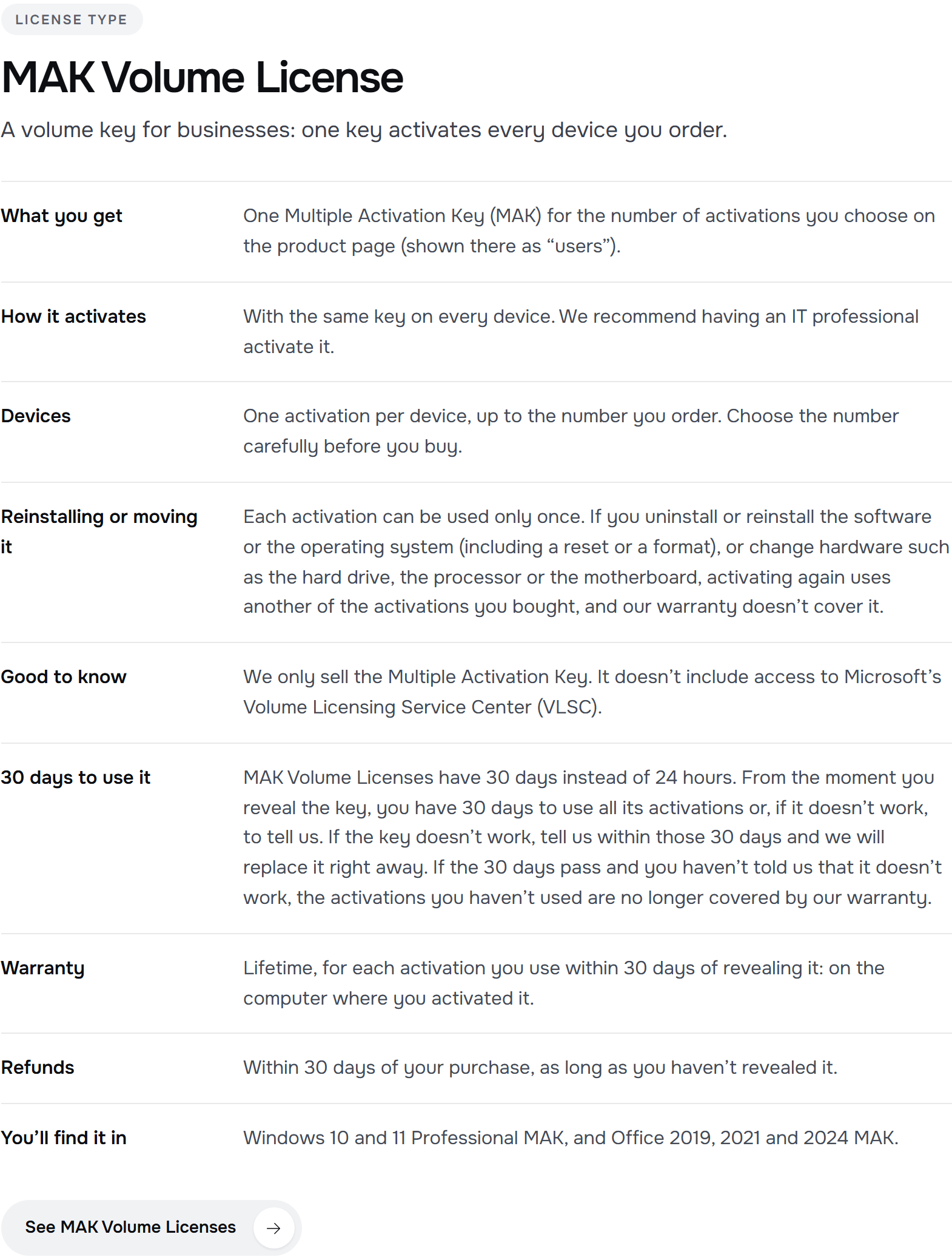
This is where the three differ most in day-to-day use. These are the rules at Licendeals, as they appear on our license types page:
- RETAIL License: each activation can be used only once. If you uninstall or reinstall the software or the operating system (including a reset or a format), or change hardware such as the hard drive, the processor or the motherboard, that activation can't be used again, and our warranty doesn't cover it.
- MAK Volume License: each activation can be used only once. If you uninstall or reinstall the software or the operating system (including a reset or a format), or change hardware such as the hard drive, the processor or the motherboard, activating again uses another of the activations you bought, and our warranty doesn't cover it.
- KMS: reactivation is handled by your own KMS host and your IT team.
The time to use your key is also different. With a RETAIL License, from the moment you reveal it, you have 24 hours to activate it or, if it doesn't work, to tell us. MAK Volume Licenses have 30 days instead of 24 hours: from the moment you reveal the key, you have 30 days to use all its activations or, if it doesn't work, to tell us.
Our advice: plan the rollout before you reveal the key, so every computer is ready to be activated in time.
7. Our MAK Volume Licenses
We sell six MAK Volume Licenses, all in our Volume Licenses / MAK category: Windows 10 and 11 Professional, Office 2024, 2021 and 2019 Professional Plus, and Office 2021 Standard.
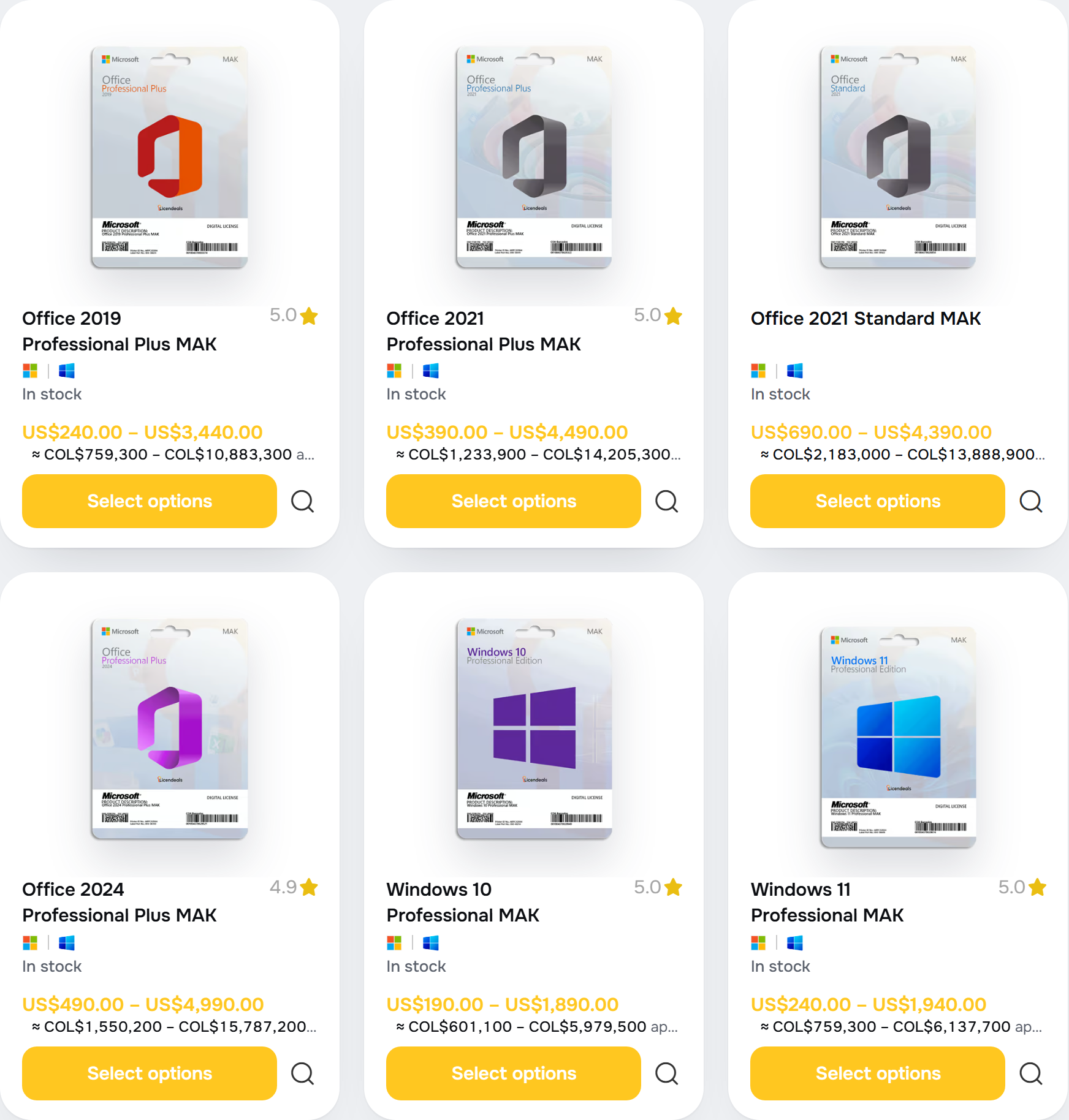
Buying for a larger team? Request a quote and our team will prepare it for you. To learn more about how a MAK works, read What Is a MAK Volume License?
8. Frequently asked questions






 Windows
 Office for PC
 Office for Mac
 Windows Server
 SQL Server
 Office Apps
 Visual Studio
