What Is a BIND License? Office Key Types Explained
What is a BIND License? At Licendeals, a BIND License is an Office product key that you redeem on your own Microsoft account: from then on, Office is linked to that account, so you can reinstall it or move it to a new device anytime. Below we explain how an Office BIND License works, how it differs from a RETAIL License, which of our products use it and what to check before you buy, with screenshots from our own store.
IMPORTANT: once a BIND License is redeemed on a Microsoft account, it can't be unlinked or transferred to another account. Redeem it on the Microsoft account you plan to keep.
1. The short answer
"BIND" is the name we give to one of our license types. It is not a Microsoft product name. It means the license binds to your Microsoft account: you don't activate Office with a key on one computer, you add the license to your account and install Office from there.
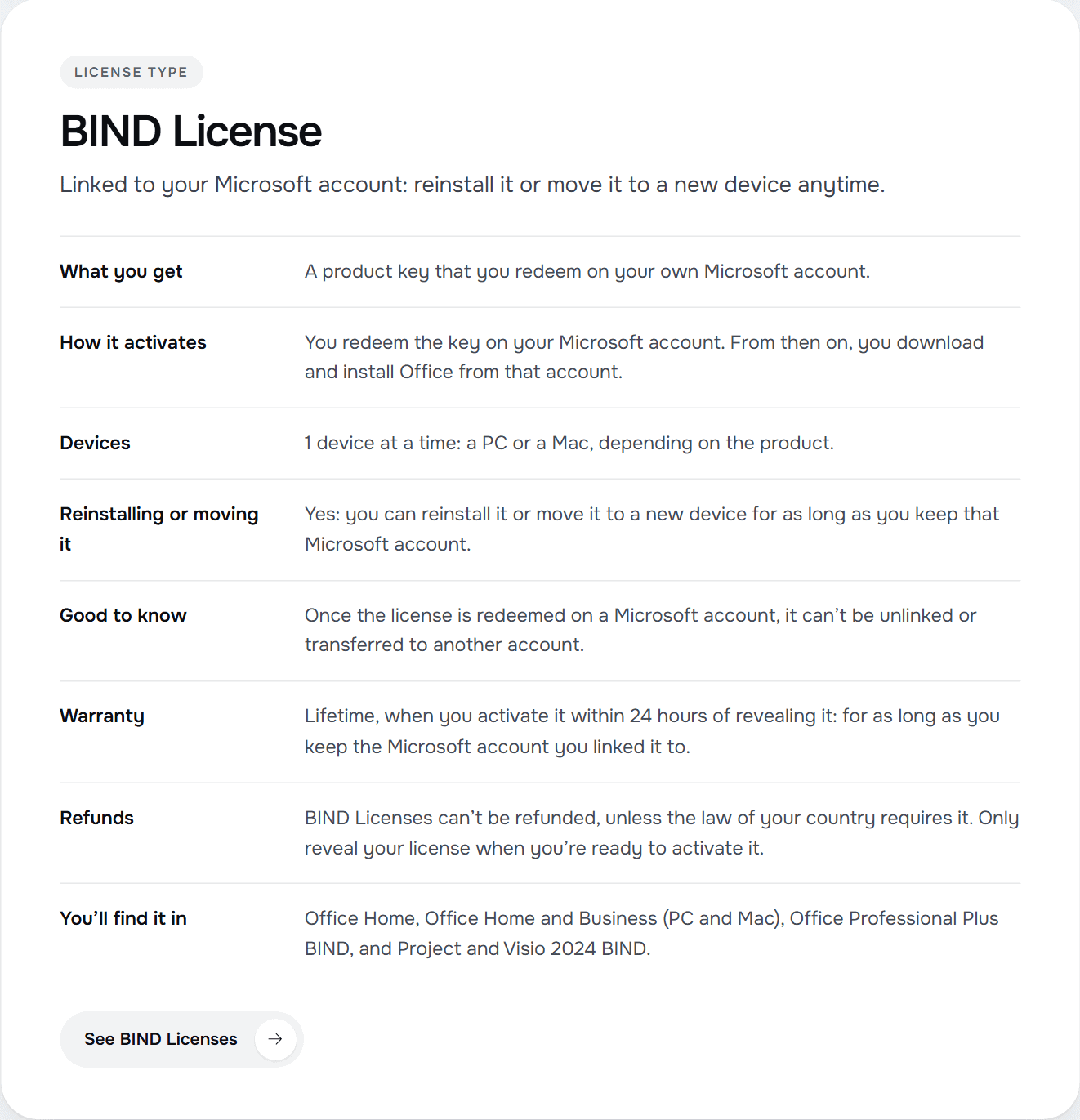
This is the BIND License card on our license types page, with every rule in one place:
![]()
2. How a BIND License works
- What you get: a product key that you redeem on your own Microsoft account.
- How it activates: you redeem the key on your Microsoft account. From then on, you download and install Office from that account.
- Devices: 1 device at a time: a PC or a Mac, depending on the product.
- Reinstalling or moving it: yes: you can reinstall it or move it to a new device for as long as you keep that Microsoft account.
The redeem step is Microsoft's own process. In Microsoft's words: "If you have a new, never used product key, go to www.microsoft365.com/setup and follow the on-screen prompts." You sign in with your Microsoft account (or create one), enter the key, and the license is added to that account. Microsoft also explains that "Before you can install Microsoft 365 or Office you need to associate it with a Microsoft account". After that, to install or reinstall, you sign in with the same Microsoft account and select Install: you don't need the product key again.
3. Where you see it in our store
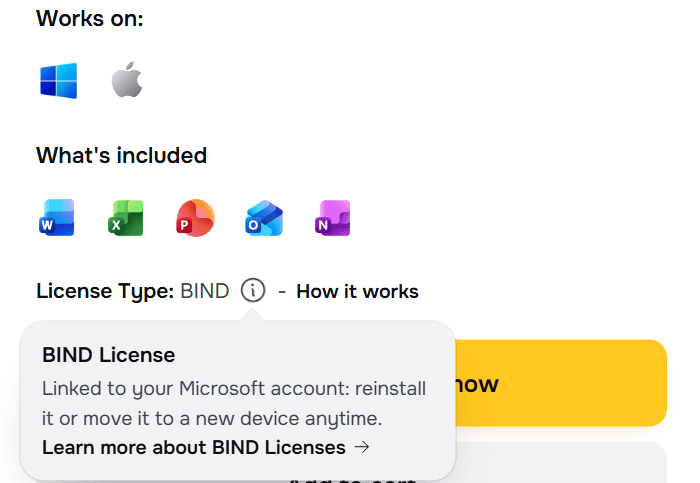
Every product page shows its License Type. Point at the small "i" next to it and a short explanation opens, with a link to the full rules. This is the Office 2024 Home and Business BIND page:
![]()
The same page shows where the product works. Office 2024 Home and Office 2024 Home and Business BIND are sold for 1 PC or Mac; the Professional Plus, Project and Visio BIND Licenses are for 1 PC.
4. BIND License vs RETAIL License
Both are product keys, but they behave very differently after you activate them. These are the rules of each type, as they appear on our license types page:
- BIND License: linked to your Microsoft account: reinstall it or move it to a new device anytime.
- RETAIL License: one key activates the software once, online, right inside the app. Each activation can be used only once. If you uninstall or reinstall the software or the operating system (including a reset or a format), or change hardware such as the hard drive, the processor or the motherboard, that activation can't be used again, and our warranty doesn't cover it.
Our own guide on the same page sums it up:
- One computer, and you don't plan to reinstall: a RETAIL License.
- You want to reinstall Office or move it to a new computer later: a BIND License. BIND Licenses can't be refunded, unless the law of your country requires it.
Need many computers in a company? That is a different type: read What Is a MAK Volume License? and MAK vs KMS vs RETAIL Licenses.
5. Warranty, the 24 hours and refunds
These rules are ours, not Microsoft's, and they are the same on our license types page:
- 24 hours to activate: from the moment you reveal a license, you have 24 hours to activate it or, if it doesn't work, to tell us. If a license doesn't work, tell us within 24 hours of revealing it and we will replace it right away.
- Warranty: lifetime, when you activate it within 24 hours of revealing it: for as long as you keep the Microsoft account you linked it to.
- Refunds: BIND Licenses are the exception: they can't be cancelled or refunded, whether or not they have been revealed, unless the law of your country requires it.
That is why the most important step happens before you buy: make sure a BIND License is what you need. Only reveal your license when you're ready to activate it. Our checklist before you reveal helps you get ready. Full details: Warranty.
6. Which of our products are BIND Licenses
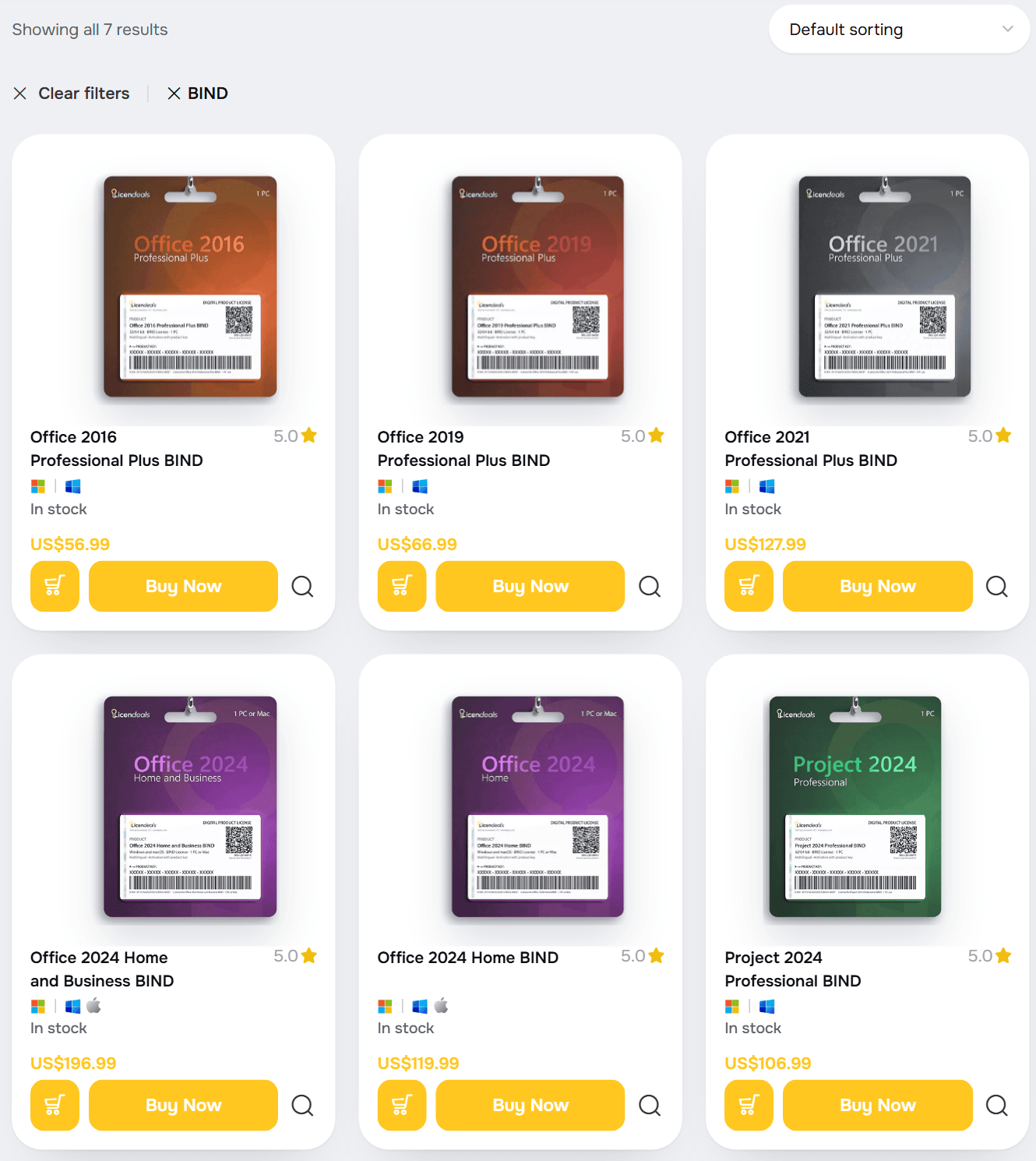
You'll find it in Office Home, Office Home and Business (PC and Mac), Office Professional Plus BIND, and Project and Visio 2024 BIND. This is our shop filtered by BIND:
![]()
- Office 2024 Home and Business BIND
- Office 2024 Home BIND
- Office 2021 Professional Plus BIND
- Office 2019 Professional Plus BIND
- Office 2016 Professional Plus BIND
- Project 2024 Professional BIND
- Visio 2024 Professional BIND
Right after your payment is confirmed, we email you a secure link to your license. You can also find it in your account.
7. Before you redeem it: three checks
- The right account. Sign in with the Microsoft account you will keep. Once the license is redeemed on a Microsoft account, it can't be unlinked or transferred to another account.
- The right product. Check the product name and the devices on the product page (1 PC, or 1 PC or Mac) before you buy.
- The right moment. Reveal the license when you are ready to redeem and install it, because the 24 hours start then.
What this post doesn't cover: the full redeem and install walkthrough, screen by screen. We will publish it as a separate guide.
8. Frequently asked questions
At Licendeals, a BIND License is a product key that you redeem on your own Microsoft account. From then on, you download and install Office from that account.
No. It is the name of one of our license types. The product itself is the Office, Project or Visio version shown on the product page.
Yes: you can reinstall it or move it to a new device for as long as you keep that Microsoft account. Microsoft explains that you don't need the product key again: you sign in with the same account and install.
1 device at a time: a PC or a Mac, depending on the product.
No. Once the license is redeemed on a Microsoft account, it can't be unlinked or transferred to another account.
BIND Licenses can't be cancelled or refunded, whether or not they have been revealed, unless the law of your country requires it.
Checked on: our store (license types page, product pages and shop, 2026-10-29) and Microsoft's guides Using product keys with Microsoft 365 and Download, install, or reinstall Microsoft 365 or Office 2024 on a PC or Mac, read on 2026-10-29. Microsoft can change its guidance; check it if something looks different on your screen.
Still stuck? Our team can help you choose between a BIND License and a RETAIL License before you buy, with 24/7 support. Browse all BIND Licenses at Licendeals.