Visual Studio Professional vs Enterprise: both editions are the same Visual Studio IDE, with the same editor, debugger, languages and workloads. Enterprise adds a set of advanced testing, debugging and architecture tools on top. Below we explain what those tools are, according to Microsoft's own documentation, when Professional is enough, when Enterprise is worth it, when the free Community edition already covers you, and how our Visual Studio product keys work, with screenshots from our own store.
IMPORTANT: a Visual Studio product key is for the exact version and edition you buy (for example, Visual Studio 2022 Enterprise). Install that same version and edition before you activate it. A product key unlocks the IDE; it is not a Visual Studio subscription, so it doesn't include subscription benefits such as Azure credits or training.
1. The short answer
- Professional is the full IDE for writing, debugging, testing and shipping code.
- Enterprise is the same IDE plus Live Unit Testing, IntelliTrace, Snapshot Debugger, Microsoft Fakes, code maps and, in Visual Studio 2022 and earlier, code coverage and IntelliTest.
- Community is free, but Microsoft limits who can use it (section 4).
If nobody on your team uses the Enterprise-only tools in section 3, Professional is the sensible choice.
2. What both editions have in common
Professional and Enterprise share the same code base. You get the same code editor, IntelliSense, refactoring tools, debugger, Git integration and the same workloads (.NET, ASP.NET and web, Windows desktop, C++, Python, Node.js and Azure development). Unit testing is in every edition: in Microsoft's words, "Unit testing is available in all editions of Visual Studio."
3. What only Enterprise adds
These are the tools Microsoft documents as Enterprise only, quoted from Microsoft Learn:
- Live Unit Testing: runs the unit tests affected by your changes while you type and shows the results in the editor. "Live Unit Testing is available only in the Enterprise edition of Visual Studio for projects that target .NET Core or .NET Framework."
- IntelliTrace: historical debugging, to go back through what happened when a bug is hard to reproduce. "You can use IntelliTrace in Visual Studio Enterprise edition (but not the Professional or Community editions)."
- Snapshot Debugger: captures the state of a running Azure app so you can debug it without stopping it. Microsoft notes it is "only available" in the Enterprise edition, with the Azure development workload.
- Microsoft Fakes: isolates the code you test from the rest of the application. "Microsoft Fakes are available in Enterprise edition only and is supported only for .NET code."
- Code maps: diagrams of the dependencies in large code bases. "To create and edit code maps, you need Visual Studio Enterprise edition." Professional can open those maps, but not edit them.
Two tools changed with Visual Studio 2026, so the version you choose matters too:
- Code coverage: Microsoft says "In Visual Studio 2022 and previous versions, the code coverage feature was limited to Visual Studio Enterprise edition." In Visual Studio 2026 it is also in Professional and Community.
- IntelliTest: "IntelliTest is deprecated in Visual Studio 2026." In Visual Studio 2022 it works only for .NET Framework, and only in Enterprise.
IMPORTANT: "Enterprise" is the name of the Visual Studio edition. It is not a Microsoft Enterprise Agreement or a volume license: an Enterprise product key activates that edition of the IDE once, on 1 PC.
4. When the free Community edition is enough
Before you buy, check whether Visual Studio Community covers you. Microsoft describes it as a "Free, fully-featured IDE for students, open-source and individual developers", with these limits for organizations:
- "An unlimited number of users within an organization can use Visual Studio Community for the following scenarios: in a classroom learning environment, for academic research, or for contributing to open source projects."
- "In non-enterprise organizations, up to five users can use Visual Studio Community."
- For enterprise organizations, "meaning those with >250 PCs or >$1 Million US Dollars in annual revenue", Microsoft allows no other use of Community.
If your company is above those limits, or you prefer a license that doesn't depend on them, you need Professional or Enterprise. Microsoft's comparison lists these limits only for Community.
5. Choose Professional or Enterprise
Choose Professional if:
- You are a freelancer, a solo developer or part of a team building business, web, desktop or mobile applications.
- Your daily work is writing, debugging, unit testing and shipping code.
- Nobody on your team uses Live Unit Testing, IntelliTrace, Snapshot Debugger, Microsoft Fakes or code maps.
Choose Enterprise if:
- Your team relies on Live Unit Testing to catch regressions while the code is being written.
- You chase bugs that are hard to reproduce, where IntelliTrace or Snapshot Debugger save hours.
- Your tests use Microsoft Fakes, or you maintain a large code base and need to create code maps.
- You stay on Visual Studio 2022 and need code coverage inside the IDE.
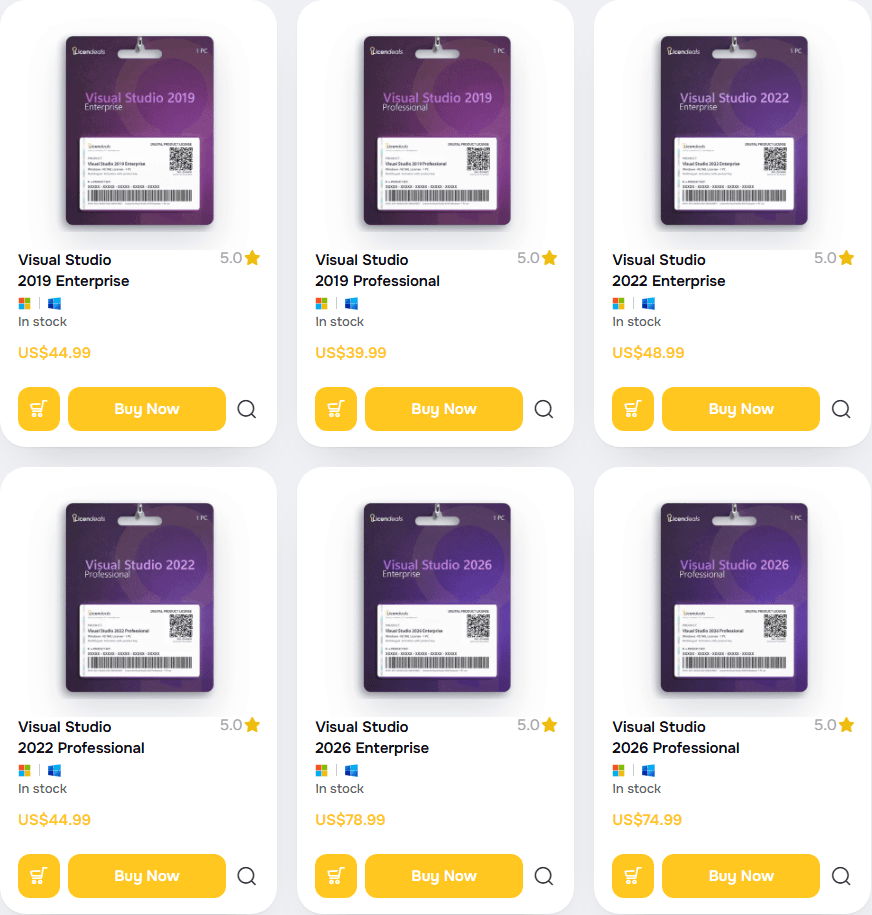
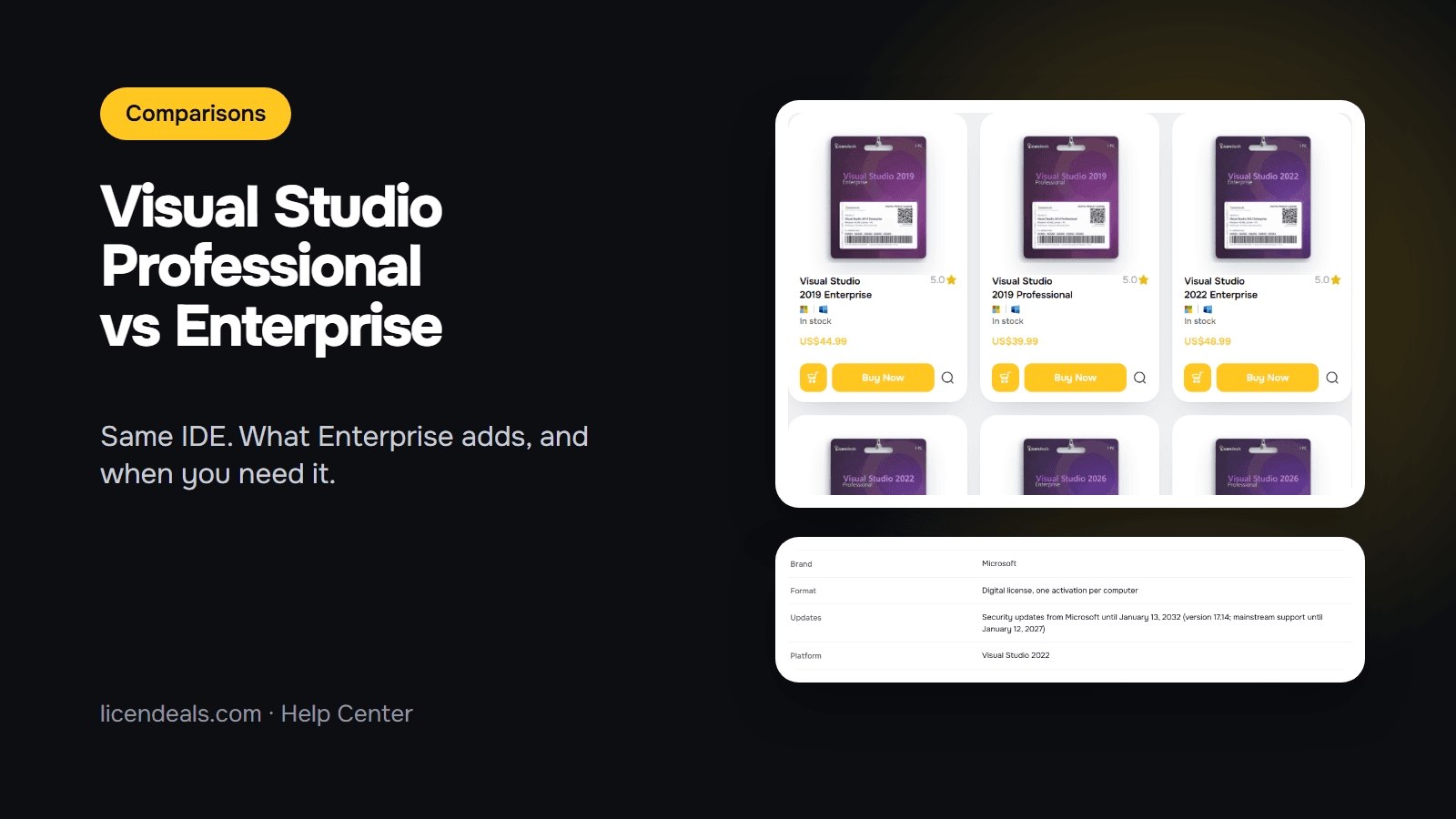
This is our Visual Studio catalog, with Professional and Enterprise in 2019, 2022 and 2026:
6. 2019, 2022 or 2026: does the version matter?
The split between Professional and Enterprise is the same in every version, apart from the two changes in section 3. What changes is how Microsoft supports each version (Microsoft Lifecycle, checked on 2026-10-30):
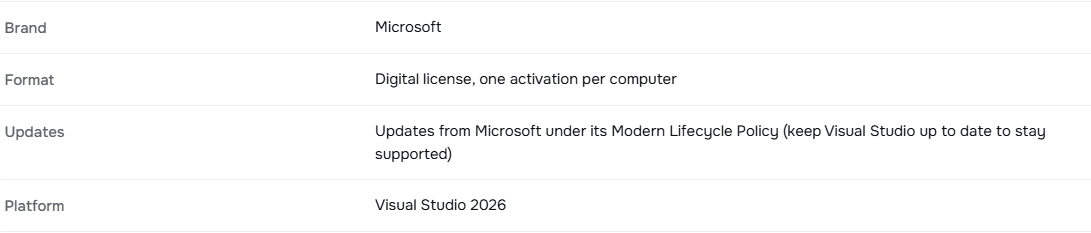
- Visual Studio 2026: it follows Microsoft's Modern Lifecycle Policy, which "offers 2 years of support for each new annual release". Keep it up to date to stay supported.
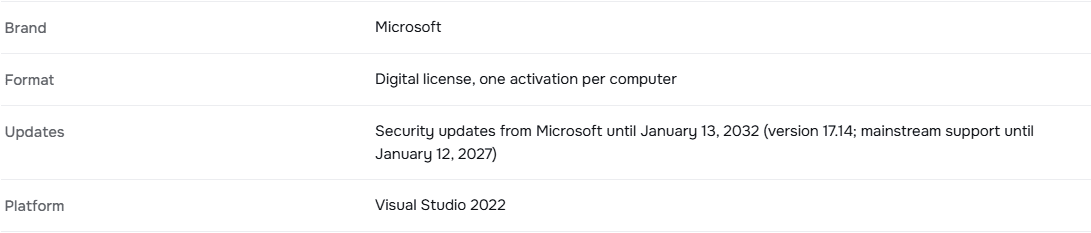
- Visual Studio 2022: mainstream support until January 12, 2027, and security updates for version 17.14 until January 13, 2032.
- Visual Studio 2019: mainstream support ended on April 9, 2024; security updates for version 16.11 until April 10, 2029.
Our Visual Studio product pages show this in their License details tab. Visual Studio 2026 Professional:
Visual Studio 2022 Enterprise:
For a new project, 2026 or 2022 is the safer choice. If you maintain a solution or a toolchain pinned to an older version, a 2019 key still makes sense.
7. How our Visual Studio keys work
All our Visual Studio products are RETAIL Licenses. This is the License details tab of Visual Studio 2022 Enterprise:
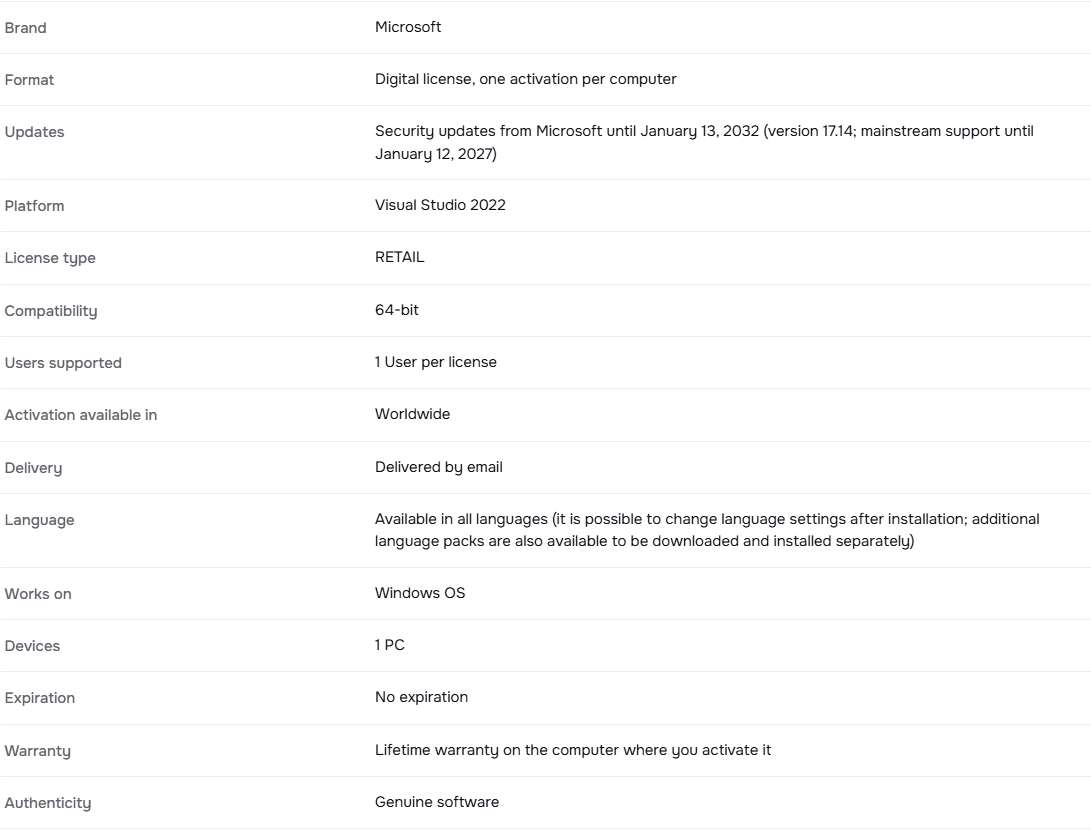
- Devices: 1 PC. One key activates Visual Studio once, on one computer.
- Delivery: Delivered by email. Right after your payment is confirmed, we email you a secure link to your license.
- 24 hours: from the moment you reveal a license, you have 24 hours to activate it or, if it doesn't work, to tell us. If a license doesn't work, tell us within 24 hours of revealing it and we will replace it right away.
- Warranty: Lifetime warranty on the computer where you activate it.
- Reinstalling: RETAIL Licenses can't be reused. Each activation can be used only once. If you uninstall or reinstall the software or the operating system (including a reset or a format), or change hardware such as the hard drive, the processor or the motherboard, that activation can't be used again, and our warranty doesn't cover it.
To enter the key, Microsoft's steps are: "Select File > Account Settings to open the Account Settings dialog, and then select the License with a Product Key link." Then enter the key in the space provided. Reveal your license only when Visual Studio is installed and ready; our checklist before you reveal helps you get ready. Full rules: license types and Warranty.
What this post doesn't cover: Visual Studio subscriptions, Azure DevOps licensing and Visual Studio for Mac. It compares the IDE editions that we sell.
8. Frequently asked questions


 Windows
 Office for PC
 Office for Mac
 Windows Server
 SQL Server
 Office Apps
 Visual Studio
