November Special Offer - 5% OFF SITEWIDE!
Use code:
Valid until Nov 30
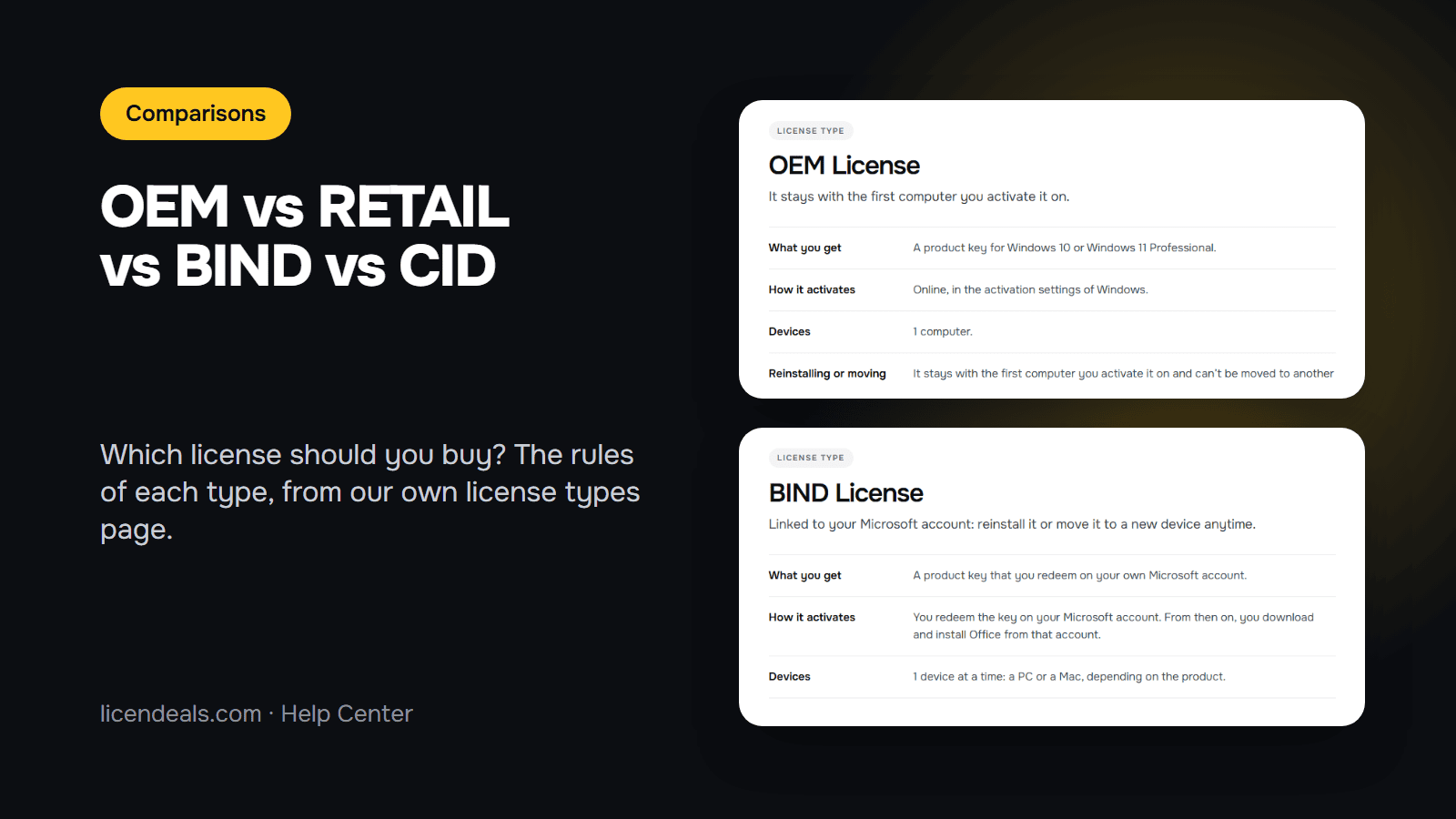
OEM, RETAIL, BIND and CID are the four license types you will see most often on our product pages. They decide what you receive, how you activate it, what happens if you reinstall and whether you can get a refund. This guide helps you choose between them, using the rules written on our own license types page. We took the screenshots from that page on 2026-11-04.
IMPORTANT: everything below describes the rules of our store, not Microsoft's license terms. Every product page shows its "License Type", so you can check it before you buy.
| Type | What you get | Devices | Reinstall or move it | Refund before revealing |
|---|---|---|---|---|
| RETAIL | A product key | 1 device per unit (up to 5 computers with 5PC products) | No: each activation can be used only once | Yes, within 30 days |
| OEM | A Windows 10 or 11 Professional key | 1 computer | No: it stays with the first computer | Yes, within 30 days |
| CID | An Office key, activated with a Confirmation ID | 1 PC | No: each activation can be used only once | Yes, within 30 days |
| BIND | An Office key you redeem on your Microsoft account | 1 device at a time (PC or Mac, depending on the product) | Yes, while you keep that account | No |
In every type, once you click "Get my license" you have 24 hours to activate it or tell us if it doesn't work. The refund is available only as long as you haven't revealed the license. BIND Licenses are the exception: they can't be refunded, whether or not they have been revealed, unless the law of your country requires it.
A RETAIL License is a product key that you enter in Windows or in the app, and it activates online in seconds. You'll find it in Windows, Windows Server, SQL Server, Visual Studio and several Office products. It is also the type to choose for a Windows Home to Pro upgrade.
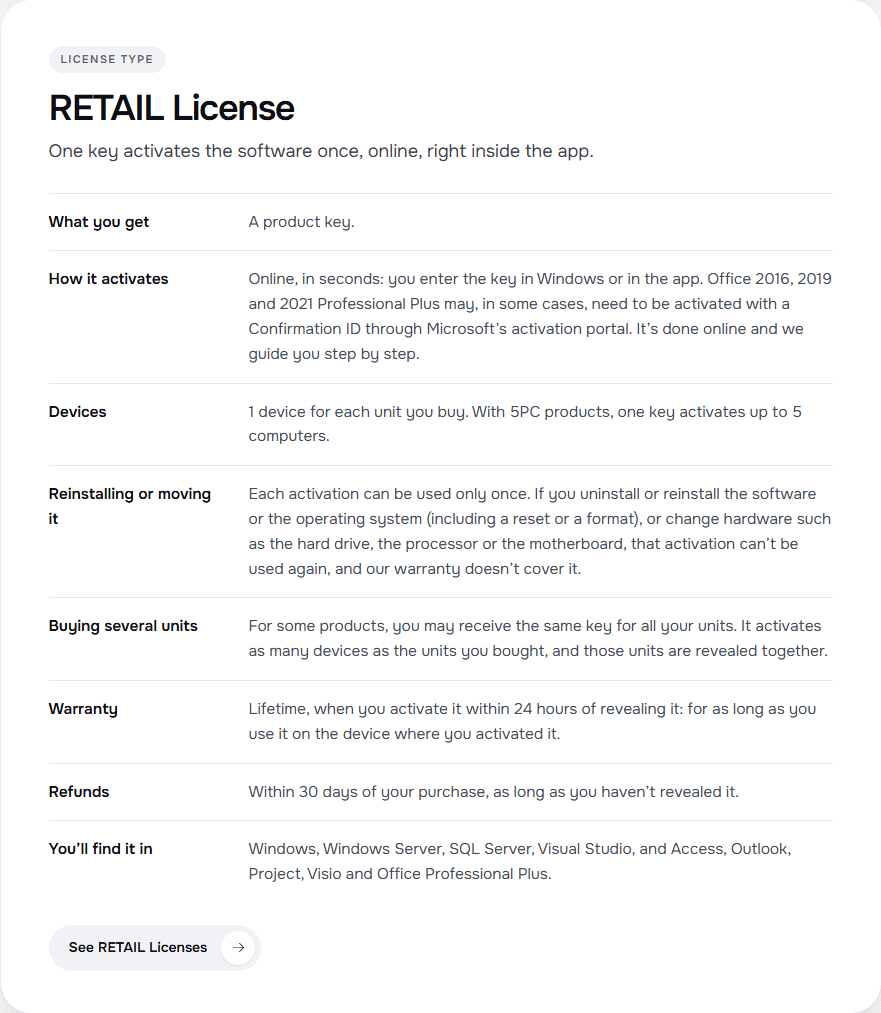
The rule to remember: each activation can be used only once. If you uninstall or reinstall the software or the operating system (including a reset or a format), or change hardware such as the hard drive, the processor or the motherboard, that activation can't be used again, and our warranty doesn't cover it. Some Office RETAIL products may also need a Confirmation ID, as the card explains.
An OEM License is a Windows 10 or Windows 11 Professional key that stays with the first computer you activate it on. It is activated online, in the activation settings of Windows.
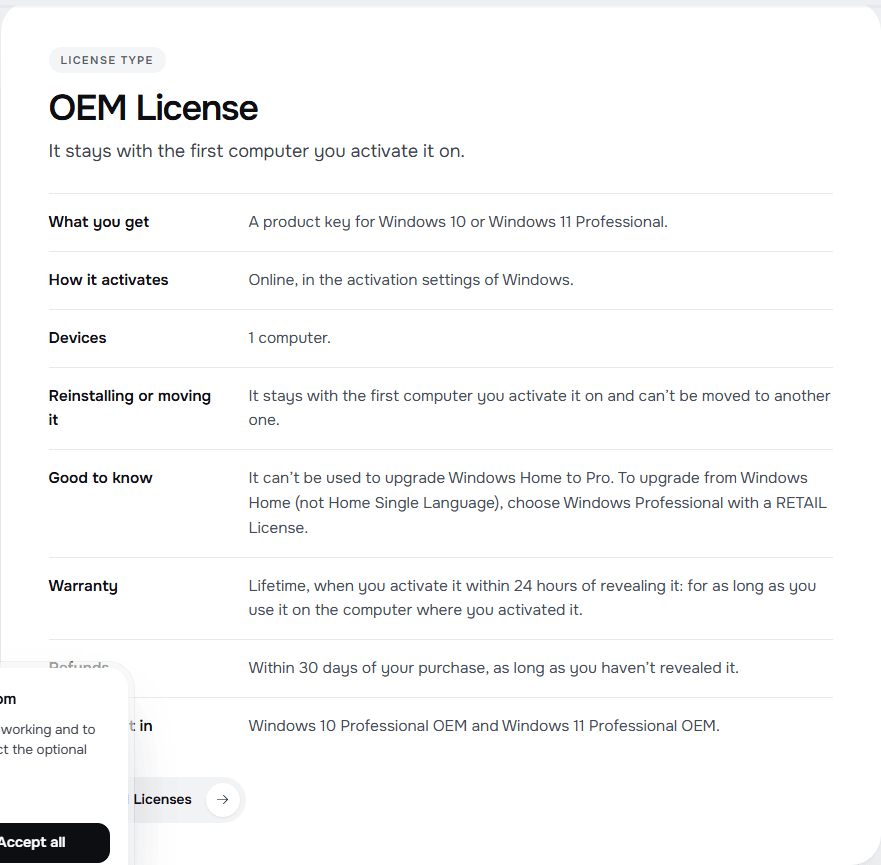
Two things to check before you choose it:
You'll find it in Windows 10 Professional OEM and Windows 11 Professional OEM.
A CID License is an Office key that you activate in two steps, both online: you enter the key in Office, and then you get a Confirmation ID through Microsoft's activation portal. It takes a few minutes and we guide you step by step. It is for 1 PC.
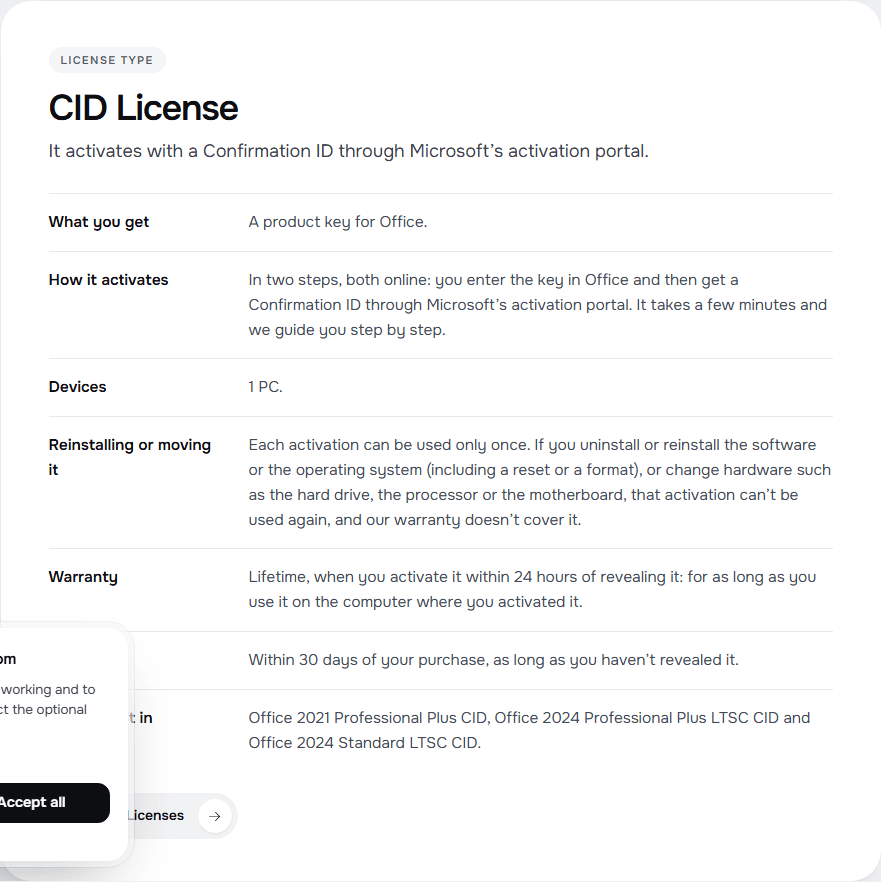
As with RETAIL, each activation can be used only once, and our warranty doesn't cover a reinstall. If the two codes are new to you, read What Is a Confirmation ID (CID)? You'll find this type in Office 2021 Professional Plus CID, Office 2024 Professional Plus LTSC CID and Office 2024 Standard LTSC CID.
A BIND License is a product key that you redeem on your own Microsoft account. From then on you download and install Office from that account, and you can reinstall it or move it to a new device for as long as you keep the account.
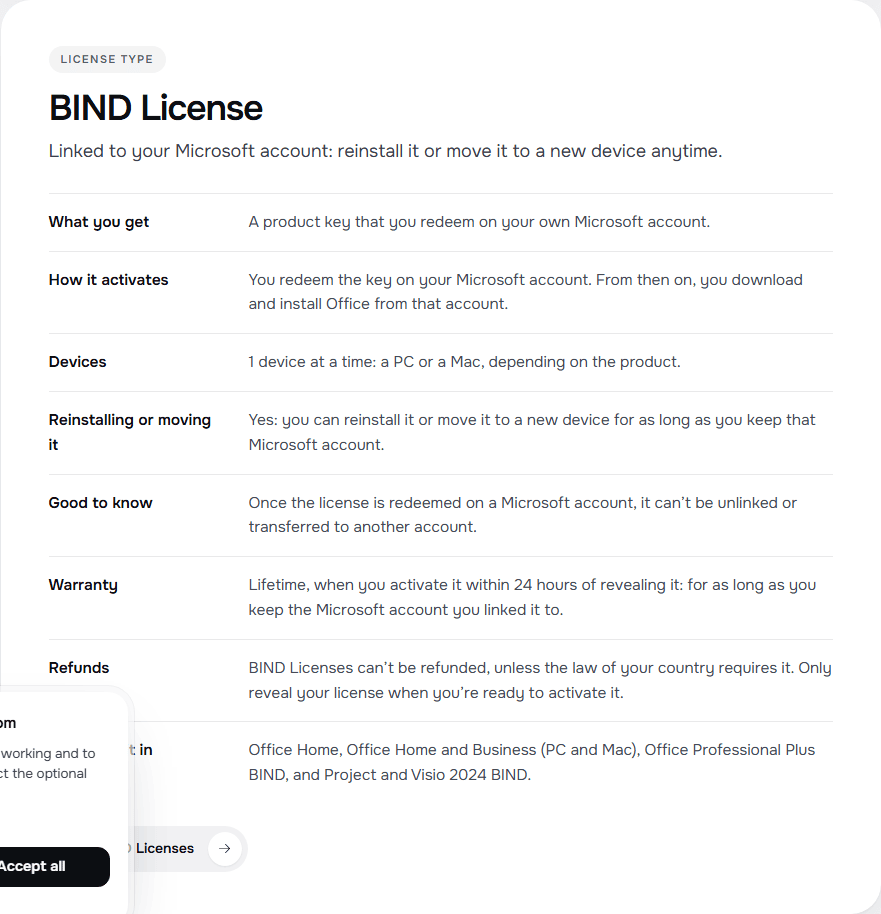
The trade-offs are written on the card too:
For the full explanation, see What Is a BIND License?
{n} from {l} bought
{n} bought
Someone from {l} bought
Someone bought
Just now
1 minute ago
2 minutes ago
1 hour ago
2 hours ago
1 day ago
2 days ago
Close


 Windows
 Office for PC
 Office for Mac
 Windows Server
 SQL Server
 Office Apps
 Visual Studio

