Comparisons

SQL Server Default vs Named Instance, Windows vs Mixed Mode: Two Setup Choices Explained

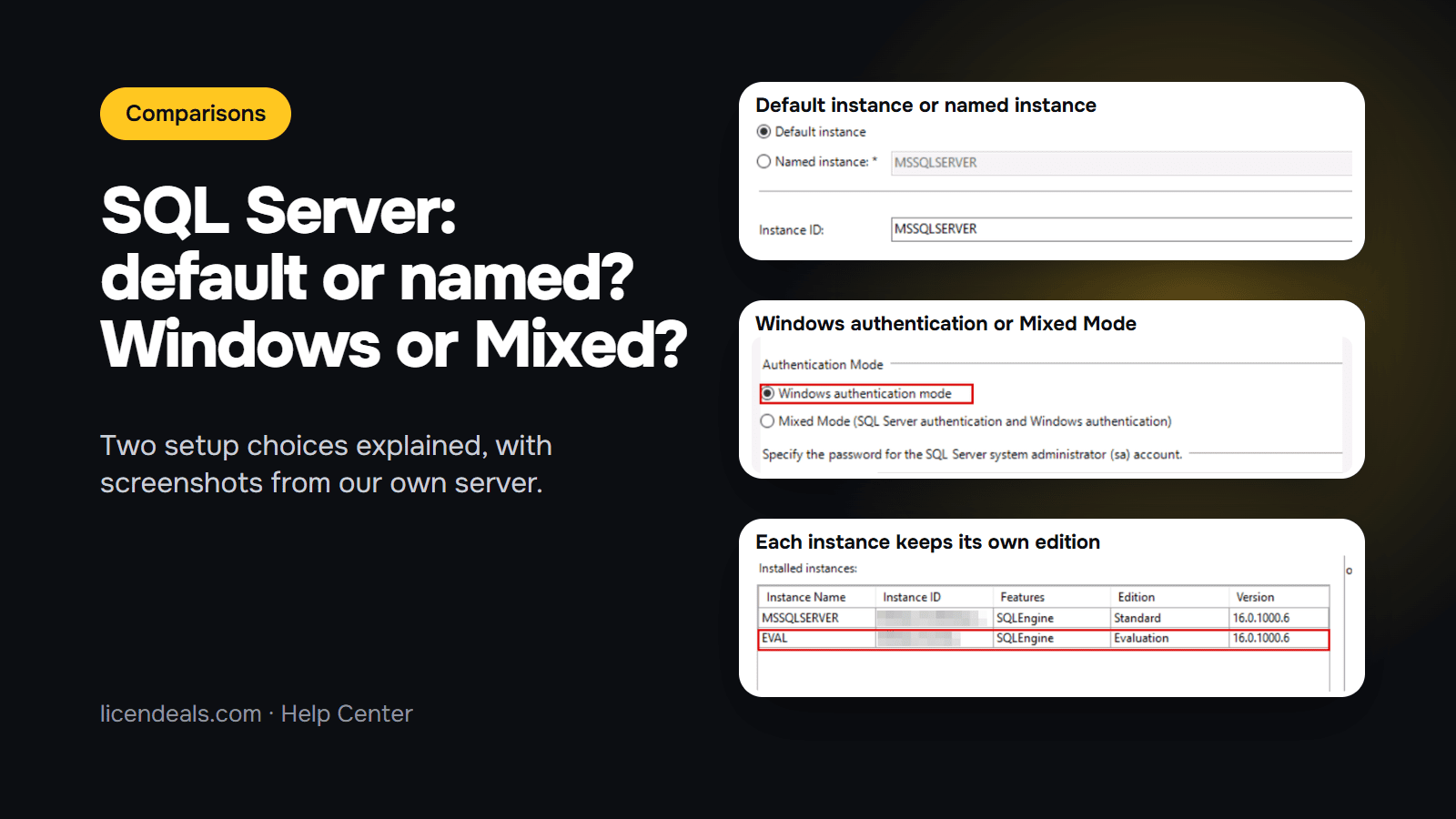
SQL Server default vs named instance and Windows vs Mixed Mode: the Instance Configuration and Database Engine Configuration pages of setup

SQL Server default instance vs named instance, and Windows authentication vs Mixed Mode: these are two choices that SQL Server 2022 setup asks you to make before it installs anything. Below we explain what each option means, what Microsoft recommends and what we chose on our own Windows Server 2022 test server (October 2026), with screenshots from that installation.

IMPORTANT: on our server we installed one default instance (MSSQLSERVER) with Windows authentication mode, as Microsoft recommends for a single instance. We didn't test Mixed Mode, so this post doesn't show it working.

1. What a SQL Server instance is

An instance is one copy of the SQL Server Database Engine, with its own services and settings. Microsoft says each instance has its own set of services, and its folders, registry entries and service names follow the instance name and instance ID. One server can run several instances at the same time, and each one works on its own.

2. Default instance vs named instance

2.1 Setup asks on the Instance Configuration page. On our server, Default instance was selected and the name was MSSQLSERVER. The Installed instances list was empty because this was the first instance.
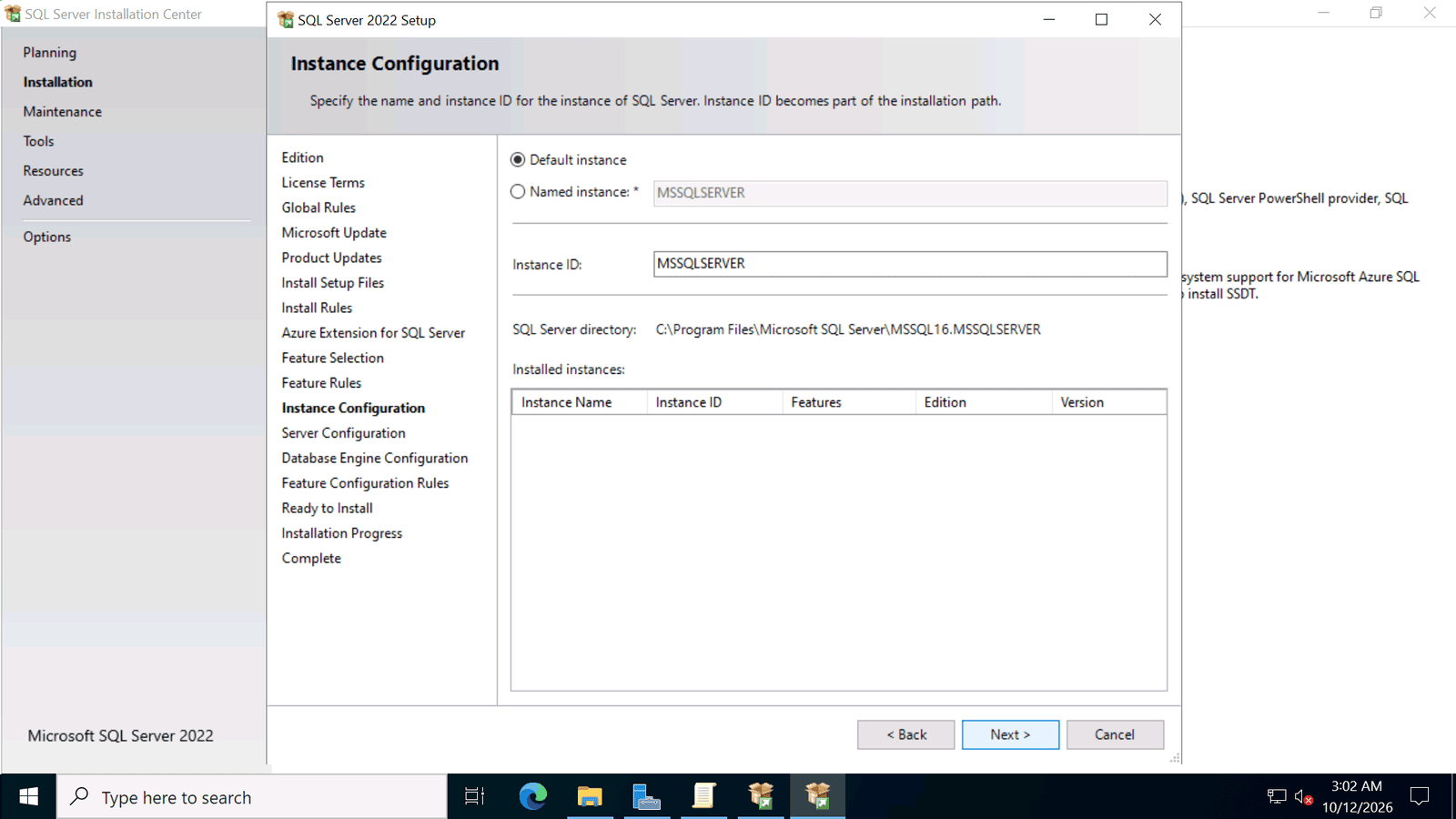
SQL Server 2022 Setup, Instance Configuration: Default instance selected, instance ID MSSQLSERVER

2.2 The differences, according to Microsoft:

  • Default instance: its name is always MSSQLSERVER, and applications can connect without writing the instance name. A server can have only one default instance.
  • Named instance: you choose the name in setup. Applications must include it to connect. Any other instance on the same server must be a named instance.

2.3 Which one to choose, according to Microsoft:

  • One SQL Server on the server: install it as the default instance.
  • Several SQL Servers on the same server: use named instances for the extra ones.
  • An application that installs SQL Server Express: it should install it as a named instance, to avoid conflicts with other applications.

2.4 On our test server we later installed a second instance named EVAL, with the free Evaluation edition, next to MSSQLSERVER in Standard. When we ran Edition Upgrade, setup asked which instance to change. Each instance keeps its own edition, so check the instance name before you enter your product key.
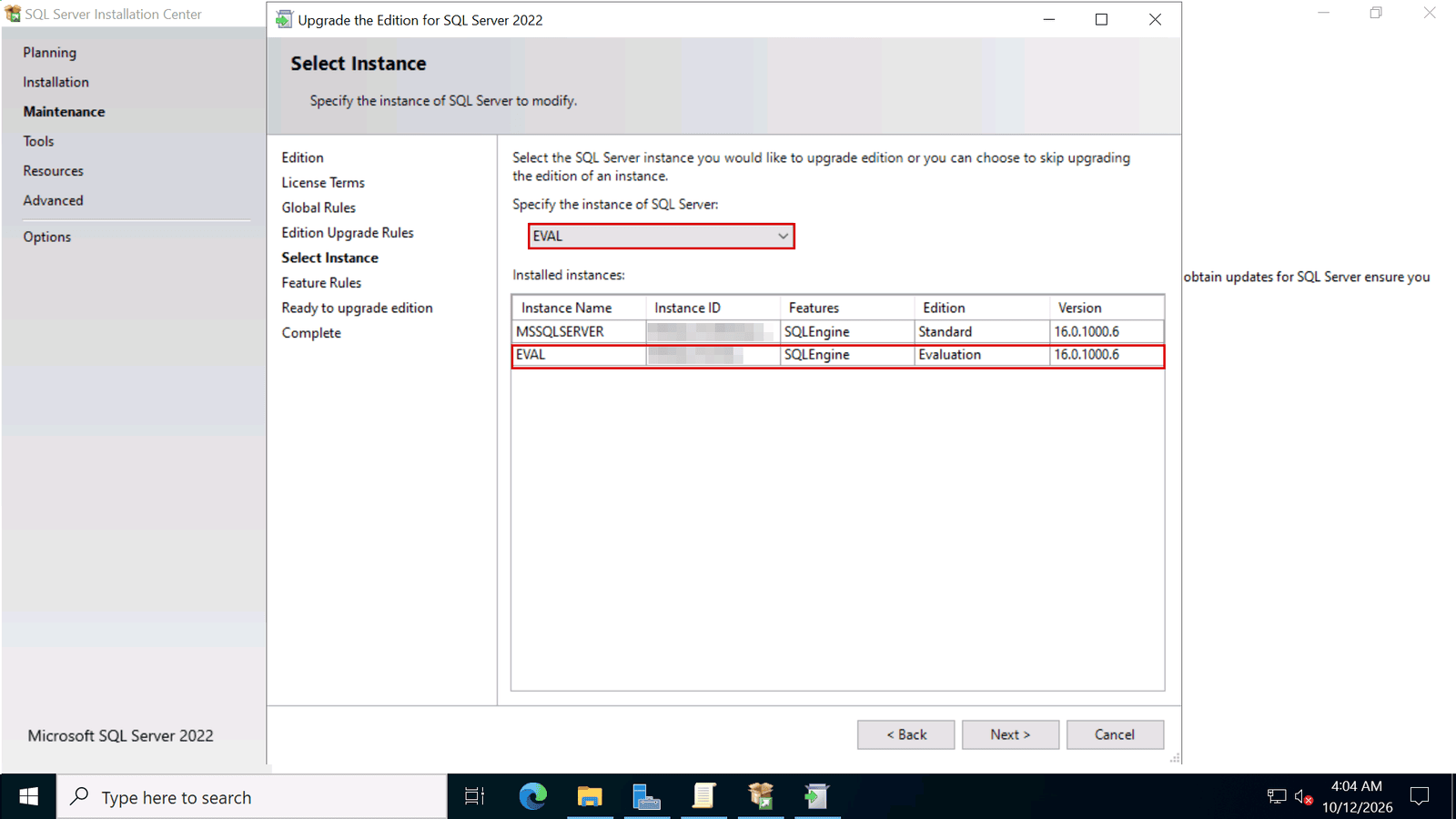
Upgrade the Edition for SQL Server 2022, Select Instance: MSSQLSERVER in Standard and the named instance EVAL in Evaluation

2.5 Rules for the name of a named instance, according to Microsoft:

  • Up to 16 characters, and the first one must be a letter.
  • No spaces, no hyphen and no backslash, comma, colon, semicolon, single quotation mark, ampersand or at sign.
  • It can't contain "Default" or other reserved words, and it can't start or end with an underscore.
  • If you type MSSQLSERVER, setup creates a default instance.

3. Windows authentication vs Mixed Mode

3.1 Setup asks on the Database Engine Configuration page, in the Server Configuration tab. On our server we kept Windows authentication mode and clicked Add Current User to make our Windows account a SQL Server administrator. Setup doesn't let you continue until you add at least one administrator.

SQL Server 2022 Setup, Database Engine Configuration: Windows authentication mode or Mixed Mode, and Add Current User

3.2 The two modes, according to Microsoft:

  • Windows authentication mode: users sign in with their Windows account, and Windows confirms who they are. SQL Server logins with their own password are turned off. Microsoft calls it the default mode, much more secure than SQL Server authentication, and says to use it when possible.
  • Mixed Mode: Windows authentication plus SQL Server logins, with a user name and password kept in SQL Server. If you choose it, setup asks for a strong password for the built-in administrator account, sa.

3.3 When Mixed Mode makes sense, according to Microsoft:

  • older or third-party applications that require SQL Server authentication;
  • users who don't sign in through a Windows domain, or who connect from untrusted domains;
  • web applications where users create their own accounts.

3.4 Microsoft also warns that the sa account is well known and often targeted by attackers. Don't enable it unless your application needs it, and never give it a blank or weak password.

4. Check your choices before you install

4.1 The Ready to Install page shows a summary. On our server it showed Edition: Standard and, under Instance configuration, the instance name and instance ID MSSQLSERVER. If something is wrong, click Back.
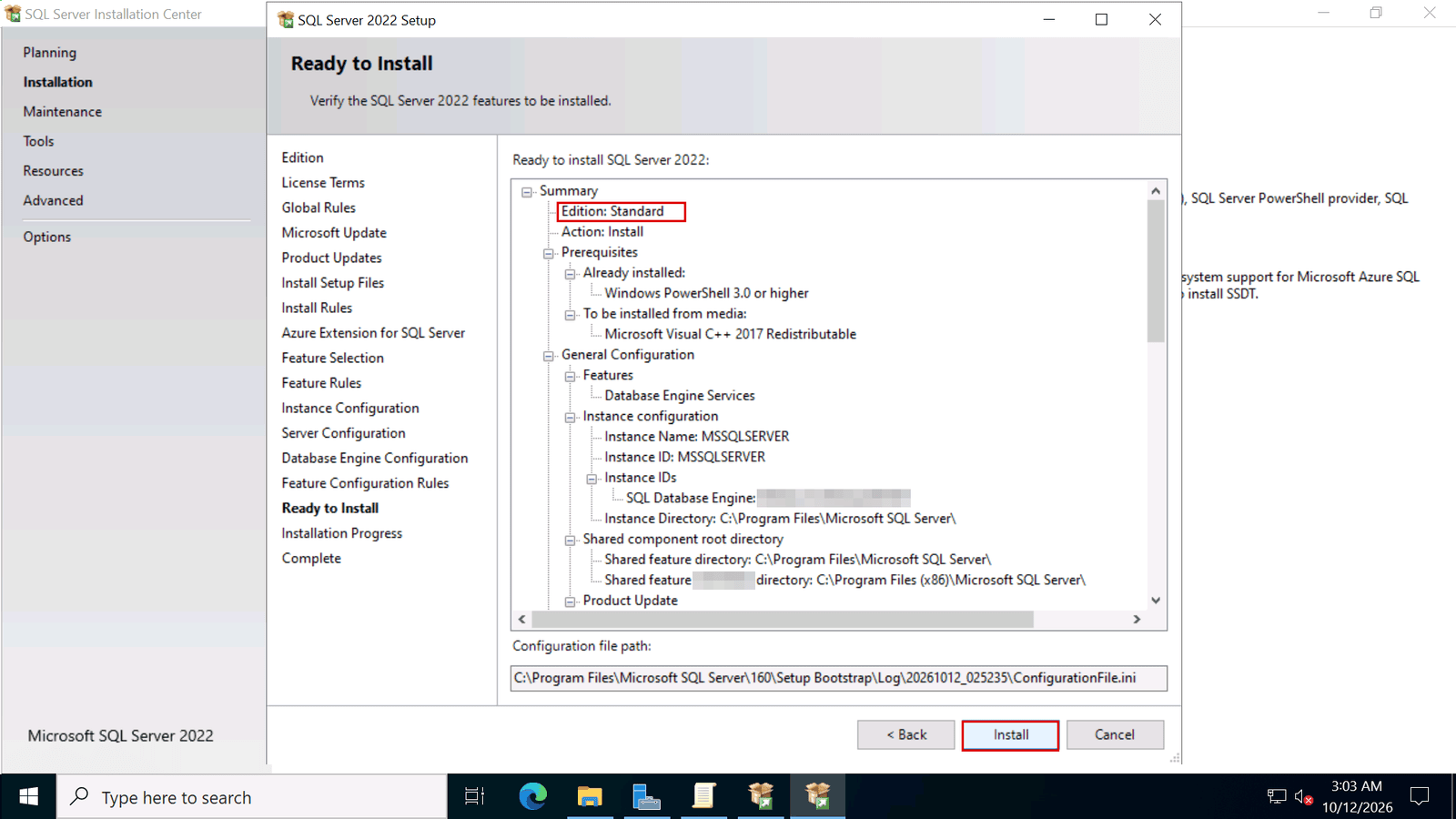
SQL Server 2022 Setup, Ready to Install: Edition Standard and instance name MSSQLSERVER in the summary

4.2 After installing, open SQL Server Installation Center, go to Tools and run Installed SQL Server features discovery report. It lists each instance with its edition. Right after the first installation, on our server it showed MSSQLSERVER with Standard Edition.

Microsoft SQL Server 2022 Setup Discovery Report: instance MSSQLSERVER, Standard Edition

5. Can you change it later?

  • Authentication mode: yes. Microsoft says you can change it at any time: in SQL Server Management Studio, right-click the server, select Properties, open the Security page and choose the new mode. SQL Server must be restarted for the change to apply, and SQL Server Agent too if it is running. If you installed with Windows authentication, the sa login stays disabled after you switch to Mixed Mode until you enable it. We didn't test this on our server.
  • Default or named instance: you choose it when you install that instance. Need another one? Run setup again and add a named instance, as we did with EVAL.

6. Frequently asked questions

Should I install SQL Server as a default or named instance?

If it is the only SQL Server on that server, Microsoft recommends the default instance. Use named instances when you plan to run several instances on the same computer.

How many default instances can a server have?

Only one. Microsoft says every other instance on the same server must be a named instance.

Is Windows authentication or Mixed Mode more secure?

Microsoft says Windows authentication is much more secure and recommends it when possible. Choose Mixed Mode only if an application or user needs SQL Server logins.

What is the sa account?

It is the built-in SQL Server administrator login, which uses SQL Server authentication. With Windows authentication mode, setup creates it but leaves it disabled. With Mixed Mode, setup asks you for its password.

Can I change from Windows authentication to Mixed Mode after installing?

Yes, according to Microsoft: in SQL Server Management Studio, open the server Properties, go to Security, choose the new mode and restart SQL Server.

Does each instance have its own edition?

Yes. On our test server, MSSQLSERVER ran Standard and EVAL ran Evaluation at the same time, and Edition Upgrade asked which instance to change.

Checked on: our Windows Server 2022 test server with SQL Server 2022 setup (October 12, 2026) and Microsoft's guides Installation Wizard Help (Instance Configuration and Database Engine Configuration), Choose an authentication mode and Change server authentication mode, read on 2026-11-28. Microsoft can change its installer; check it if something looks different on your screen.

Need help with setup? Our team can help you with your SQL Server installation, with 24/7 support. Read How to Install SQL Server 2022 and Enter Your Product Key, How to Change Your SQL Server Edition or Product Key or SQL Server Standard vs Enterprise, get your SQL Server 2022 Standard license key or SQL Server 2022 Enterprise license key, or browse all SQL Server license keys at Licendeals.