November Special Offer - 5% OFF SITEWIDE!
Use code:
Valid until Nov 30
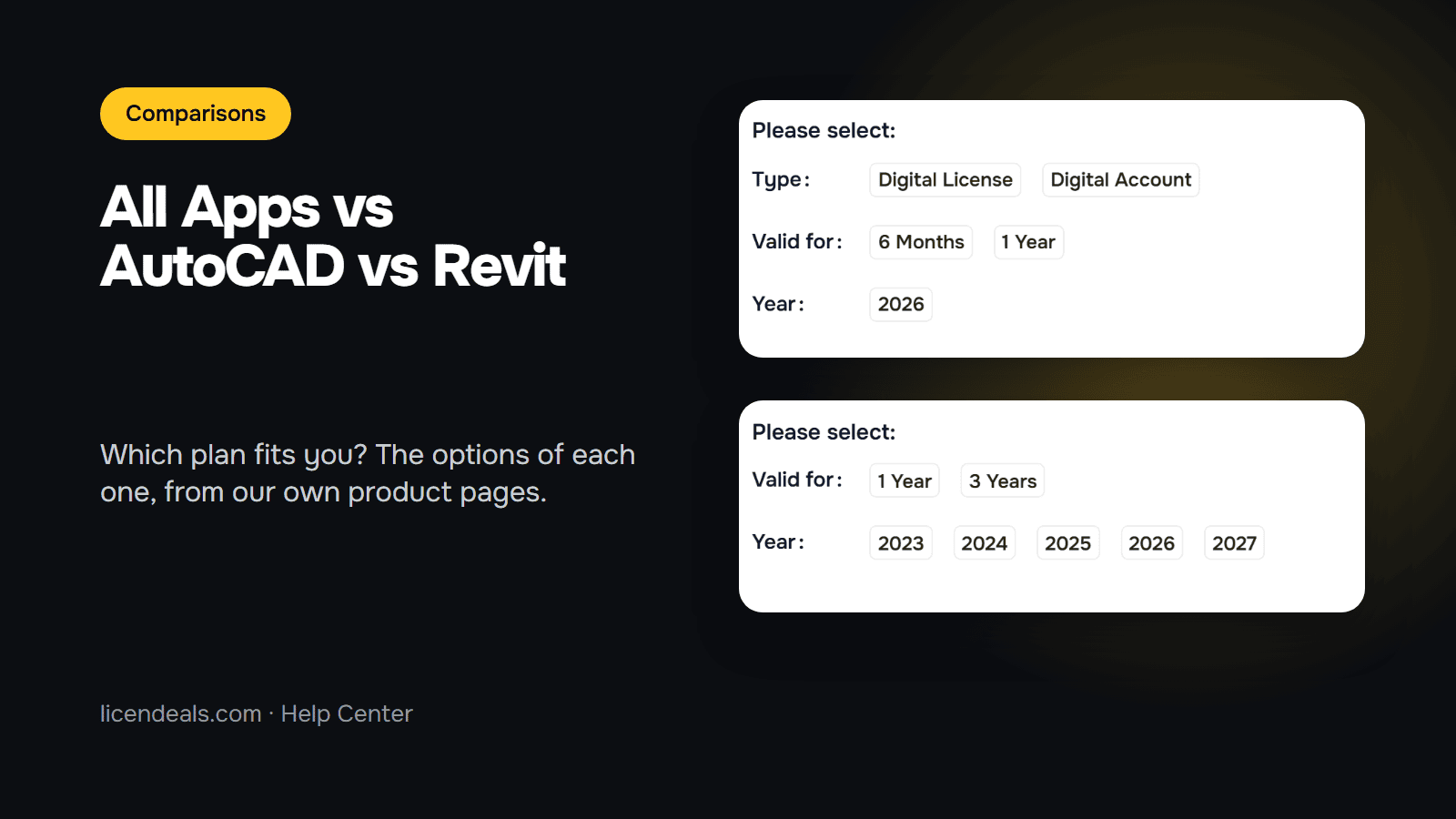
Autodesk All Apps, AutoCAD and Revit are three different ways to buy the same family of design software. All Apps gives you a collection of applications, while AutoCAD and Revit each give you a single one. This guide helps you decide which plan fits your work, using what is written on our own product pages. We took the screenshots from those pages on 2026-11-10.
IMPORTANT: the license keys we sell for these products are for an educational version of the software, offering all the features and functionality of the commercial version. There is no indication of the educational version in printed output, nor is there a watermark.
| Autodesk All Apps | Autodesk AutoCAD | Autodesk Revit | |
|---|---|---|---|
| What you get | A collection of Autodesk applications: AutoCAD, Revit, Maya, 3ds Max, Fusion 360, Civil 3D, among others | AutoCAD only | Revit only |
| License type | SUBSCRIPTION | SUBSCRIPTION | SUBSCRIPTION |
| Plan length | 6 months or 1 year | 1 year or 3 years | 1 year or 3 years |
| Versions listed | 2026 | 2023 to 2027 | 2023 to 2026 |
| Users | 1 user per license / account | 1 user | 1 user |
| Mac | Only for apps that have a Mac version, such as AutoCAD for Mac | Windows only on this product page; AutoCAD for Mac is covered by All Apps | Windows only |
In all three, the license is covered for the full length of your plan, and it is delivered by email. These are the options as they appear on the product pages today, so check the page for the current ones before you buy.
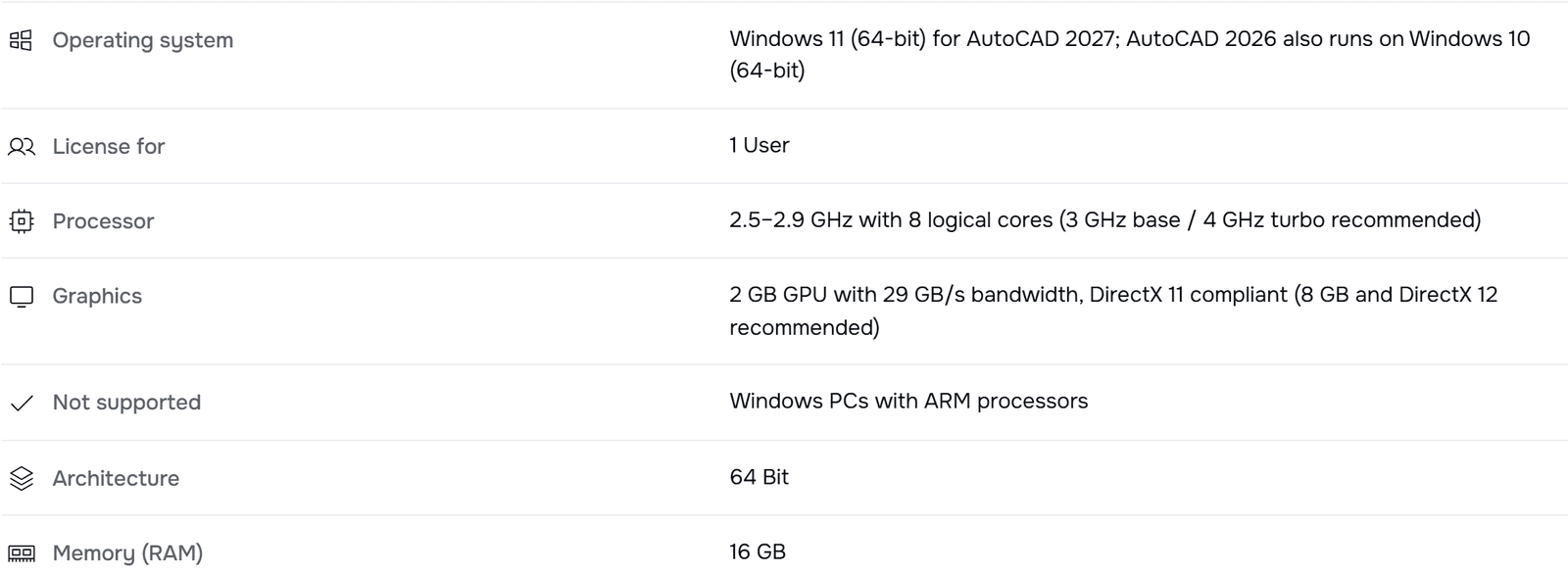
According to Autodesk, AutoCAD is a general-purpose drawing tool, favored for precise 2D drafting, detailed floor plans, sections and construction documents. If your work is mostly drawings, it is the plan to look at first.

You choose how long the plan lasts (1 year or 3 years) and the version year. Open Autodesk AutoCAD to see the options available today.
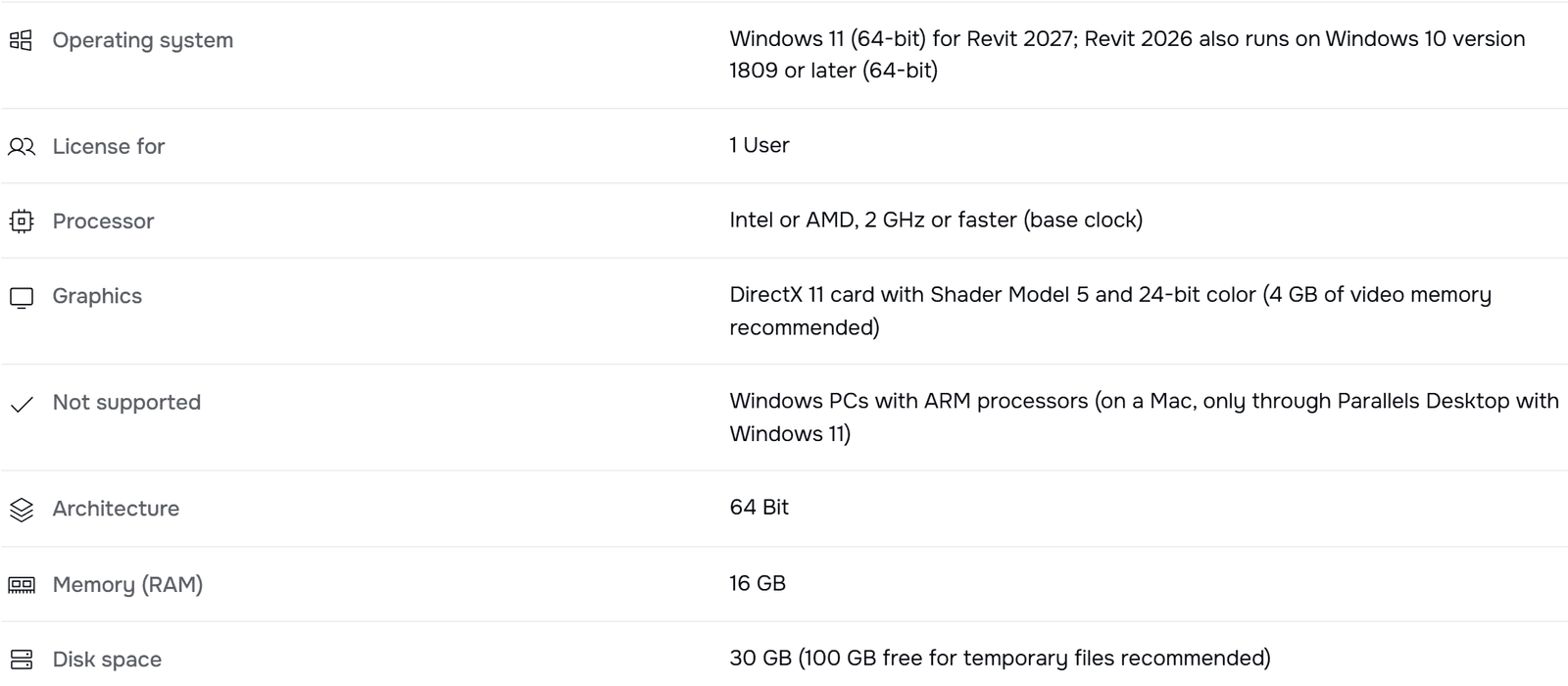
According to Autodesk, Revit is built for BIM (building information modeling): instead of drawing lines, you place building elements that carry information, and changes show up across views and schedules. It is aimed at architecture, structure and building systems.

Same structure as AutoCAD: 1 year or 3 years, and the version year. Revit runs on Windows only, so on a Mac you would need Windows 11 running in Parallels Desktop, as the requirements say. See Autodesk Revit for the options available today.
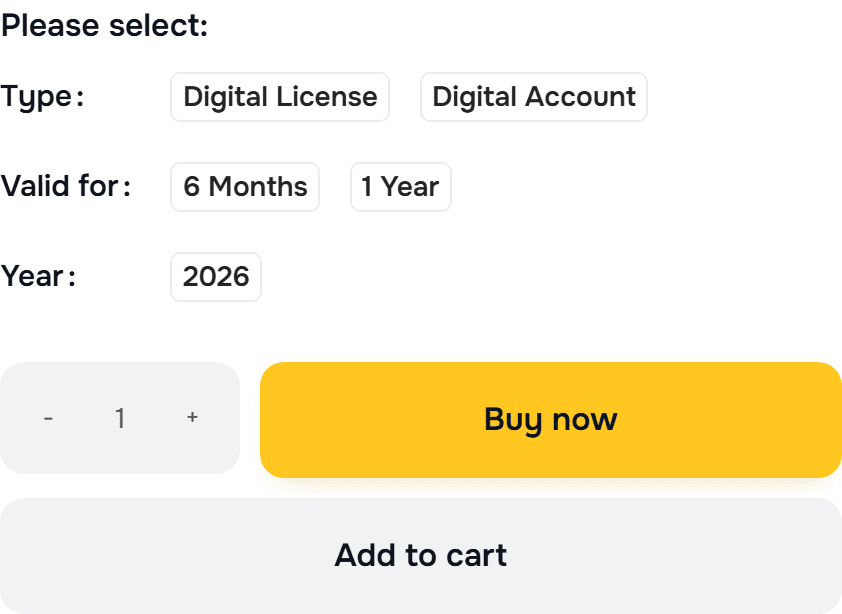
All Apps is the Autodesk apps collection in one plan: AutoCAD, Revit, Maya, 3ds Max, Fusion 360, Civil 3D, among others. It gives you personal and exclusive access to the products through an Autodesk account, without sharing login details. You choose a type (Digital License or Digital Account), the plan length (6 months or 1 year) and the year.
The requirements vary by app, so check the one you plan to install. Revit and Inventor are Windows only, while apps with a Mac version, such as AutoCAD for Mac, need macOS 14 Sonoma or later.
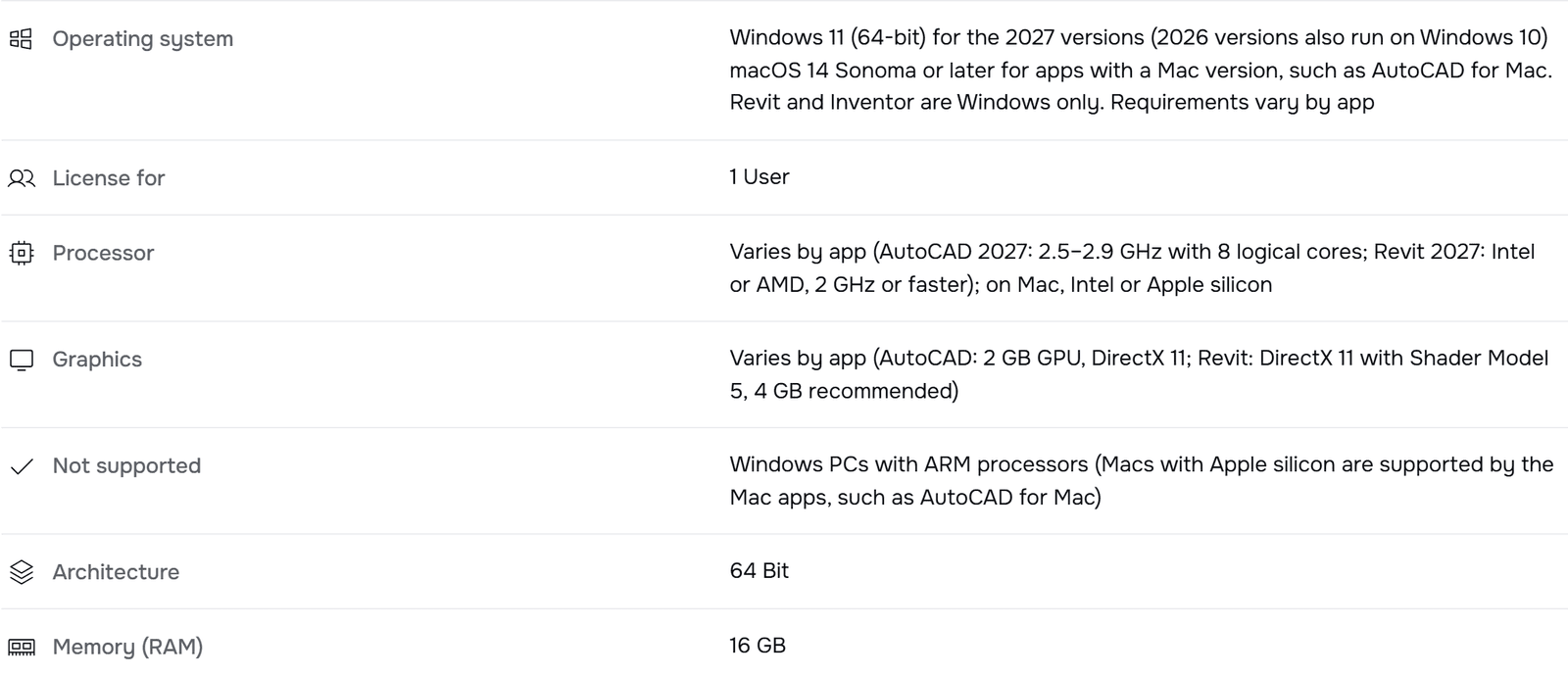
You can see it at Autodesk All Apps.
Activation is completed by entering the code directly into the application. The All Apps page describes going to manage.autodesk.com, signing in or creating an Autodesk account, and activating the software with the code we send you. On the AutoCAD and Revit pages you enter the code directly in the application. The download comes from Autodesk. Our step-by-step guide is How to Install and Activate Autodesk Products.
{n} from {l} bought
{n} bought
Someone from {l} bought
Someone bought
Just now
1 minute ago
2 minutes ago
1 hour ago
2 hours ago
1 day ago
2 days ago
Close


 Windows
 Office for PC
 Office for Mac
 Windows Server
 SQL Server
 Office Apps
 Visual Studio

