Office 2021 vs Office 2024: Which Perpetual Office Should You Buy?
If you want Office with a one-time purchase instead of a subscription, the choice today comes down to Office 2021 vs Office 2024. They look almost the same on screen, but they differ in three things that matter more than the new features: how long Microsoft supports them, which apps each edition includes, and the type of license you get. This comparison puts all three side by side, using Microsoft's own pages and the license types we sell, and ends with a simple "choose this if…" for each case.
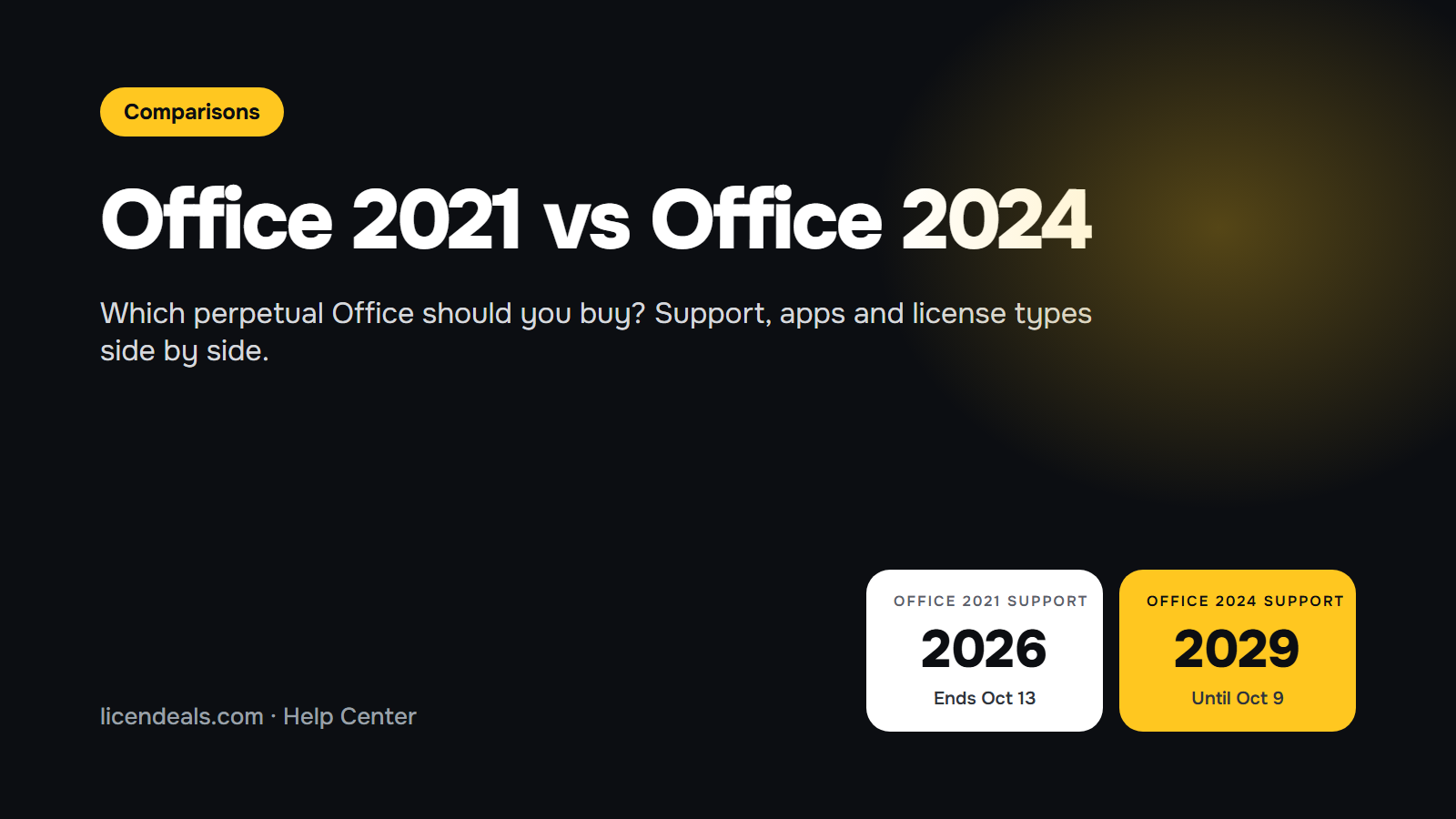
IMPORTANT: Microsoft support for Office 2021 ends on October 13, 2026. Office 2021 keeps working after that date, but it no longer gets security updates. Office 2024 is supported until October 9, 2029.
IMPORTANT: Office 2024 and Office LTSC 2024 are not the same product. Office 2024 is the consumer version (Home, Home and Business). Office LTSC 2024 is the business version (Professional Plus, Standard). Both are one-time purchases and get no new features after launch.
1. Office 2021 vs Office 2024 at a glance
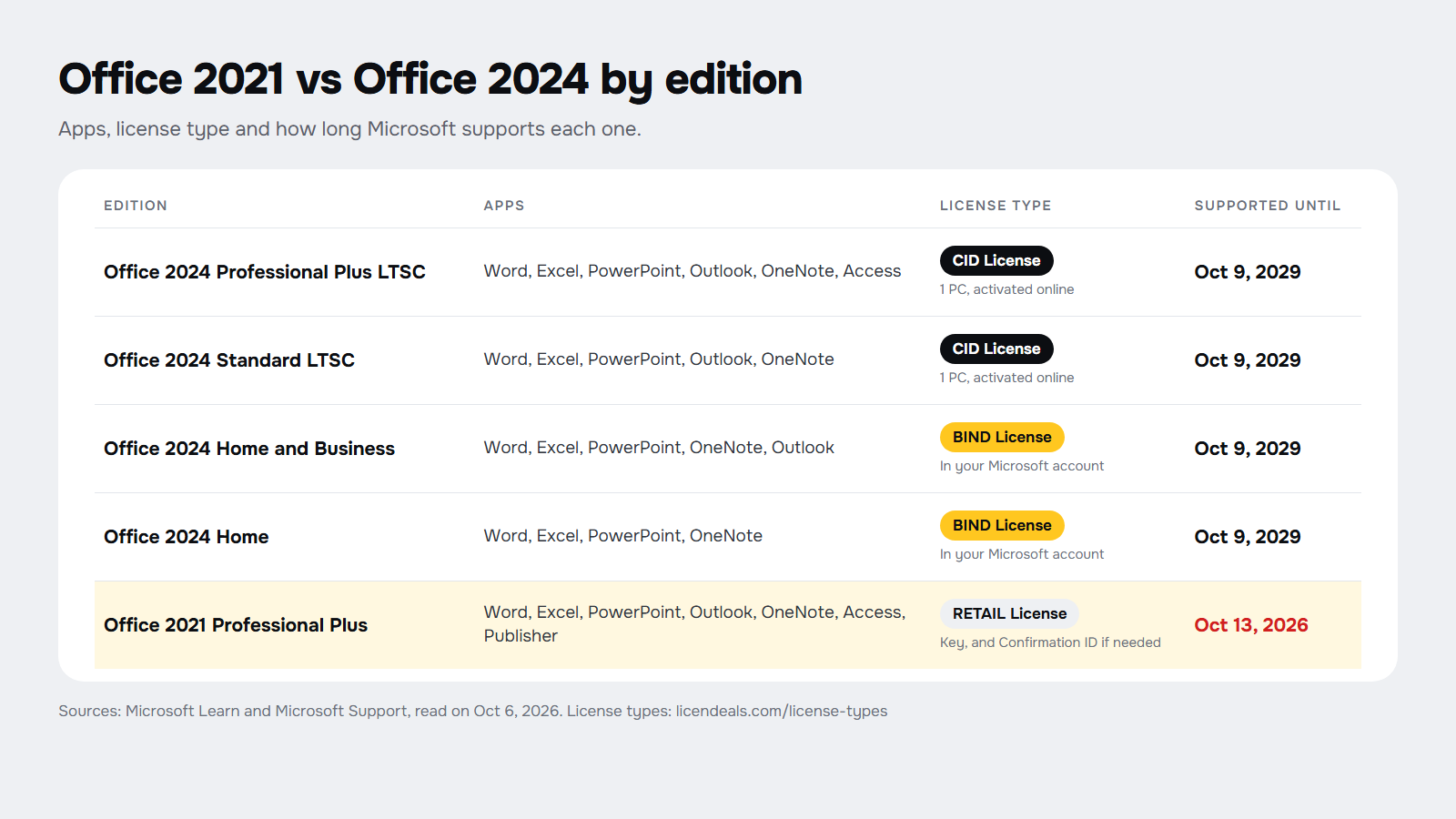
This is the comparison by edition, with the license type of each option we sell. The license type decides how you activate Office and whether you can reinstall it or move it to another computer.
![]()
- Office 2024 Professional Plus LTSC: Word, Excel, PowerPoint, Outlook, OneNote and Access. CID License: one PC, activated online with a Confirmation ID. Supported until October 9, 2029.
- Office 2024 Standard LTSC: Word, Excel, PowerPoint, Outlook and OneNote, without Access. CID License, one PC. Supported until October 9, 2029.
- Office 2024 Home and Business: Word, Excel, PowerPoint, OneNote and Outlook. BIND License, redeemed in your Microsoft account. Supported until October 9, 2029.
- Office 2024 Home: Word, Excel, PowerPoint and OneNote, without Outlook. BIND License. Supported until October 9, 2029.
- Office 2021 Professional Plus: Word, Excel, PowerPoint, Outlook, OneNote, Access and Publisher. RETAIL License that also activates online with a Confirmation ID. Supported until October 13, 2026.
2. Support: the biggest difference in 2026
Office 2021, including Office LTSC 2021, reaches end of support on October 13, 2026, and Microsoft has said there will be no extension and no extended security updates. Office 2024 and Office LTSC 2024 are supported until October 9, 2029. For the LTSC versions, Microsoft gives five years of Mainstream Support and no Extended Support after that date.
In practice, if you buy Office 2021 now, its security updates stop on October 13, 2026. Office 2024 gives you about three more years of security updates. We explain what changes after the Office 2021 date in our guide to Office 2021 end of support.
3. Office 2024 vs 2021 differences in features
Microsoft's "What's new in Office 2024 and Office LTSC 2024" page lists these as the main additions. None of them changes how you work with documents every day, but some are useful:
- Excel: dynamic charts that update when a dynamic array recalculates, 14 new text and array functions, the IMAGE function to place pictures inside cells, and better speed with several workbooks open.
- Word: session recovery, which reopens the documents you had open if Word closes unexpectedly, and reactions to comments.
- PowerPoint: cameo, to show your live camera on a slide, the Recording Studio to record a presentation as a video, and closed captions for video and audio.
- Outlook: improved search and more options when you create meetings.
- All apps: a new default theme, improved accessibility tools and support for the OpenDocument format 1.4.
There are also things that Office 2024 no longer includes:
- Publisher: it is not part of Office 2024 or Office LTSC 2024. Microsoft is retiring Publisher, which is no longer supported after October 2026, so having it in Office 2021 is only useful for a short time.
- Teams: it is not preinstalled with Office LTSC 2024. You can download it separately from Microsoft.
- Publish to Power BI is removed from Excel in Office LTSC 2024.
4. License types: CID, BIND or RETAIL
The same version of Office can come with different license types, and that is often the real decision. These are the ones in this comparison (all of them are explained on our license types page):
- CID License (Office 2024 Professional Plus LTSC and Standard LTSC): you enter the key in Office and then get a Confirmation ID in Microsoft's activation portal. It is all done online and takes a few minutes. The key is used once, for one PC.
- BIND License (Office 2024 Home and Home and Business): you redeem the key in your own Microsoft account and install Office from there. You can reinstall Office or move it to another device while you keep that account.
- RETAIL License (Office 2021 Professional Plus): you enter the key in Office, and in some cases you also activate it online with a Confirmation ID. It is meant for the computer where you activate it.
If you think you will change computer in the next few years, the BIND License is the most flexible option. If Office will stay on one PC and you need Access, the CID License of Professional Plus is the one that includes it.
5. Which one should you buy?
![]()
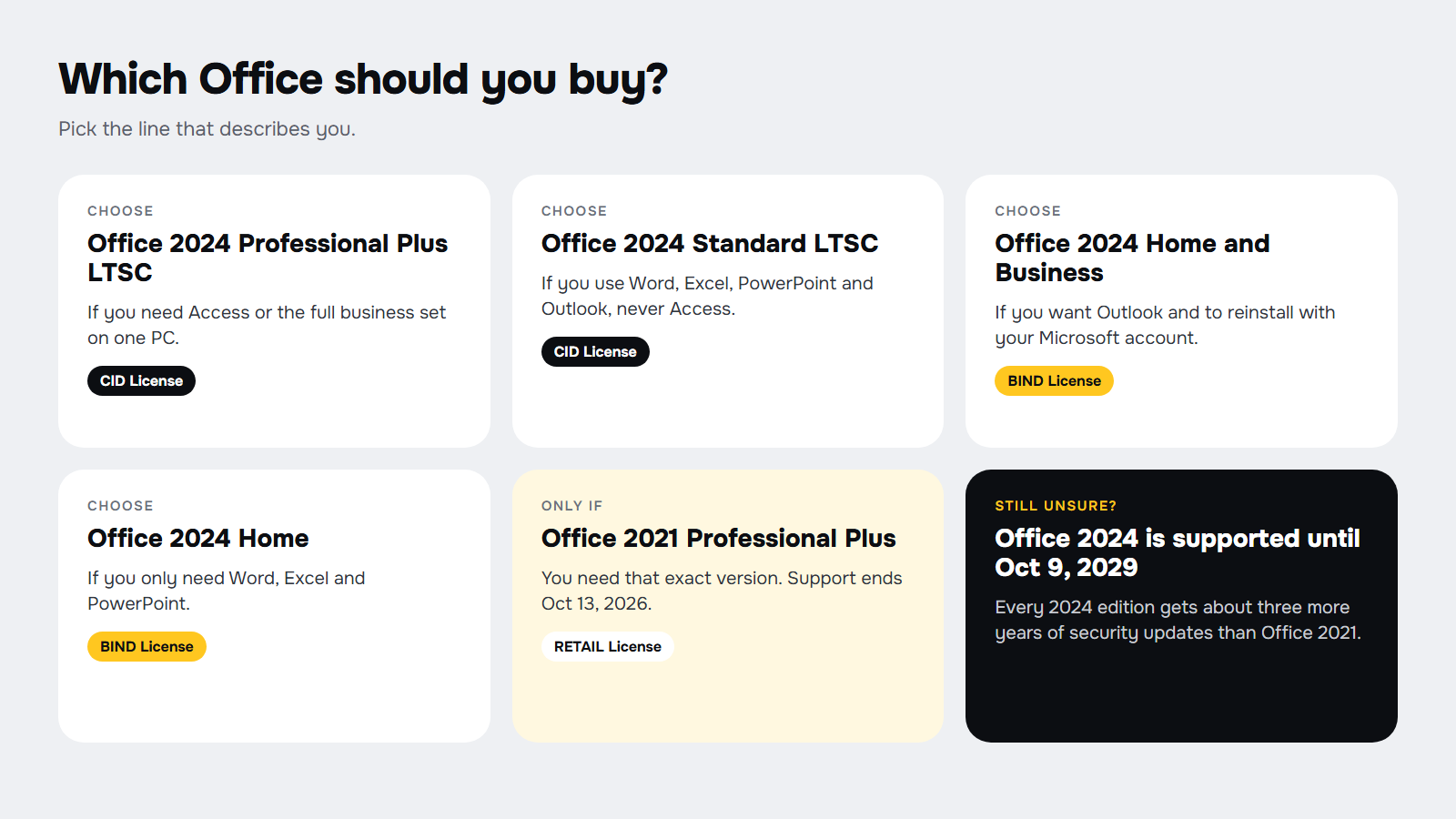
5.1 Choose Office 2024 Professional Plus LTSC if you need Access or the full set of business apps on one PC, with support until 2029.
5.2 Choose Office 2024 Standard LTSC if you use Word, Excel, PowerPoint and Outlook but never Access.
5.3 Choose Office 2024 Home and Business if you want Outlook and the freedom to reinstall Office or move it to a new computer with your Microsoft account. It is a good fit for a small business or a freelancer.
5.4 Choose Office 2024 Home if you only need Word, Excel and PowerPoint for home or school and already use another email app.
5.5 Choose Office 2021 Professional Plus only if you need that exact version, for example to match the other computers in your office or a program that is certified for Office 2021, and you accept that Microsoft support ends on October 13, 2026.
When Office 2021 is not a good idea: if you are buying Office for the first time, for work, or to open files and attachments from other people. A version without security updates is a risk you don't need when Office 2024 is available. The same applies, even more, to Office 2019 Professional Plus, whose support already ended on October 14, 2025.
6. Frequently asked questions
For most people buying today, yes. The new features are modest, but Office 2024 is supported until October 9, 2029, while Office 2021 support ends on October 13, 2026.
No. Office 2024 is a separate version with its own license. An Office 2021 key doesn't activate Office 2024.
No. Office 2024 and Office LTSC 2024 are one-time purchases. They don't receive new features after launch, only security and quality updates until the end of support.
No. Microsoft removed Publisher from Office 2024 and Office LTSC 2024, and Publisher itself is no longer supported after October 2026.
No. Office 2024 Home includes Word, Excel, PowerPoint and OneNote. Outlook comes with Office 2024 Home and Business, Professional Plus LTSC and Standard LTSC.
Office 2024, because of the longer support. Office 2024 Home and Business suits a small team that wants Outlook and to reinstall with a Microsoft account; Professional Plus LTSC suits an office that needs Access.
Checked on: Microsoft Learn and Microsoft Support pages, read on 2026-10-06. Sources: What's new in Office 2024 and Office LTSC 2024, Overview of Office LTSC 2024, Overview of Office LTSC 2021, Office 2024 and Office LTSC 2024 FAQ, End of support for Office 2021, Office 2021 lifecycle and Office 2024 lifecycle. Microsoft can change these pages; check them before you decide.
Still stuck choosing your version? Compare all the Office for PC options at Licendeals, or tell us what you use Office for and we will help you choose: we have 24/7 support.